GDC-800H IP DECT Handset User Guide - Issue 2.0 11
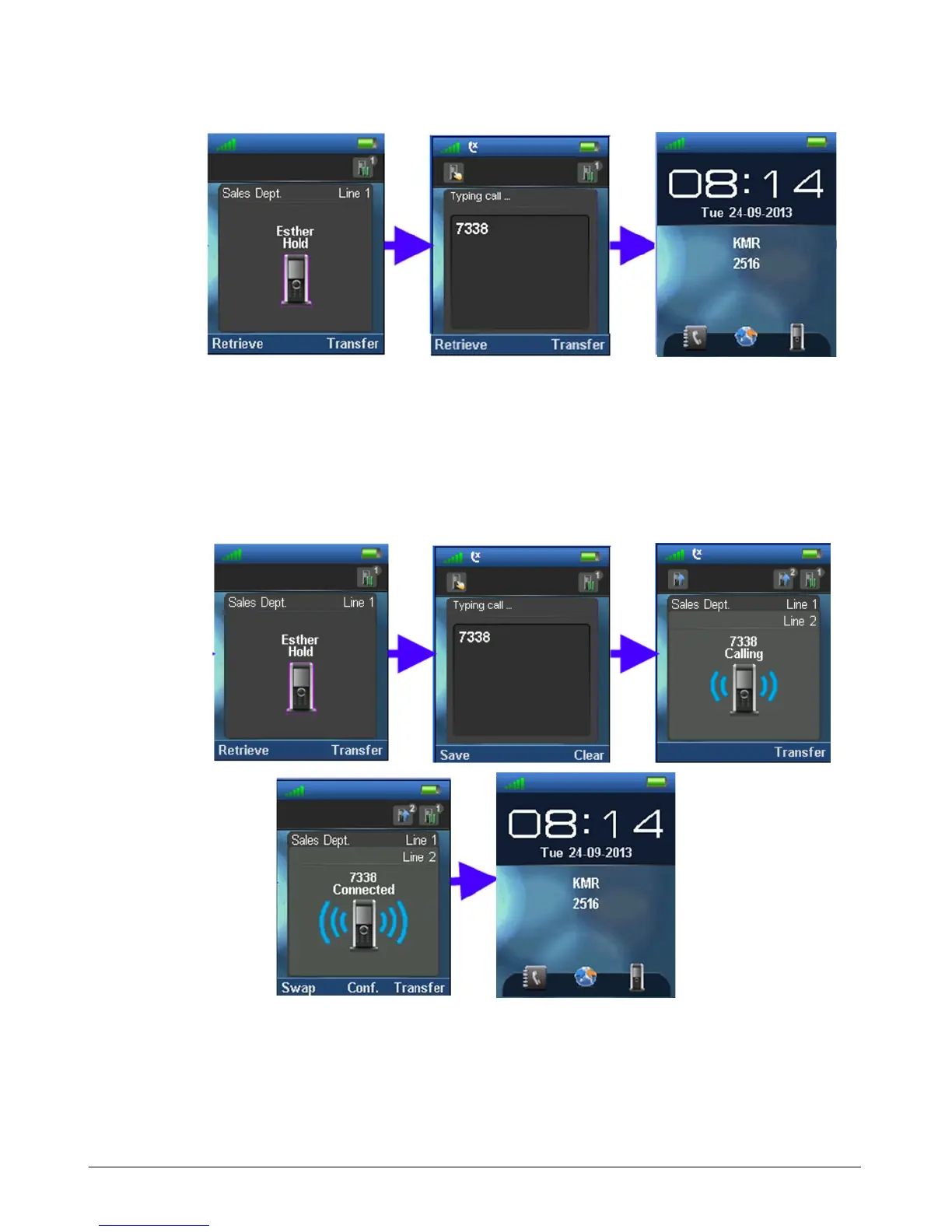
Attended Transfer
1. While on an active call, press the “Hold” soft key.
2. Dial the party to receive the transfer.
3. Press the Off-hook key (green handset).
4. Upon answer, announce the transfer then press the “Transfer” soft key.
Conference Call
You can join two calls into a three-way conference.



 To Next Page