GDC-800H IP DECT Handset User Guide - Issue 2.0 15
Chapter 3
GDC-800H Handset Settings
You have control over a number of characteristics of your GDC-800H handset. The various
settings are discussed in this chapter.
GDC-800H Main Menu
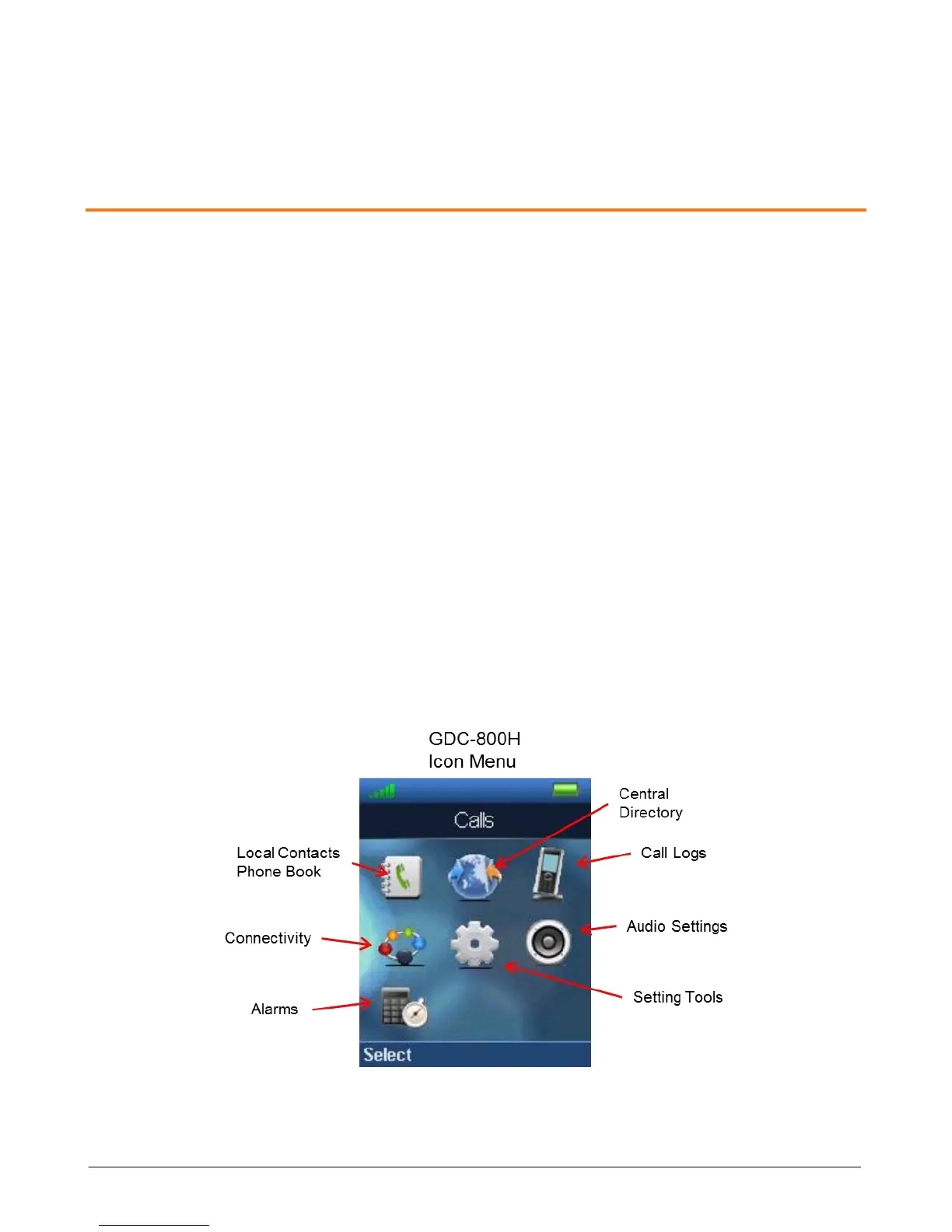
Various settings can be changed, such as ring type, registration, deregistration, etc. There are
seven menu selections, which display as icons. These menus, shown in the figure below,
include:
Local Phone Book
Central Directory
Call Logs
Connectivity
Settings Tool
Audio Settings
Alarms
Note when you access a menu, the first selection is highlighted and the current setting displays.
If you take no action for a period of about 1-minute, the handset will return to the idle mode.



 To Next Page