iPECS-MG Quick Start Guide
9
2.6 Expansion KSU Installation
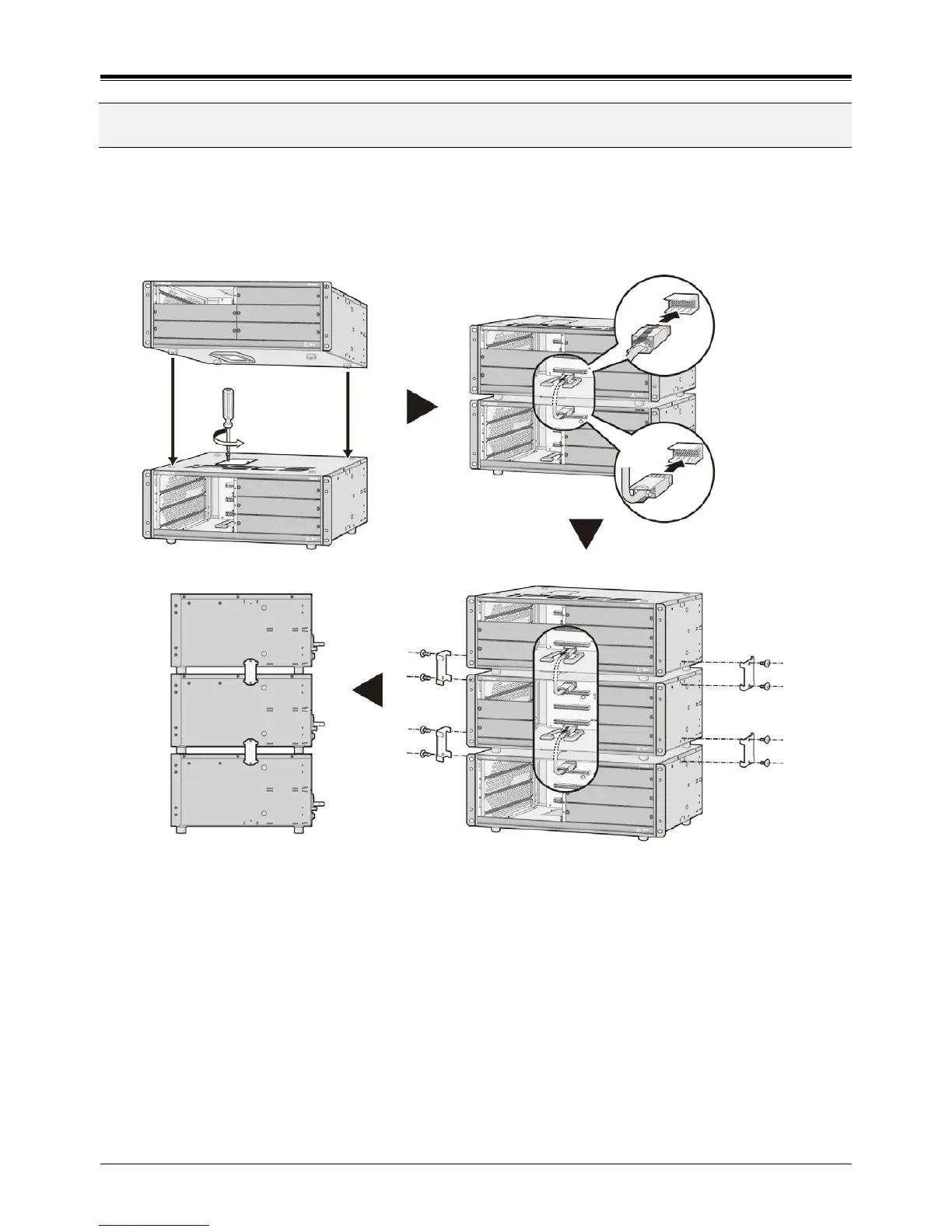
1. Turn the screw counter-clockwise to loosen and then remove the Dummy Cap. Also, the Dummy Cap of the
second KSU should be opened in the same manner.
2. To operate the System, each KSU should be connected using the Expansion cable as shown below. Please
make sure that the Expansion cable is connected correctly, and not facing the wrong direction.
3. Connect Fasteners with screws to affix the iPECS-MG system.
Figure 2.6 Expansion KSU installation
NOTE
• Be careful not to bend the pins of connectors.
• When the Expansion Cable is inserted in an uneven manner, the connector pins (male pins) on
MB/MBE may be bent over, so care should be taken.
• Before Installation of Expansion Cable, remove dummy plates.
C9 connector



 To Next Page