iPECS-MG Quick Start Guide
33
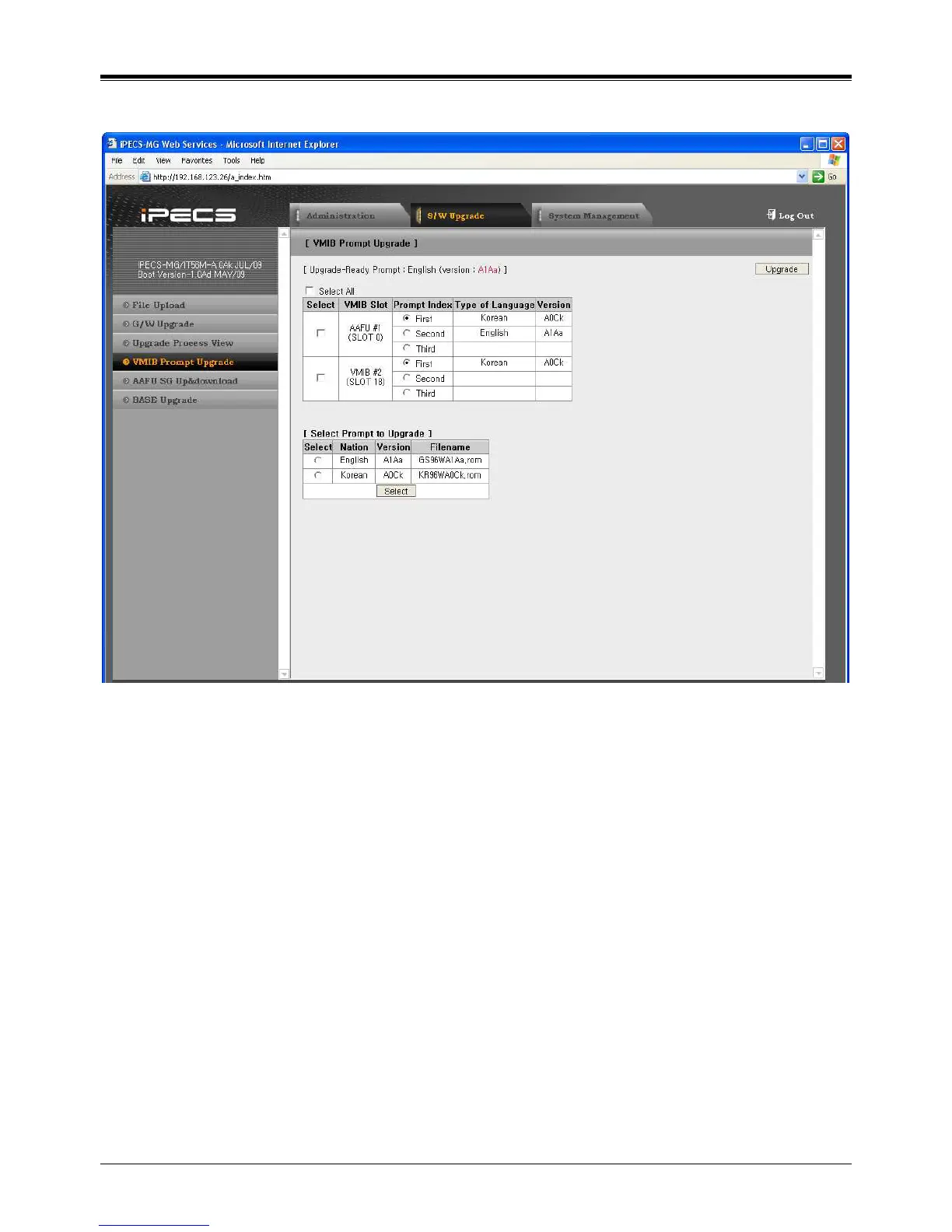
5.2.1.3 VMIB Prompt Upgrade
1. Click [S/W Upgrade] and [VMIB Prompt Upgrade].
2. Then, the installed VMIB or AAIB and Prompt List are displayed.
3. Check Prompt file to be upgrade and Click [SELECT] button.
4. Select VMIB Slot & Prompt index.
5. Click [Upgrade].



 To Next Page