iPECS-MG Quick Start Guide
34
5.2.1.4 SLT Line Monitoring
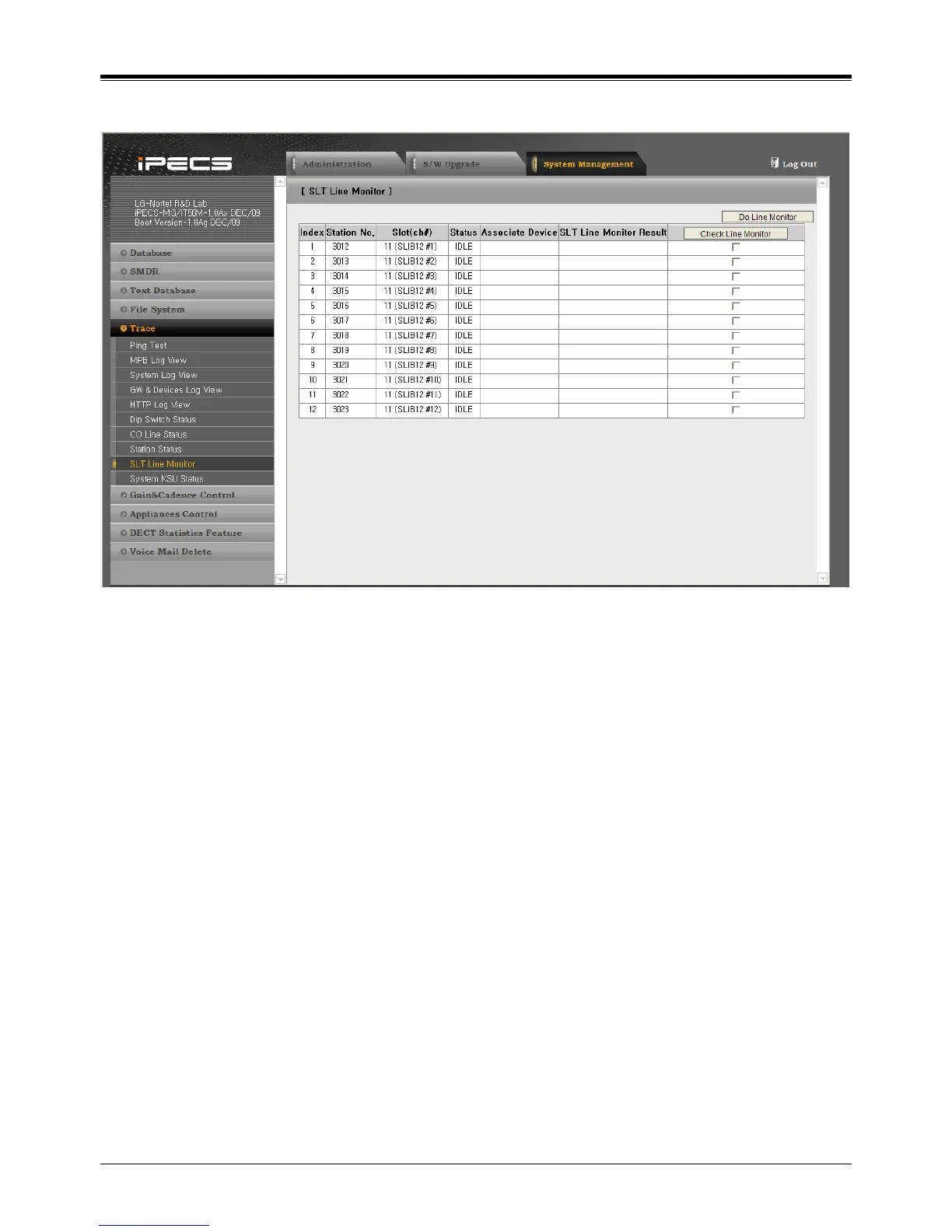
1. Click [System Management], [Trace] and [SLT Line Monitor].
2. Then, installed SLTs are displayed.
3. Select ‘Check Line Monitor’ and Click [Do Line Monitor] button.
4. To check the result, click [SLT Line Monitor] again.
5. Then, the result of line monitor is displayed in the ‘SLT Line Monitor Result’.



 To Next Page