133YLS-K
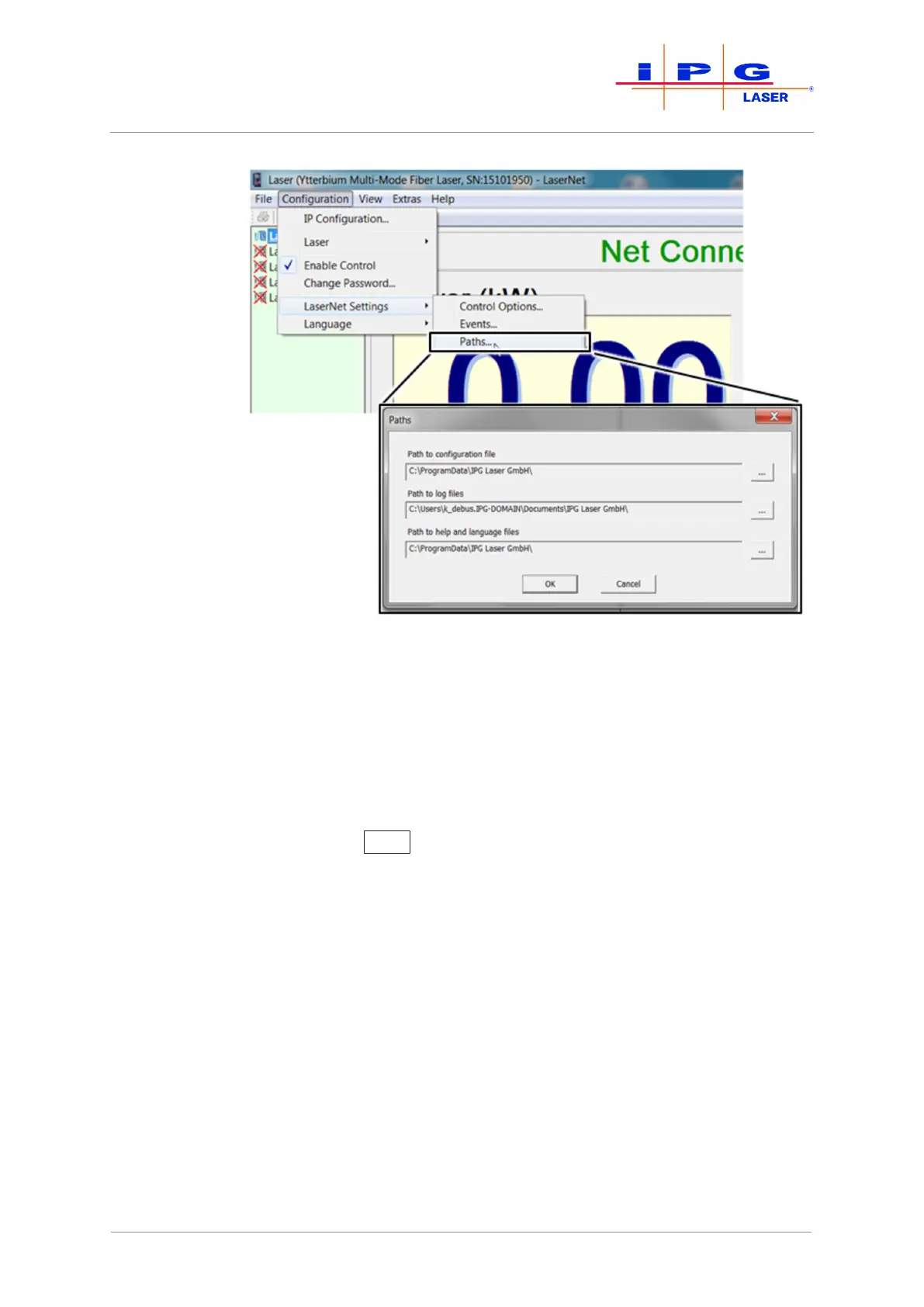
Figure80: Storage path for log files
6. Select the log files that you would like to download. You have two
options to do this:
• Select the files individually with the left mouse button.
• Use the right mouse button to click on the log files and in the win-
dow that appears select the Select all option with the left mouse
button.
7. Click on Load
to download the file to the previously selected
folder.
LaserNet creates a new folder in the previously selected folder and names this ac-
cording to the date from which the log files originate (e.g. 23.07.2015). The se-
lected files are stored in this folder.
| Messages and troubleshooting



 To Next Page