| Messages and troubleshooting
134
YLS-K
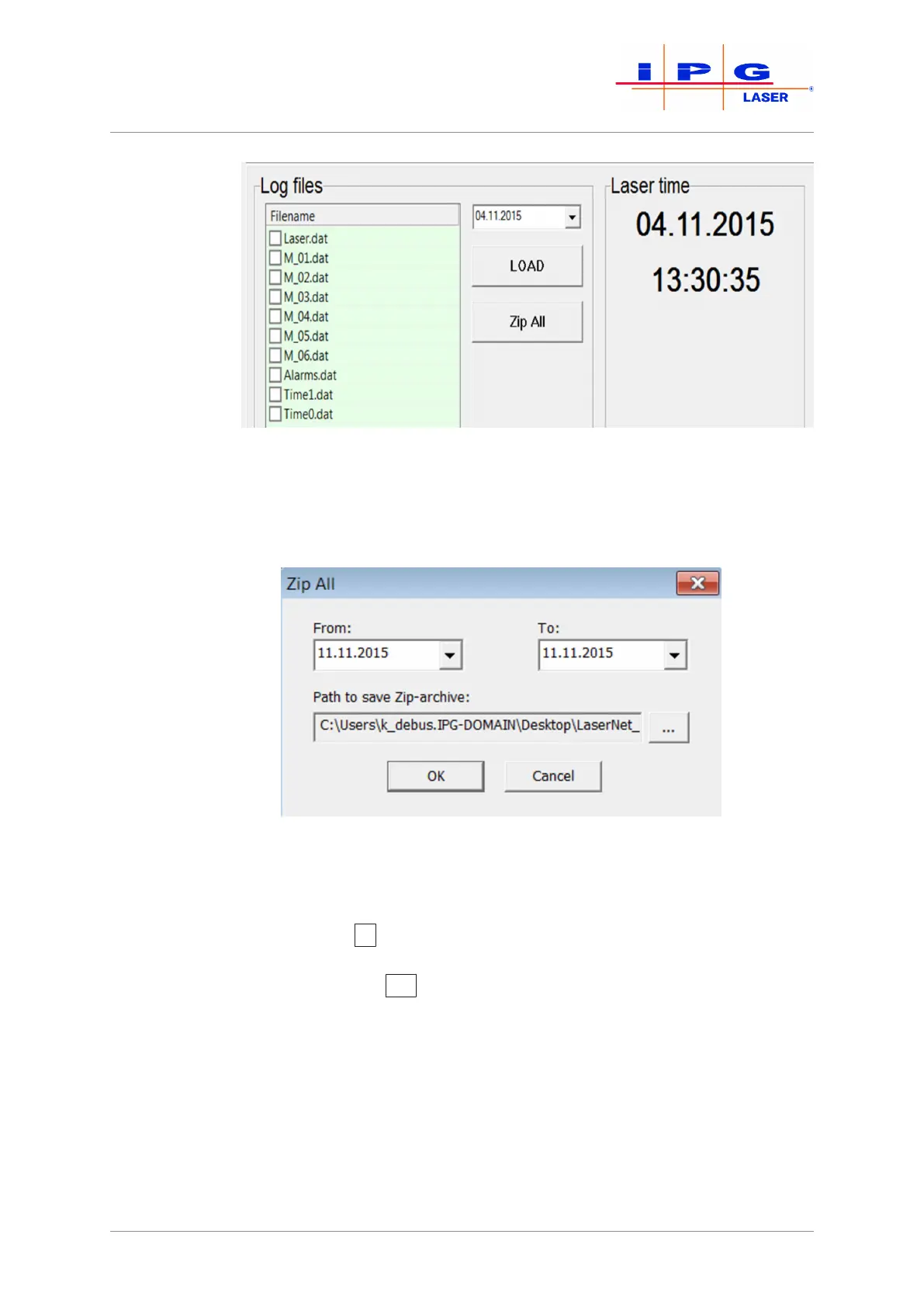
Figure81: Selecting log files
Zip All
8. Click on the ZipAll button.
The dialog window Zip All will appear.
Figure82: Zip All
9. Specify the desired time period in the combination fields From
and To.
10. Use the …
button to select the folder in which you want to save
the log files.
11. Click on the OK
button.
All log files from the selected time period will be stored in the selected folder.
12. Send the downloaded log files by email to the competent IPG ser-
vice department (see Behavior in the event of malfunctions
[}129] ).



 To Next Page