| LaserNet software
80
YLS-K
8.6.1 File menu
Monitor file
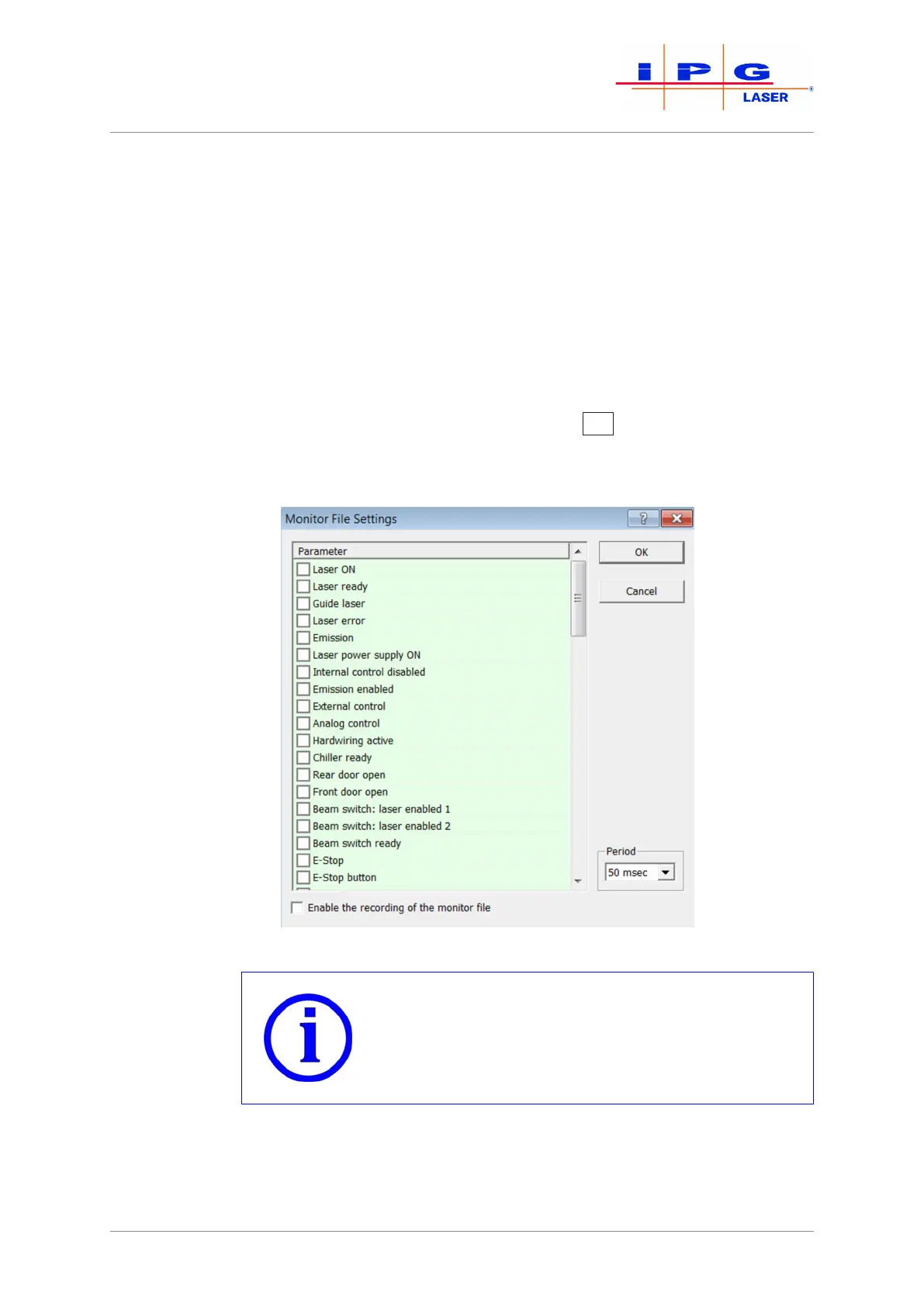
In the submenu Monitor File, you have the option of recording selected
signals. This recording can be used later for failure analysis.
To record the signals, do as follows:
1. Place a check mark in front of each signal you would like to
record.
2. Set the scanning period using the drop down menu Period.
3. Place a check mark in front of the field Enable the recording of the
monitor file.
4. Activate the recording by clicking on OK
.
The resulting file is stored in the format *.txt. The file storage location is specified
in theConfiguration\LaserNet Settings\Paths menu under Path
to log files (see Section Configuration menu [}89]).
Figure37: Monitor file settings
Ending recording
End the recording when it is no longer required. Es-
pecially with a high scanning period, the monitor file
may otherwise become too large.
ð Remove the check mark from the field Enable the recording of the
monitor file to end the recording of the monitor file.
Exit
You can close the LaserNet software via the Exit submenu.



 To Next Page