39
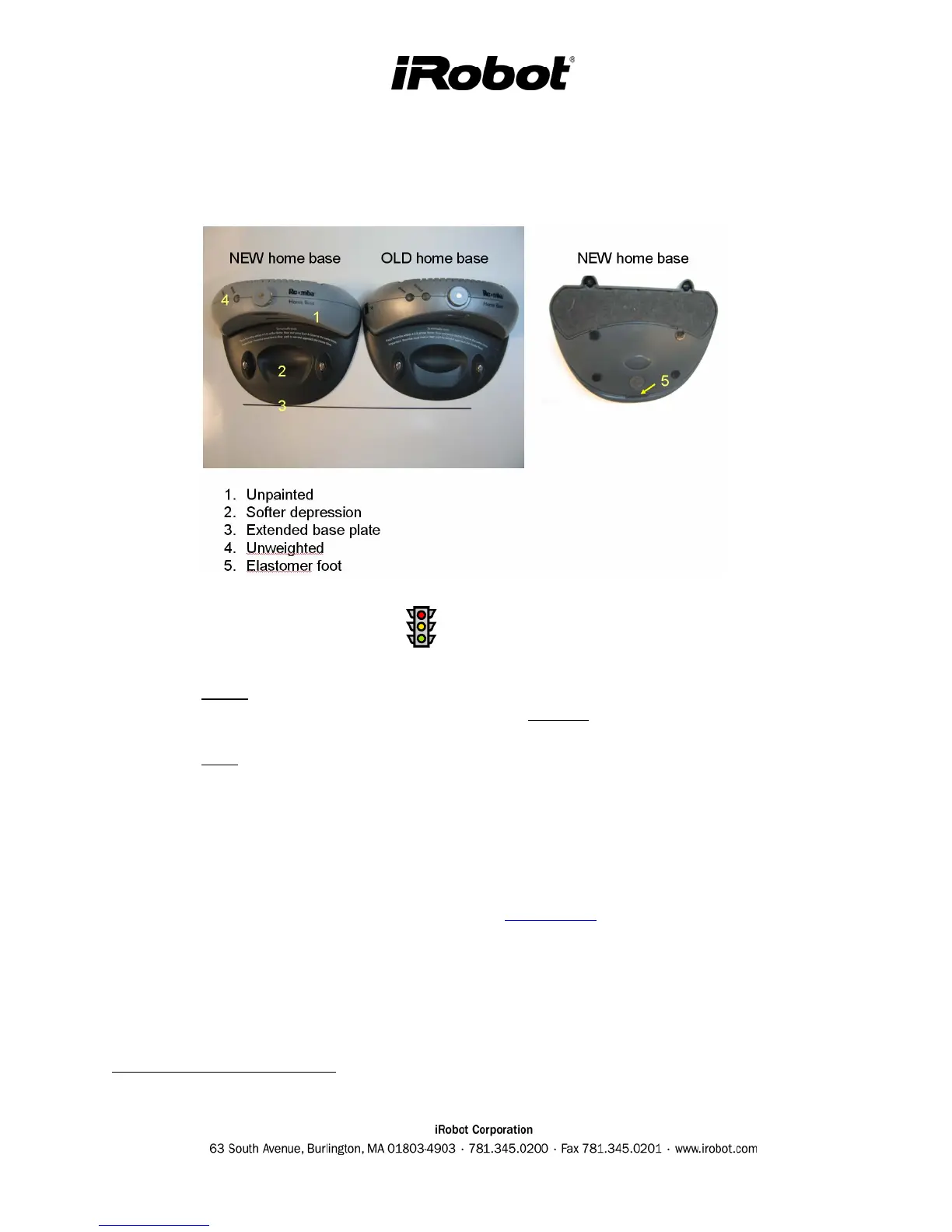
Home Base Generations
A modified Home Base was necessary to compliment the Roomba swivel caster design. The
modifications are listed below.
Home Base Troubleshooting
• The power light on the Home Base must be on and solid green while charging. If not, check
the connection and the charging brick. [Note: If flashing replace the Home Base, power
supply and Roomba pcb.
3
]
• The dock light on the Home Base must be on and solid green while charging. If the dock
light is not on, try cleaning the contacts on the Home Base and under the Roomba if this is
the case.
• Inspect the integrity of the spring contacts
• Wipe the IR lens from dust
• Verify that the swivel caster Roomba is paired up with the new extended Home Base. The
new extended Home Base is compatible with fixed caster Roombas.
• Perform the Mobility Test (see Figure 5-7 in Appendix H). This will test docking abilities
and Home base avoidance.
3
A flashing Power Supply and Home Base can destroy the Roomba pcb.



 To Next Page