44
Roomba Remote
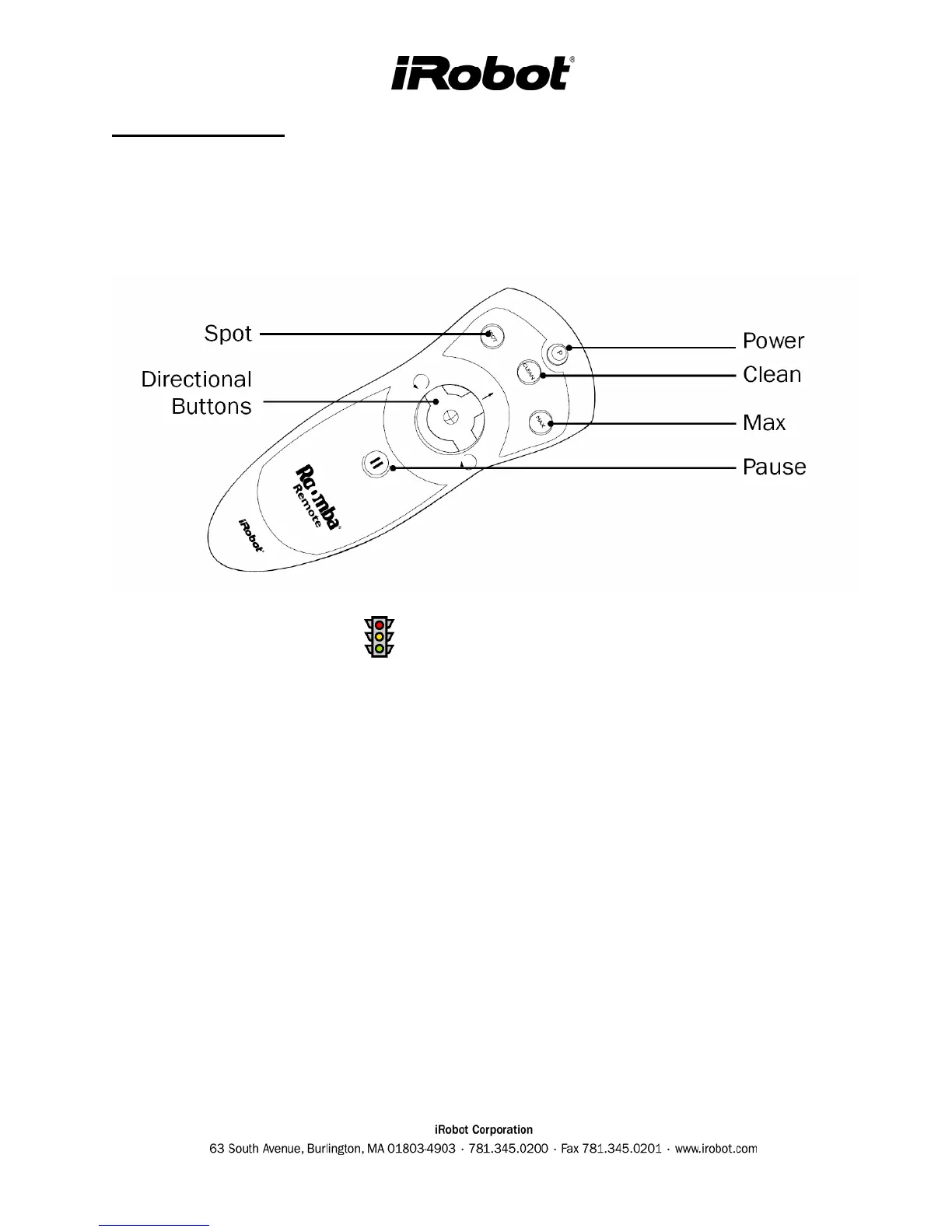
The Roomba Remote enables you to perform a variety of tasks with your Roomba without
touching the robot. It is compatible with all new Roomba models (except Roomba Original).
Remote Troubleshooting
• The light above the buttons comes on when a button is depressed. If not, replace the batteries.
• If the light is on but it does not communicate with the Roomba then :
o Wipe the Remote's IR emitter (located on the front edge of the Remote) and the Roomba's
IR receiver.
o Check that there is a direct line of sight from the remote to Roomba, and that the Remote is
pointed at Roomba. Try using the remote from several different heights and distances from
Roomba.
o Confirm that Roomba is not inside a Virtual Wall and do not try to drive the Roomba
through the virtual wall beam and keep in mind that Virtual Wall beams can reflect off
some surfaces.
o Roomba Remote also will not work if within 8 feet (~2.4 meters) of the Roomba Home
Base (if applicable). The Roomba Home Base creates Infrared (IR) frequency that
overrides the frequency of the Roomba Remote.
o It is possible that the remote is interfering with another IR device like a remote control for a
television.
o Confirm the front of the Roomba is not over a step or in front of an obstacle. The Roomba
should be emitting a low beep sound in this scenario.
o Try using the Roomba Remote in different lighting conditions. Certain halogen lights or
powerful florescent lights can interfere with the Roomba Remote's functioning.



 To Next Page