Manual No. 0183B 22/29 IPC Series Service Manual
4.1.3 Load Cell Replacement
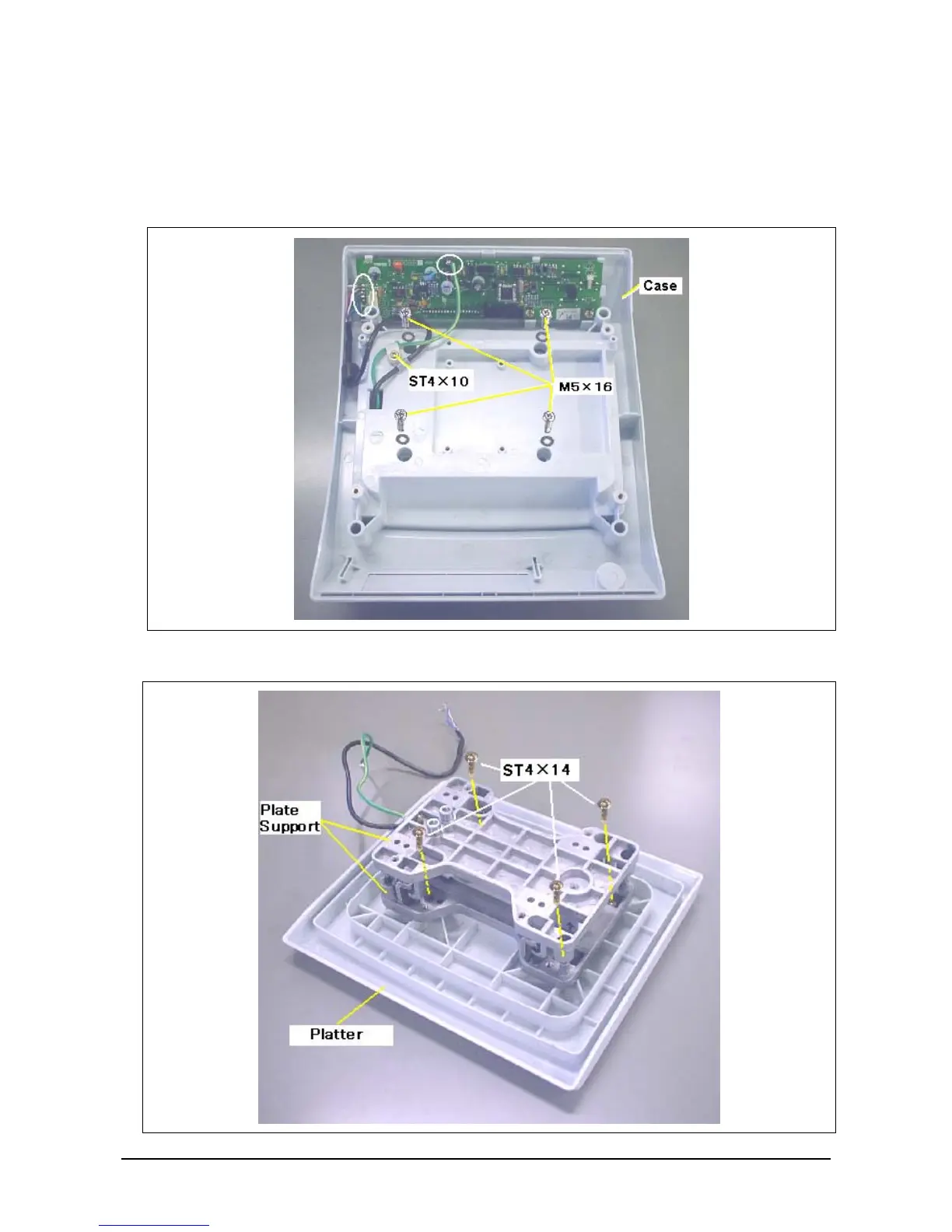
1. Remove the load cell cable and ground cable by using the soldering iron.
2. Remove the ST4×10 screw which fixes the cable clamp.
3. Remove the four M5×16 screws which fixe the plate support at four case locations.
4. Remove the case.
5. Remove the four ST4×14 screws which fix the plate support and platter.



 To Next Page