Manual No. 0183B 25/29 IPC Series Service Manual
4.2.2 Board Replacement
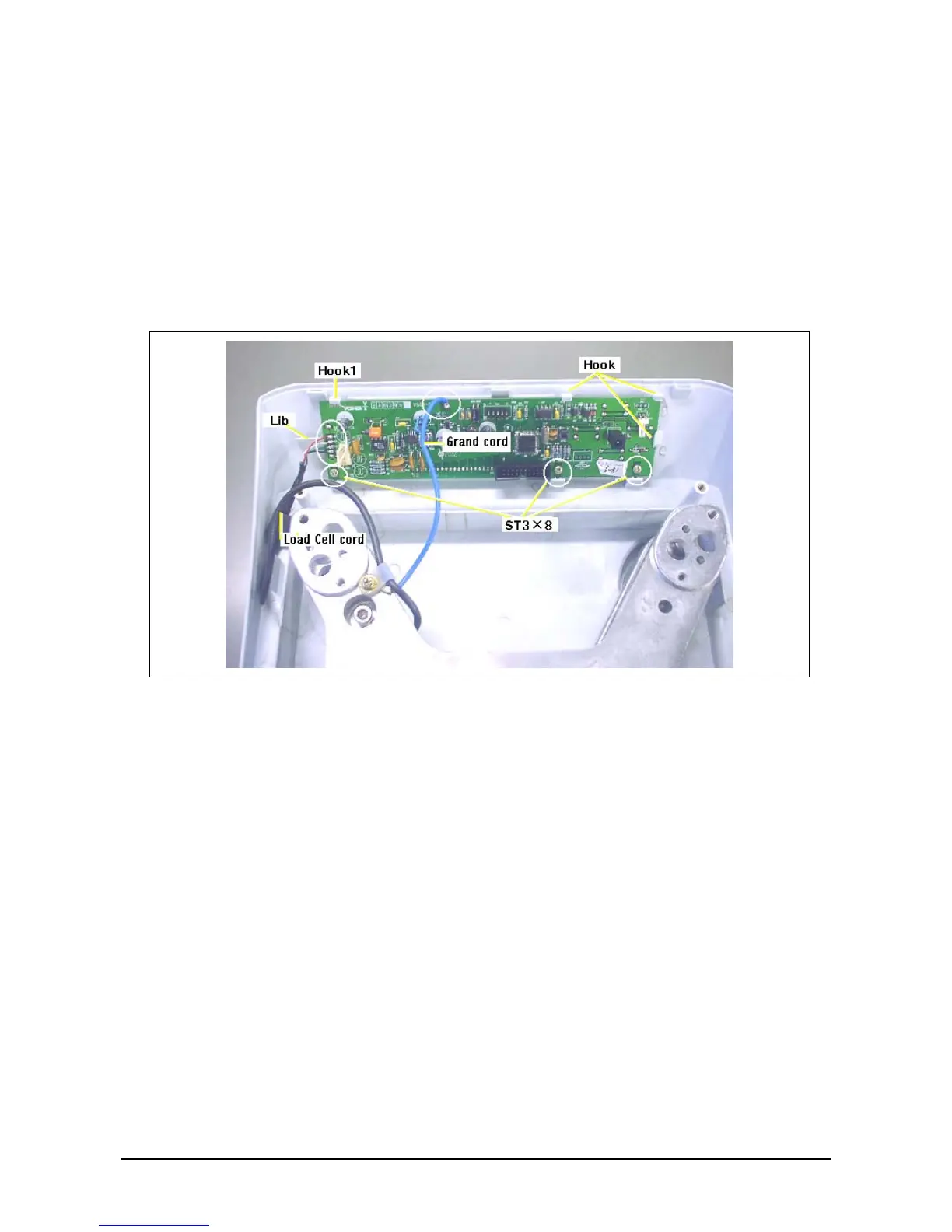
1. Remove the load cell cable and ground cable by using the soldering iron.
2. Remove the three ST3×8 screws where the board is fixed.
3. The board is fixed with the four hooks and one lib as shown in the photo.
Press down the place shown by the arrow, while pulling towards yourself, then remove the
hook 1 by sliding the entire board to the left and out.
4. Do in the reverse order for assembly.
5. Then, install the base.
6. Install the two dry batteries, clear E2ROM, and perform settings and span adjustment in C1,
C2, and C3 modes.



 To Next Page