44
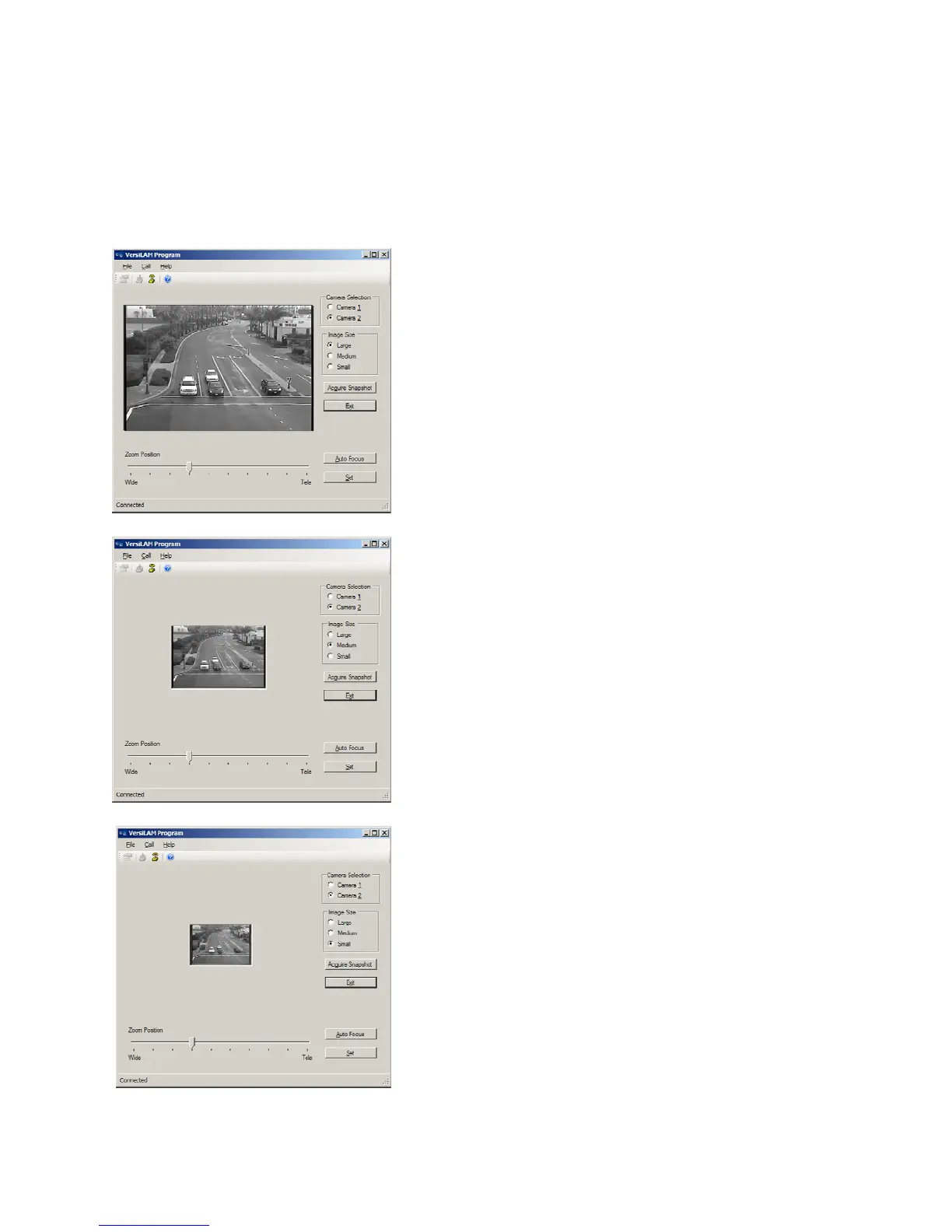
Note:Therearethreeimagesizesavailable,Small,MediumandLarge,seeFigures4.3(d),(e),(f).Each
hasadifferentresolutionandeachtakeadifferentamountoftimetodownloadfromthecamera.Itis
suggestedthatyoustarttheFOVsetupwiththeSmallimagefor
generalplacementandmovetoeither
the Medium or Large image to “fine tune” the FO V setting. For more details on good FOV setting see
Section3.1.1.
Figure4.3(d)–LargeSnapshotImage
Figure4.3(e)–MediumSnapshotImage
Figure4.3(f)–SmallSnapshotImage


 To Next Page