Initial Operation
37
5 Initial Operation
Device set-up is carried out by your sales or service partner and a Digital Instructor / Master as
part of your system instruction.
Do not perform the tasks described below alone!
For information on using CAD-integrated systems, refer to the manufacturer's documentation
(“Supporting documents”, page 9).
Information on the CAM software “PrograMill CAM” can be found in the User Manual
“PrograMill CAM” (“Supporting documents”, page 9).
To start up the device, registration must be completed via the cloud system, see:
https://customer-reg.ivoclarvivadent.com
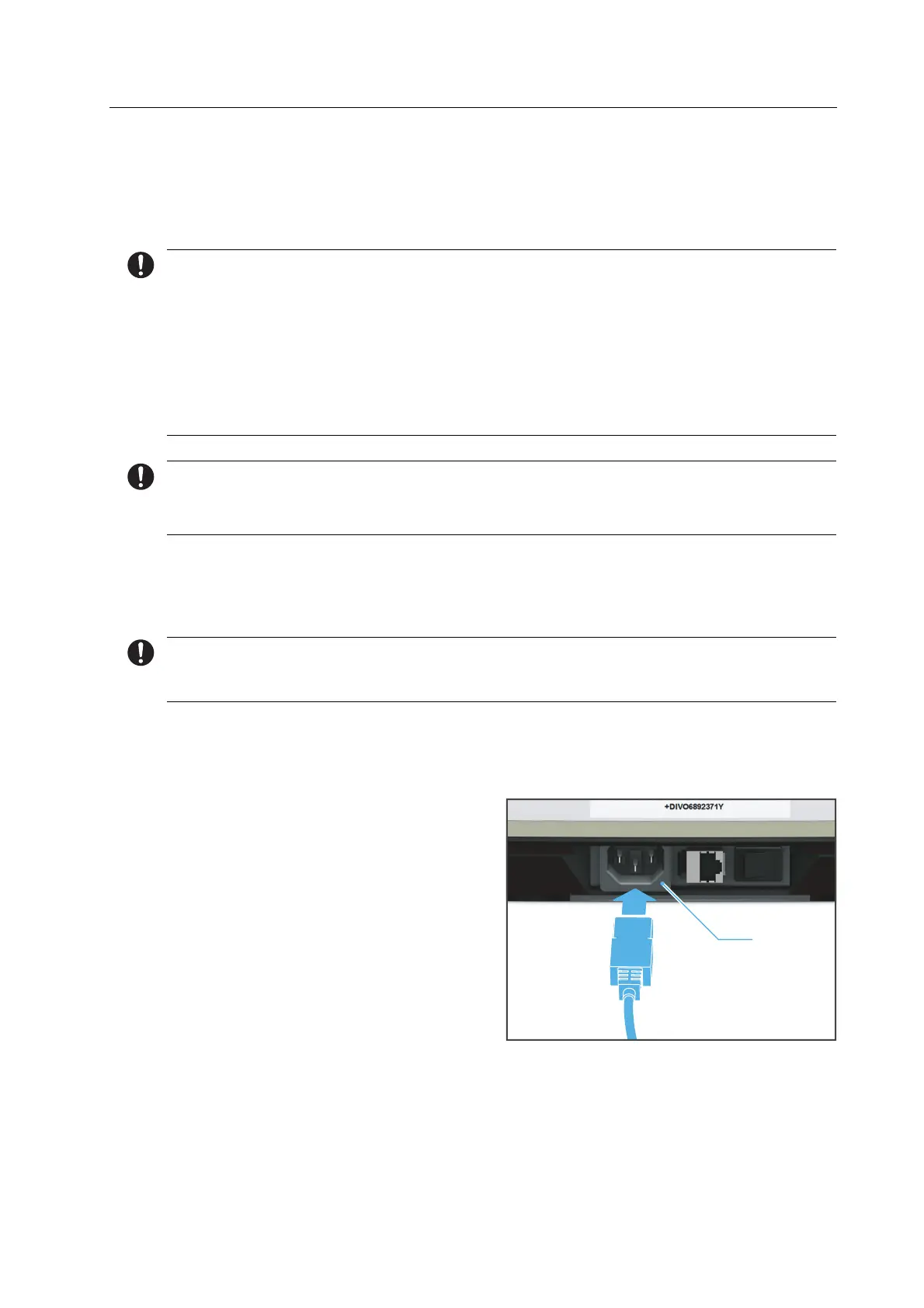
5.1 Connecting the device to the power supply
Only use the supplied power cable or an equivalent replacement power cable from
Ivoclar Digital.
Ensure that the power supply requirements are correct (“Electrical safety”, page 17,
“Electrical data”, page 137 and type plate, see “Marking and labelling of PrograMill One”,
page 21)
1. Connect the power cable to the power
connection (1) in the device.
2. Connect the power cable to the mains supply.
Mains voltage is present on the device.
1



 To Next Page