Initial Operation
38
5.2 Connecting PrograMill One to the local network (LAN)
Your device supports Ethernet LAN. You can connect to a local area network (LAN).
• Only use the supplied patch cable or the original spare part.
• Your in-house technician or network administrator can help you configure and use LAN
connections.
Technical network specifications fulfilled (“Supporting documents”, page 9, Checklist for
PrograMill One).
Network connection (in-house technology) is secured.
Internet connection (in-house technology) is secured.
Communication between the devices in the respective system solution (sales partner or
Ivoclar Vivadent Digital Instructor / Master) is secured.
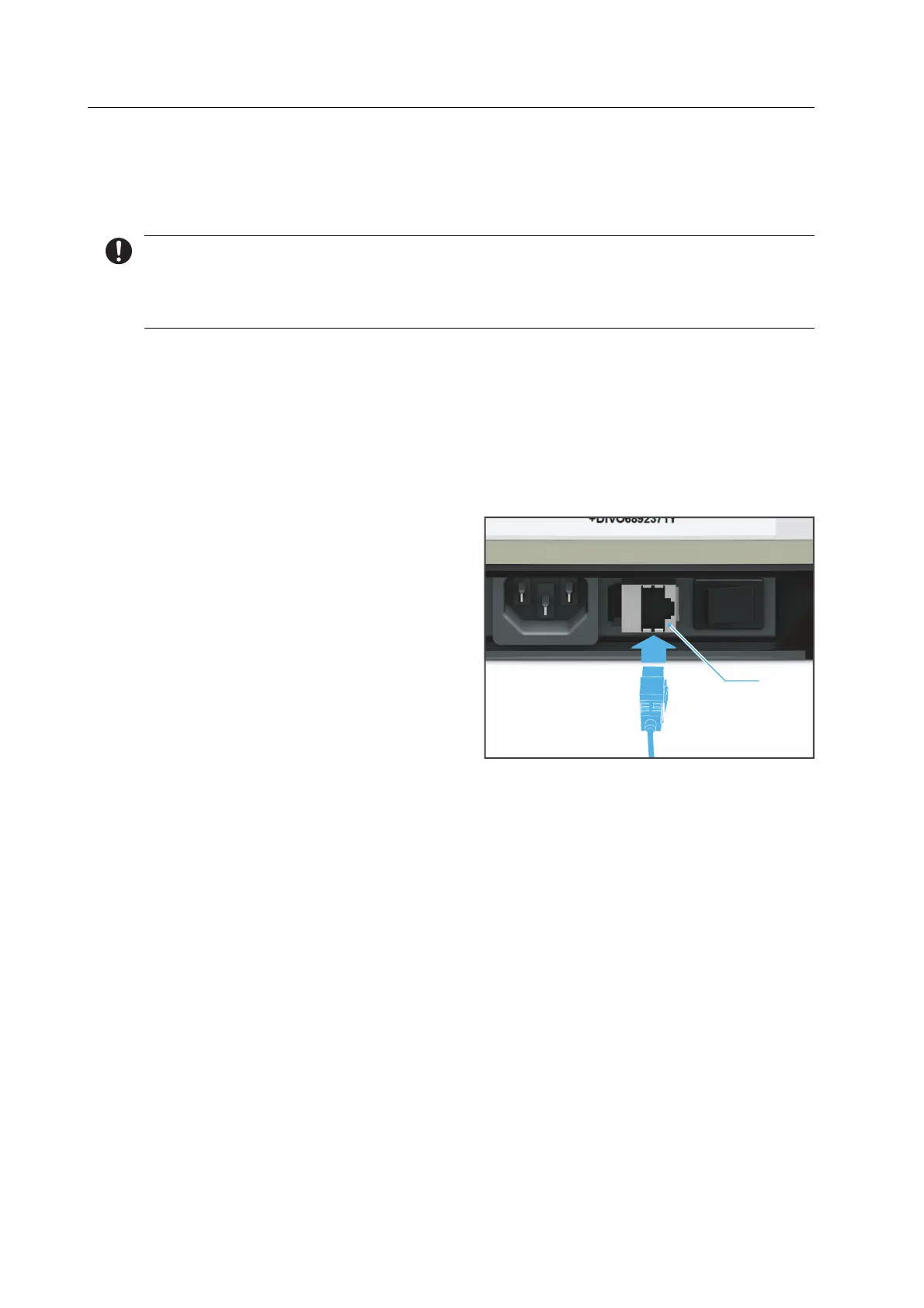
1. Connect one end of the patch cable to
the PrograMill One LAN connection (1).
2. Connect the other end of the patch cable to your network connection.
1



 To Next Page