Initial Operation
41
5.7 Removing the transport protection and preparing for initial
operation
To prevent damage from occurring during transportation, the device is delivered with a
transport lock installed in the milling chamber (transport mode). This must be removed during
initial set-up.
In addition, the device must be loaded with a block and tool holder during initial set-up. The
first calibration will be run and the calibration and cleaning tool inserted.
For security reasons, the wizard will prompt you to acknowledge the following steps via the
app.
The tablet and PrograMill One are switched on (“Switching on PrograMill One (for the first
time)”, page 39).
The tablet and PrograMill One are logged in to the same network.
PrograMill One is in the transport mode.
1. Follow the instructions in the app.
The processing and changer arm will release the transport lock.
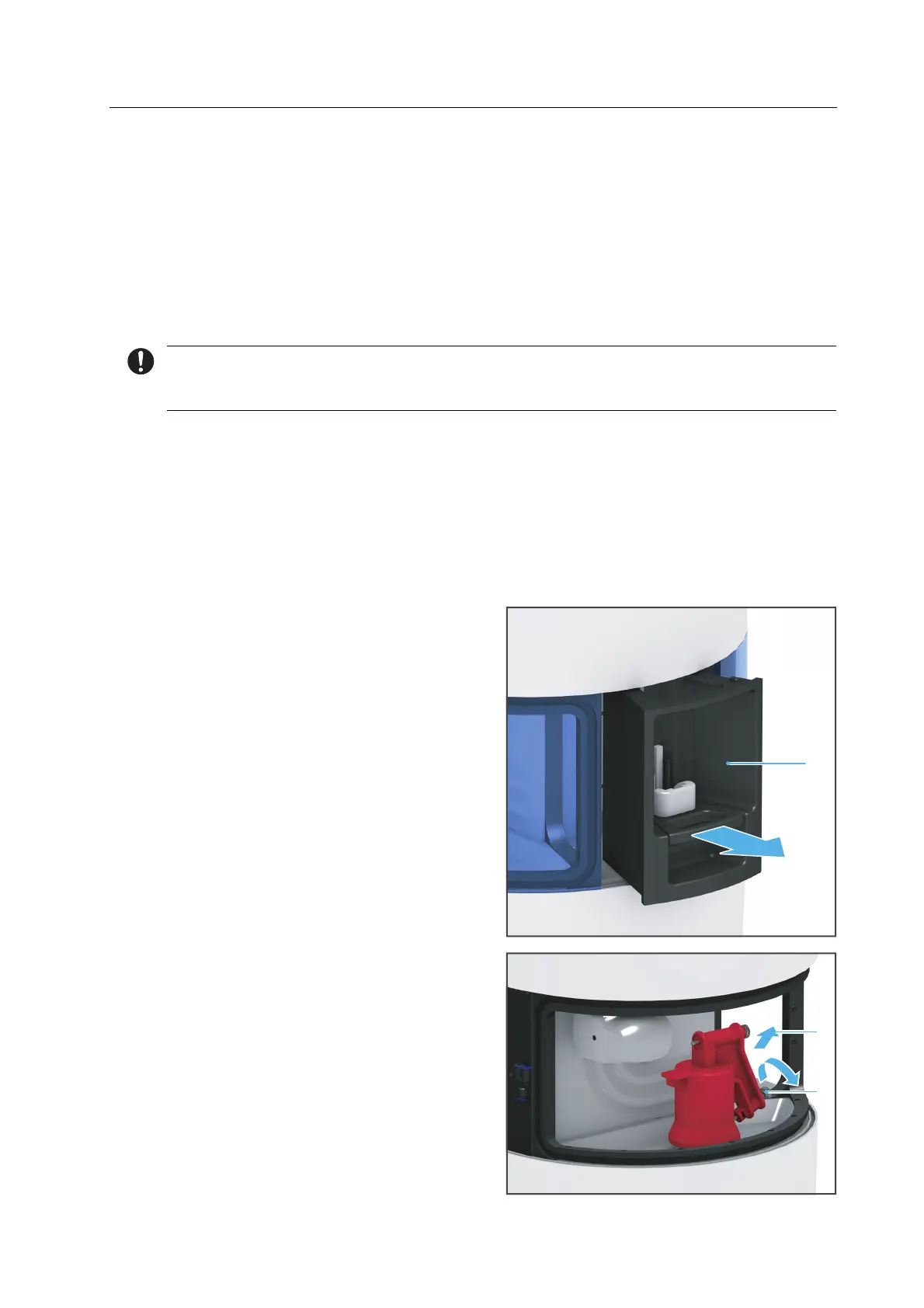
2. Remove the loading aid (1) in the
direction of the arrow.
3. Loosen the lower knurled screw (1).
4. Remove the lower knurled screw from
the milling chamber (2).
The transport safety block remains on
the transport lock.
1



 To Next Page