© 2019 Jackson Labs Technologies, Inc. 57
Micro-JLT GNSS™ User Manual
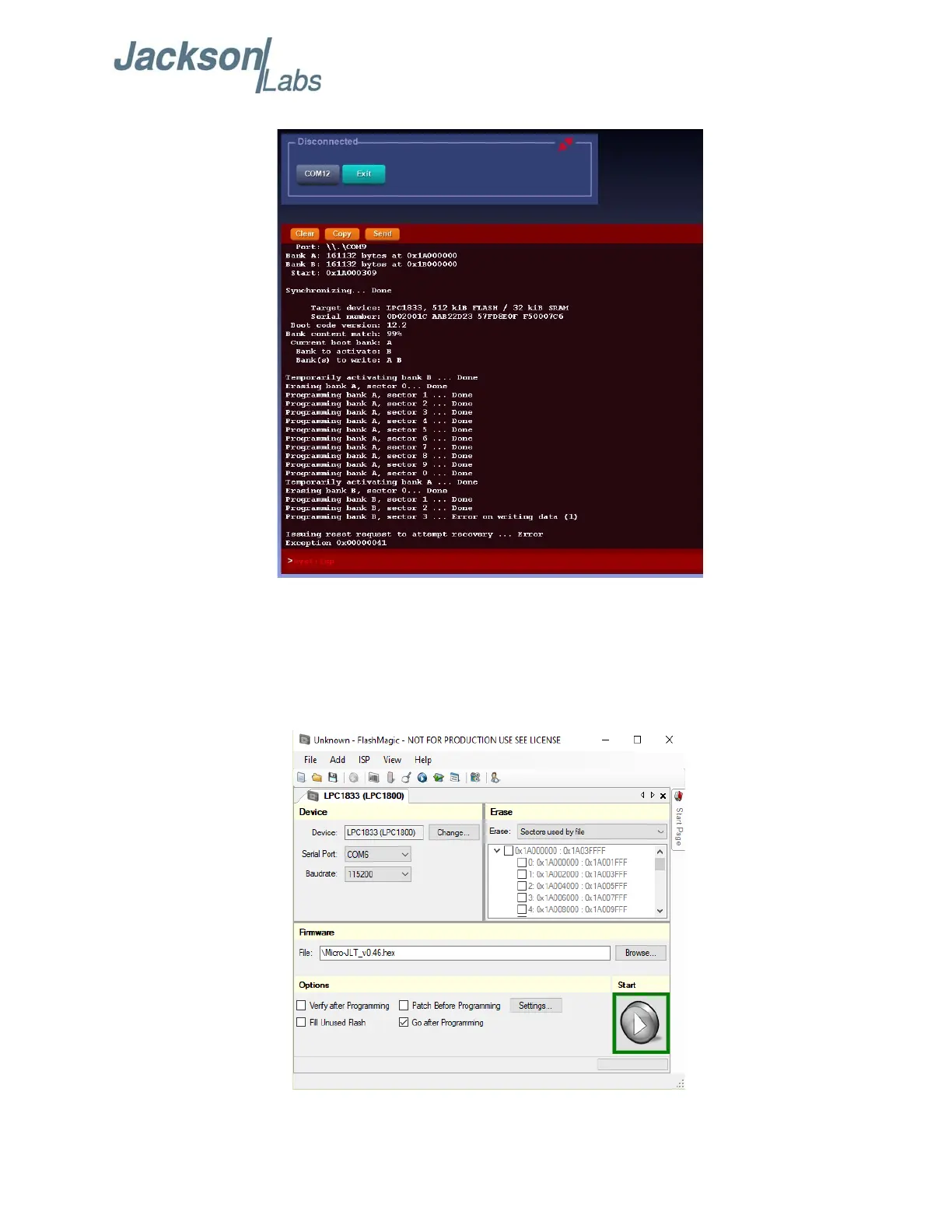
Figure 4.5 Error in Programming
4.4.2 Using the Flash Magic Programming Utility
A) Open the Flash Magic utility. Select the correct Device LPC1833 by clicking “Change...” and
select LPC1800->LPC1833. If Flash Magic version is 11.20 or older, skip to Section 4.4.3 for
instructions on Classic Version of Flash Magic.
Figure 4.6 Flash Magic Programming Utility v12.xx


 To Next Page