17
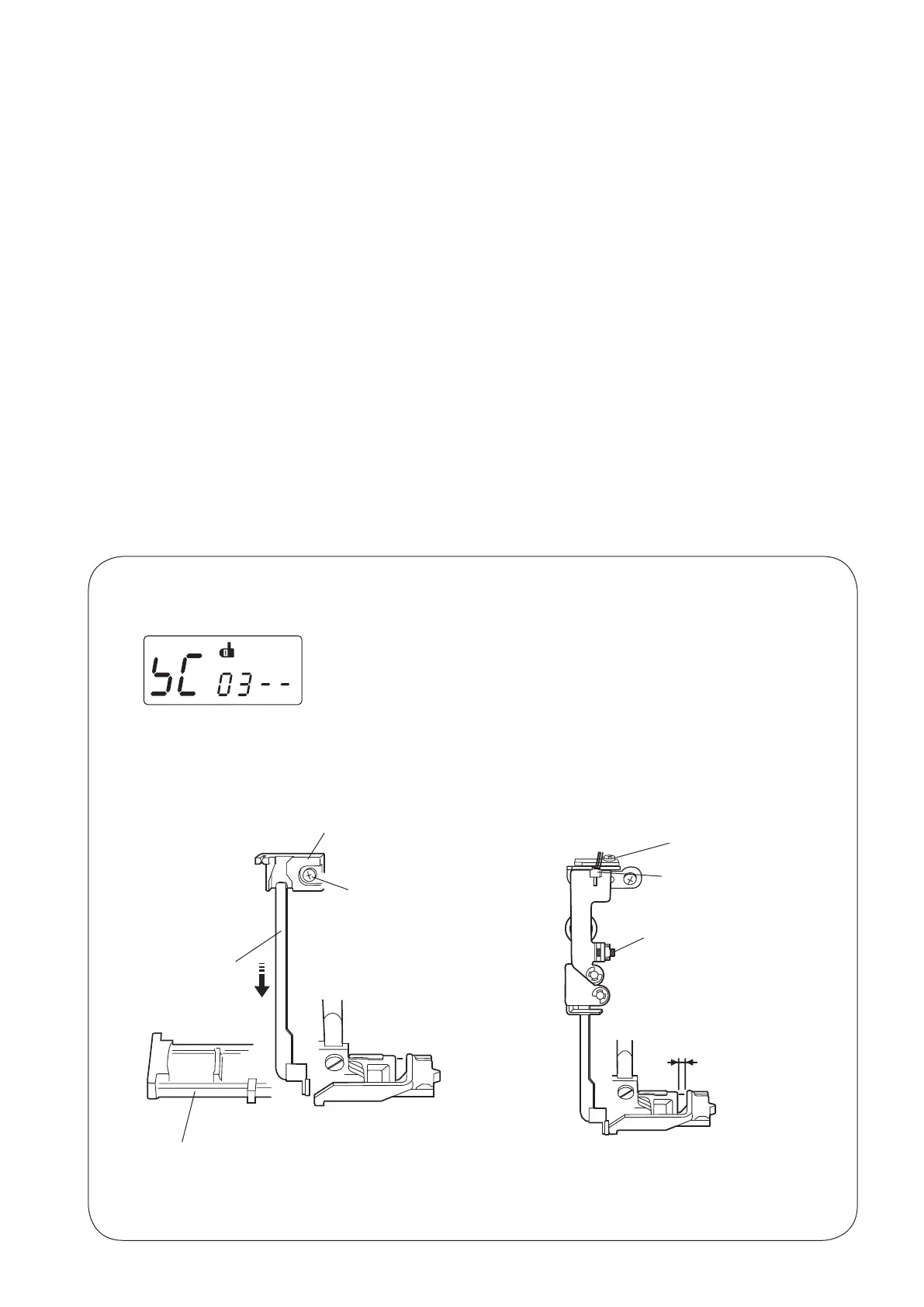
BHsensor
1.6 mm gap
TO ENTER ADJUSTING MODE
MECHANICAL ADJUSTMENT
ADJUSTING BUTTONHOLE LEVER POSITION
TO ADJUST THE BUTTONHOLE LEVER GUIDE:
1. Enterthediagnostictestofbuttonholesensormode.(Seepages18and19.TheLCDshoulddisplay03and
BHsymbol.)
2. Removethefacecover(seepage4)andloosenthesetscrewq.
3. MovethebuttonholeleverguidesotheBHsymboldisappearwhenthebuttonholeleverislowered.
Tightenthesetscrew.
TO ADJUST THE BUTTONHOLE SENSOR POSITION:
4.Attachthebuttonholefoot(R).
5.Lowerthebuttonholelevertoitslowestpositionandopena1.6mmgapbetweenthesliderandthe
buttonholefoot.
6. TurntheadjustingscrewwtotheleftuntiltheLCDdisplayBHsymbol.
7. Next,turntheadjustingscrewtotherightuntiltheBHsymboldisappears.
8. Turnoffthepowerswitch.
9. Attachthefacecover.
q
Buttonholeleverguide
Buttonholefoot(R)
Buttonholelever
w
NOTE:
Ifthereisanylintordustinthebuttonholesensorslit,loosenthescrew
e
andcleanitoutwithaswab.
e



 To Next Page