23
SELF-DIAGNOSTIC TEST
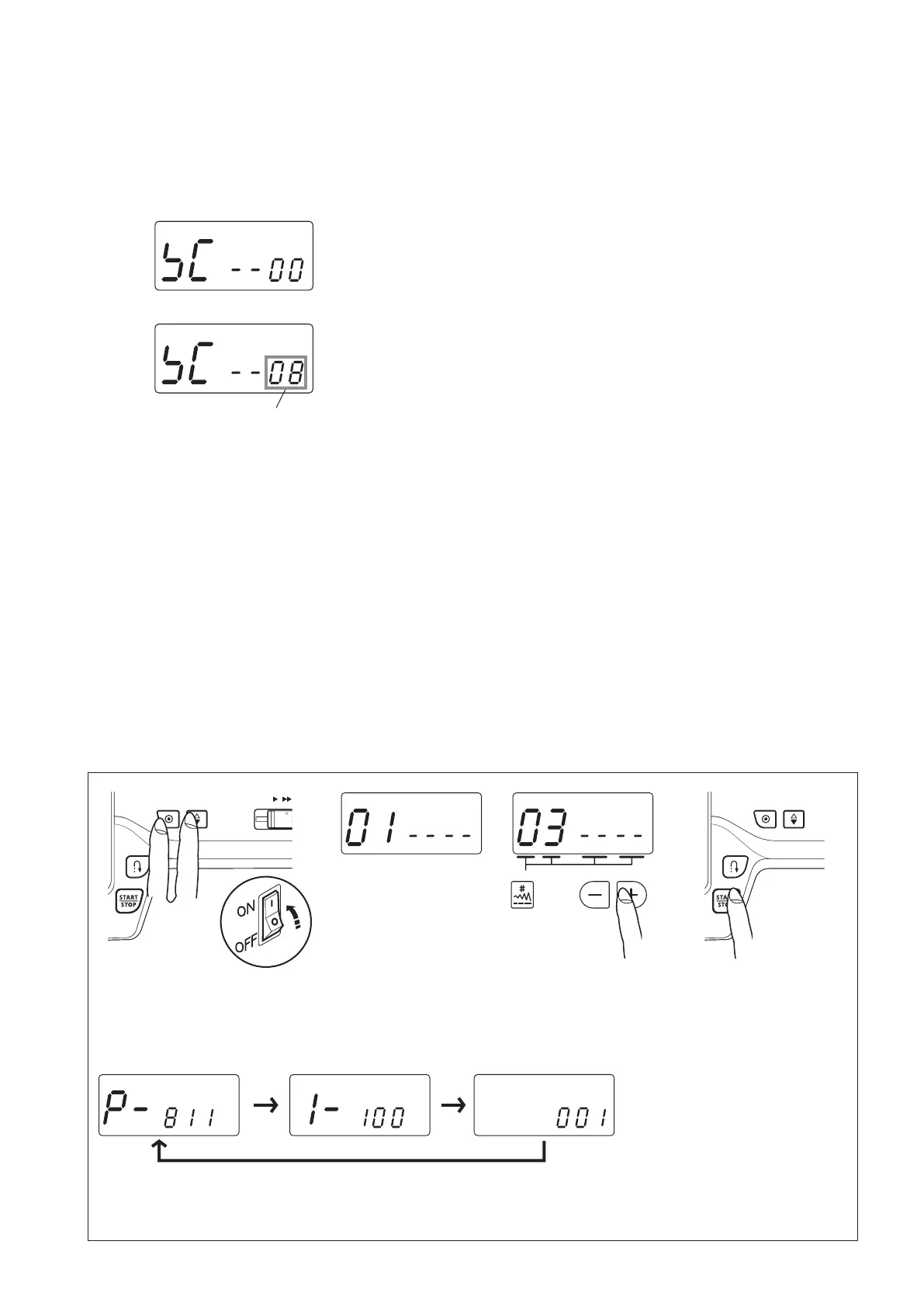
Buzzersoundsafterfewsecondswhentheself-diagnostictesthasbeennished.
Thetestresulthasbeendetermined.
CORRECT:
BuzzersoundsandLCDdisplays“00”
DEFECTIVE:
CautionbuzzersoundsandLCDdisplaysthedefectivepart
number.Refertopages19-22andxthedefectivepart.
Eachtimeyoupressthestart/stopbutton,thedefectivepart
number(s)willbedisplayed.
Thedefectivepartnumber.
Seepages19-22“Stepsand
items”section.
Pressthereversestitchbuttontoreturnto01.
Turnthepowerswitchoffwhentheself-diagnostictestisnished.
TO DISPLAY THE VERSION OF THE PROGRAM
1. Turnthepowerswitchon
whilesimultaneously
pressingauto-lockbutton
andneedleup/downbutton.
5. Eachtimeyoupressthestart/stopbutton,theversionnumberwillbepartiallydisplayedinsequence.
Example:811-1-1.00 -001
2. TheLCDdisplay
willindicate“01”.
3. Pressthevalueset
key
twicetodisplay
the“03”.
4. Pressthe
start/
stop button to
displaythe
version
oftheprogram.



 To Next Page