22
CORRECT CONDITION
STEP AND
ITEMS TO
CHECK
13)
EEPROM
PROCEDURE DEFECTIVE CONDITION
SELF-DIAGNOSTIC TEST
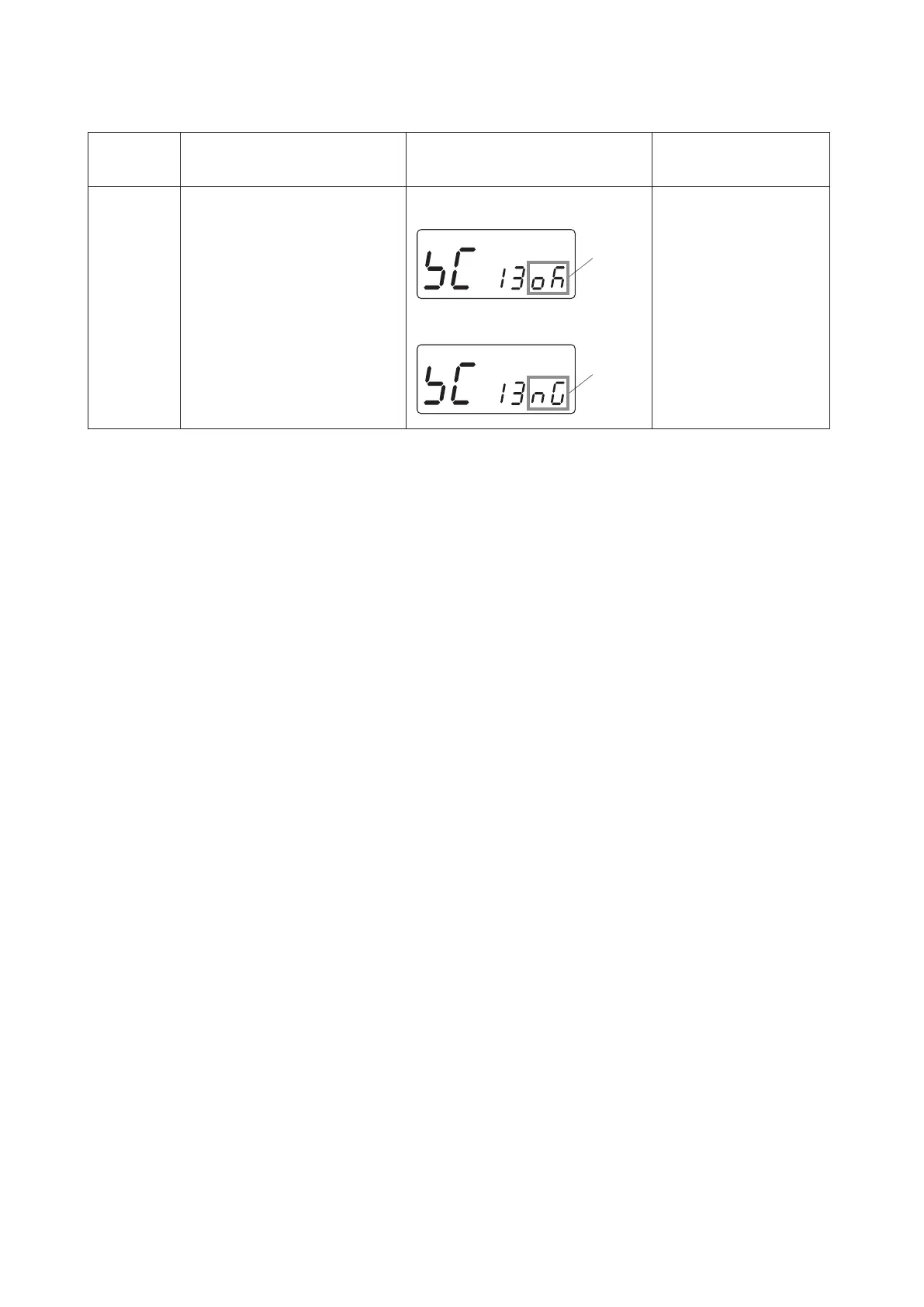
LCDdisplays“OK”or“NG”,
dependingontheEEPROM
condition.
Iftheresultiscorrectcondition,
pressthestart/stopbuttonto
proceedthenextstep.
Iftheresultisdefectivecondition,
pressthereversestitchbuttonto
proceedthenextstep.
LCDdisplays“NG”.
–REMEDY–
ReplacethecircuitboardA.
LCDdisplays“OK”whenthe
EEPROMiscorrectcondition.
LCDdisplays“NG”whenthe
EEPROMisdefectivecondition.
“OK”
“NG”



 To Next Page