26
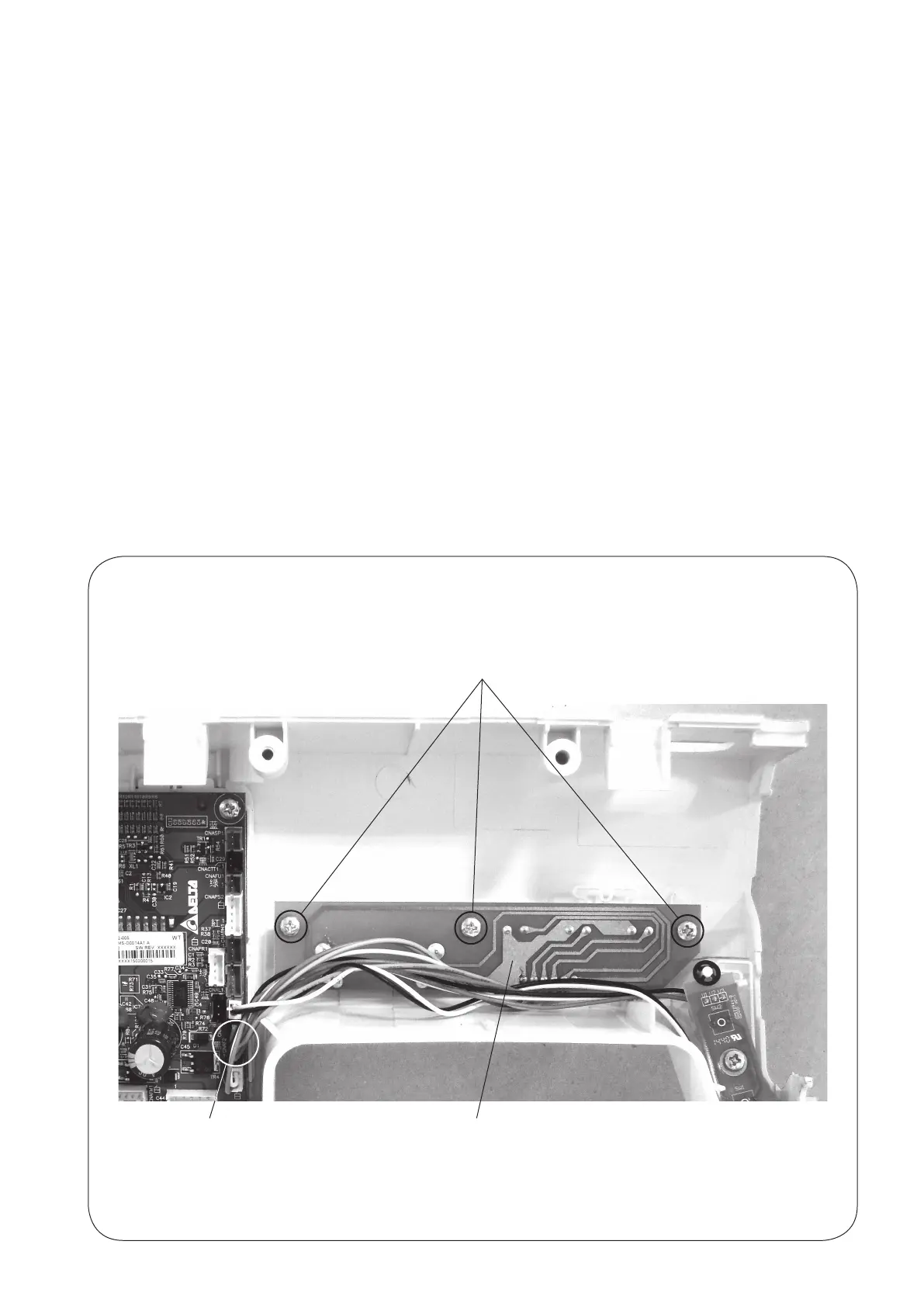
PrintedcircuitboardF2Connector(Black)
PRINTED CIRCUIT BOARD F2
TO REMOVE:
1. Removethefrontcover.(Seepage6.)
2. PulloutconnectorsfromtheprintedcircuitboardA.
3. Removethescrews(3pcs.)andtheprintedcircuitboardF2.
TO ATTACH:
1.Followtheaboveproceduresinreverse.
NOTE:
Donotdisconnecttheconnectorsbypullingoncord.
Todisconnect,grasptheconnector,notthecord.
REPLACING THE ELECTRONIC COMPONENTS
Setscrews



 To Next Page