4:45&.4&55*/(4
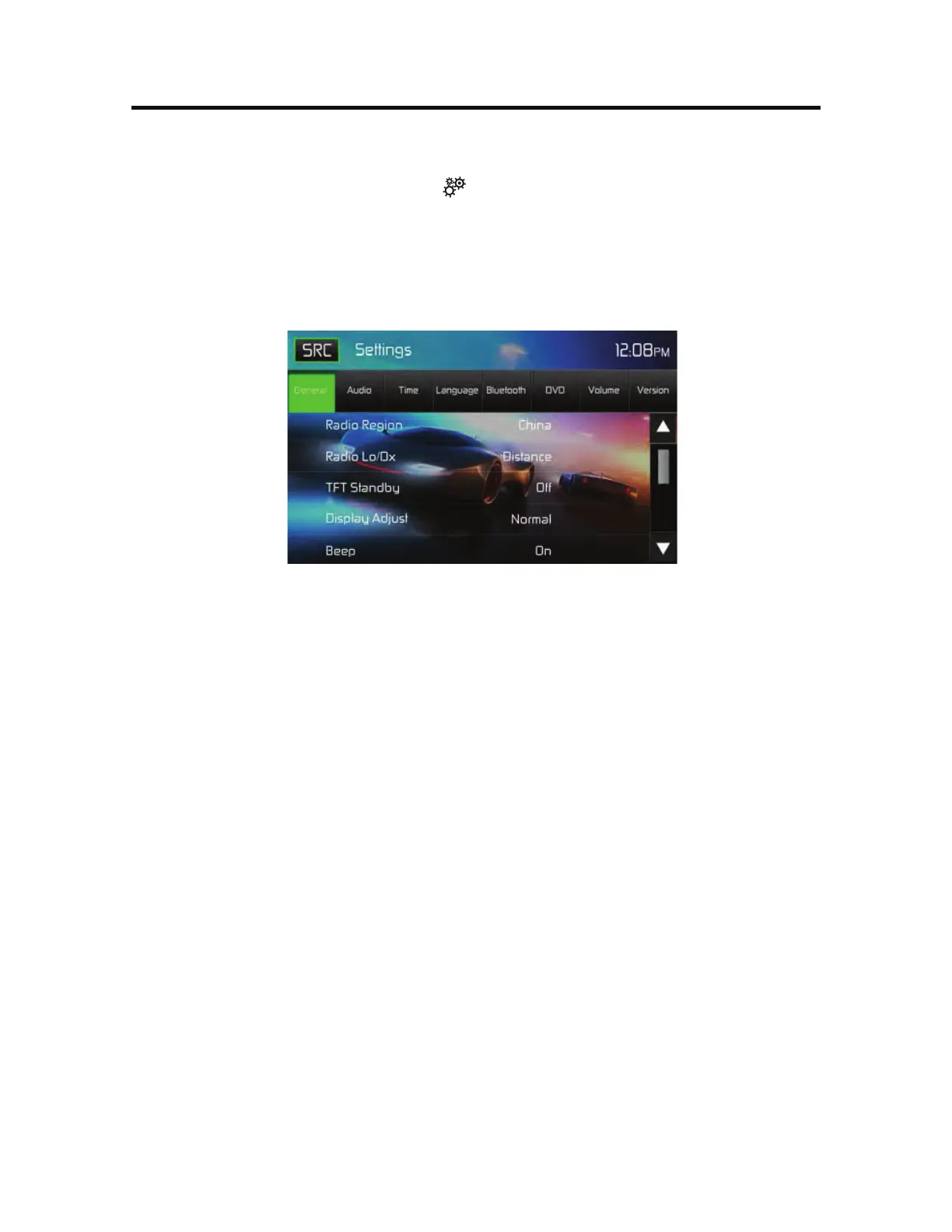
To access System Settings, touch the icon on the Main Menu screen. There are
seven System Settings Sub-menus (General, Audio, Time, Language, Bluetooth,
DVD or Volume) that are used to adjust the performance of each option of the
79. The Version 4VC.FOV is for information only. Touch a desired 4VC
.FOV and the 4VC.FOV will appear highlighted. The features available for
adjustment will appear on the screen.
4ZTUFN4FUUJOHT4DSFFOT
"EKVTUJOHB4VC.FOV'FBUVSF
Touch the 4VC.FOV feature to be adjusted.
Touch the S or T icon to view the previous or next feature page, if
applicable. An options list appears on the right.
Touch the desired feature option once to make selection then touch again to
confirm the selection.
(FOFSBM4VC.FOV'FBUVSFT3BEJP3FHJPO'SFRVFODZ4QBDJOH
64"
'.L)[".L)[
$IJOB
'.L)[".L)[
+BQBO
'.L)[".L)[
&VSPQF
'.L)[".L)[
&VSPQF-8
'.L)[".L)[-8L)[
0*35
'.L)[".L)[0*35L)[
3BEJP-P%Y5PVDIUIF%JTUBODFPS-PDBMUPJODSFBTFPSEFDSFBTFSBEJPUVOJOH
TFOTJUJWJUZUPSFDFJWFMPDBMPSEJTUBOUTUBUJPOT
5'54UBOECZ5PVDI0''TPSTUPTFUUIFVOJUTGSPOUQBOFM5'5-$%TDSFFO
UPTUBZ0/DPOUJOVPVTMZPSUPUVSOPGGUIFTDSFFOBGUFSPSTFDPOET
%JTQMBZ"EKVTU5PVDI/JHIU%BSL/PSNBMPS#SJHIUUPTFUUIFVOJUTGSPOUQBOFM
5'5-$%TDSFFOUPCFBEKVTUFEGPSEBZBOEOJHIUDPOEJUJPOT



 To Next Page