#FFQ - Touch OOOGG to turn the confirmation beep OO or OGG.
8BMMQBQFS - Touch to select the EFTJSFEwallpaperTFMFDUJPO. Touch again to
confirm and set the wallpaper.
$BMJCSBUJPOThe Uouch Tcreen Dalibration adjustment is used to set the
parameters of the touch screen to ensure that when the screen is touched, it
corresponds to the feature desired.
/PUF/FWFSVTFBQFOPSTIBSQPCKFDUUPDBMJCSBUFUIFUPVDITDSFFOBT
UIJTXJMMEBNBHFUIFQBOFM
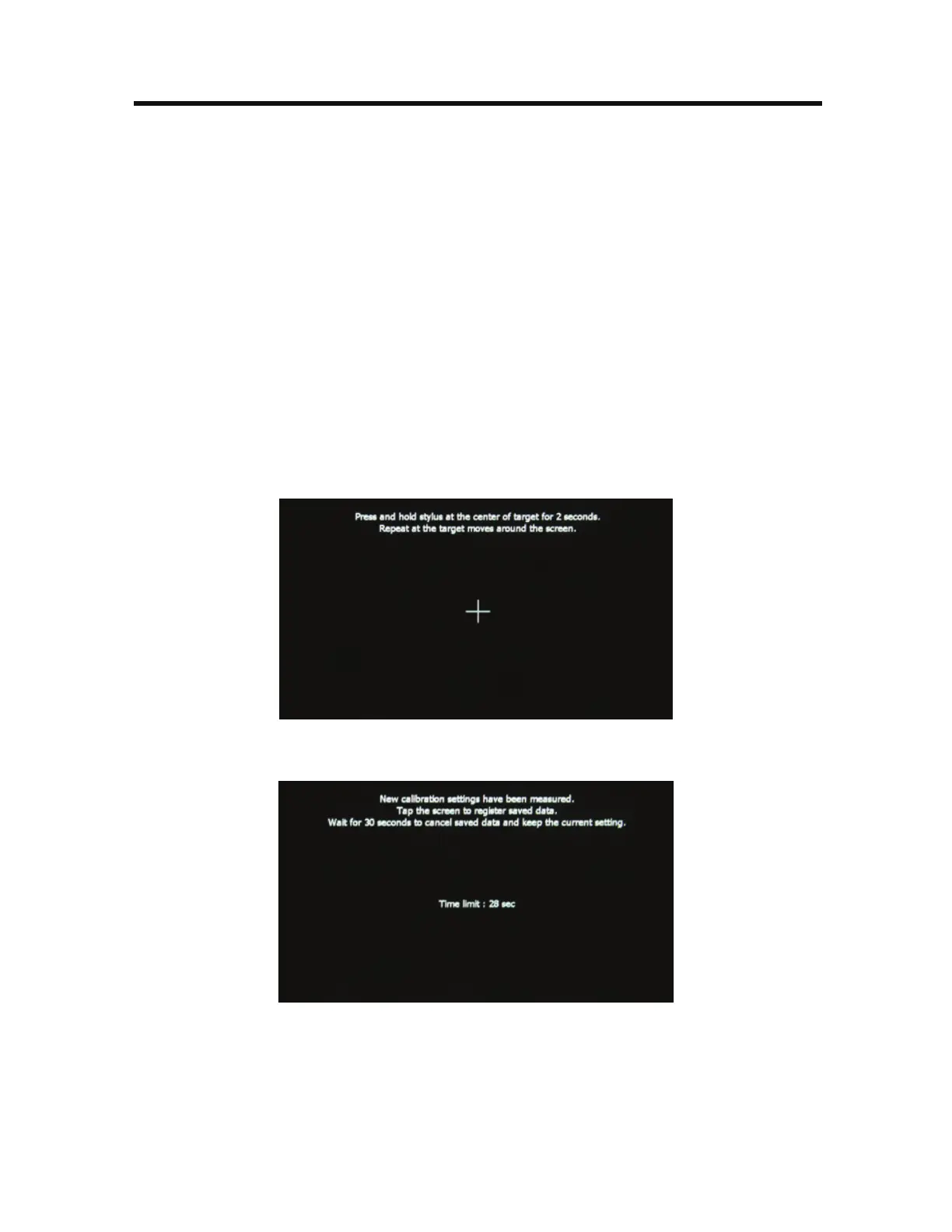
Touch the Dalibrate icon and the first screen will appear with instructions.
Follow the instructions on the screen touching and momentarily holding
finger or a stylus to the center of the target for 2 seconds. Repeat as the target
moves to each corner of the screen and finally to the center.
$BMJCSBUJPO4DSFFO
3. The second screen will appear:
$BMJCSBUJPO4DSFFO$POGJSN UJPO
4. If the screen is touched, the new calibration parameters will be accepted. If
the screen is not touched within thirty seconds, the new parameters will be
disregarded.



 To Next Page