%*4$01&3"5*0/
$PNQBUJCMF"VEJP%JTDT5ZQFT
This system will play the following types of discs:
t DVD - DVDs that contain audio and/or video.
t Audio discs - Audio CDs that contain audio, video and image les.
t MP3 discs - A disc that contains audio, video and image les (for example, a
CD-R with downloaded MP3 les).
/PUF5IJTVOJUJTEFTJHOFEUPQMBZQSFSFDPSEFEPSJHJOBM$%%7%T4PNF
CVSOFE$%%7%TNBZOPUQMBZEVFUPEJGGFSFOUSFDPSEJOHGPSNBUTBOE
TQFFET
%7%0QFSBUJPO
/PUF8IFOQSPQFSMZJOTUBMMFE%7%WJEFPDBOOPUCFEJTQMBZFEPOUIFNBJO
5'5TDSFFOVOMFTTUIFQBSLJOHCSBLFJTBQQMJFE*GZPVBUUFNQUUPQMBZB
%7%XIJMFUIFWFIJDMFJTNPWJOHUIF5'5TDSFFOEJTQMBZT
8BSOJOH
It is illegal to view video
while driving or operatinga
motor vehicle. Set parking
brake to view video.
From the Main Menu Screen touch the DISC Icon or insert a disc into the disc slot,
label side up. Playback begins when a disc is inserted correctly.
%7%.BJO.FOV
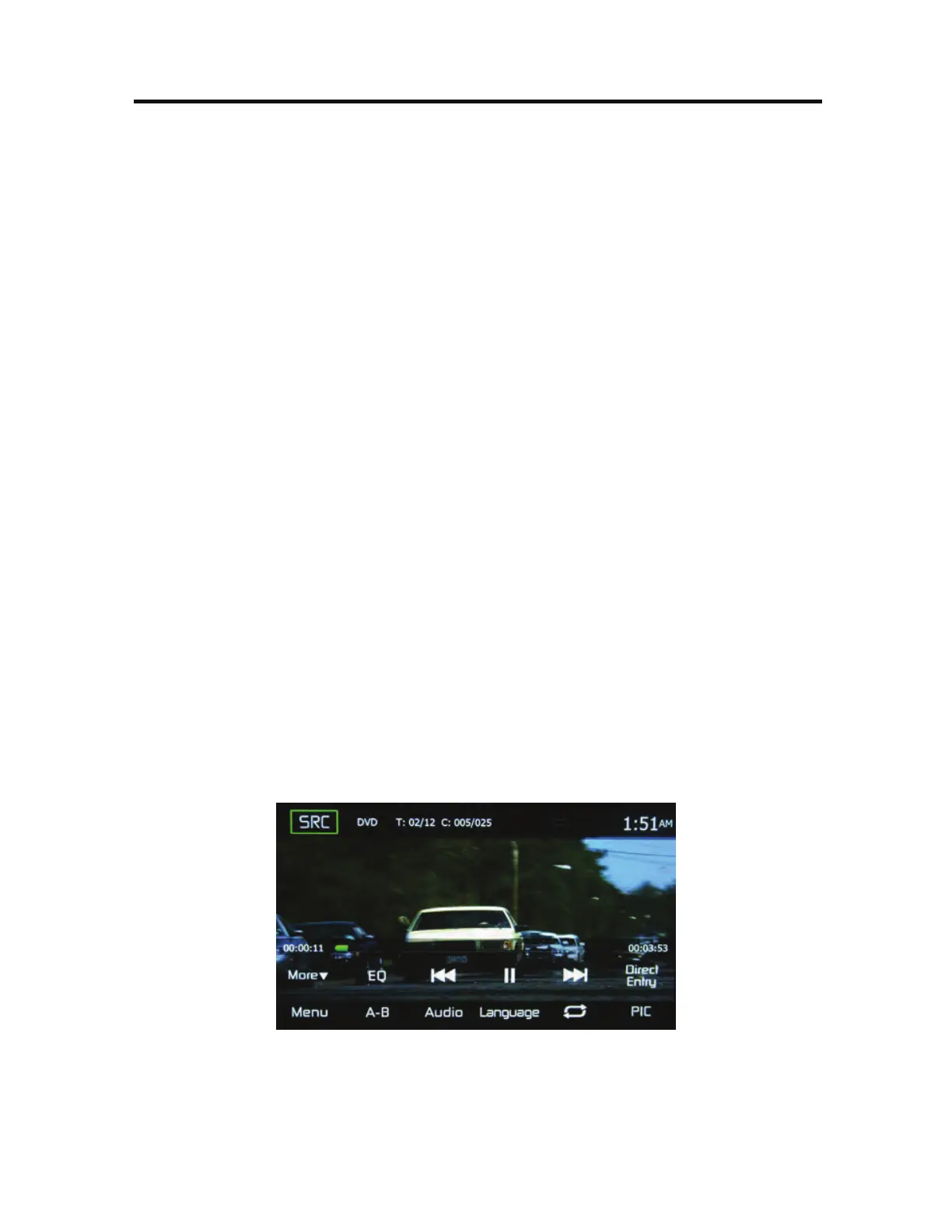
When a DVD is playing, touch the TFT LCD screen to view the DVD main menu. The
on-screen icons and touch key areas are outlined below.
%7%.BJO.FOV
43$*DPO - Touch this icon to return to the Main Menu Screen.
%7%-Displays the currentsource.



 To Next Page