·67·
Step1: Connect the wires first:
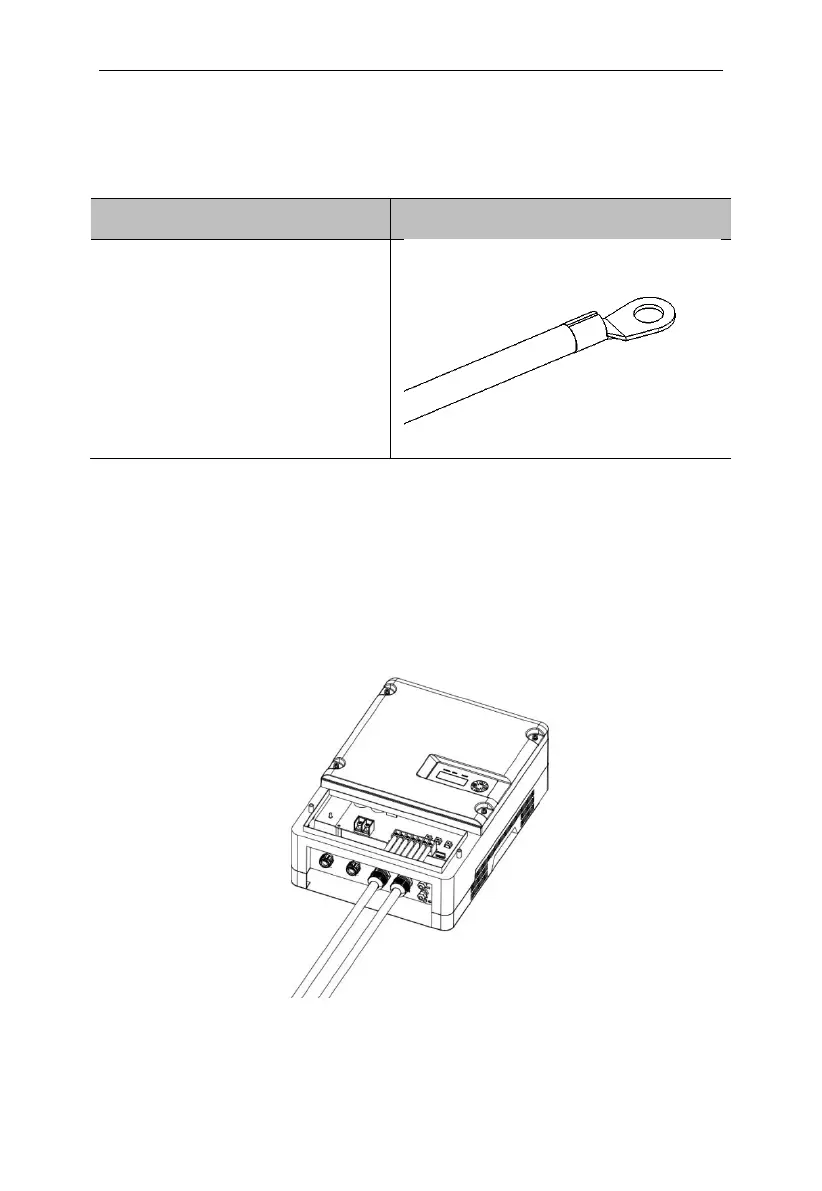
Follow the steps below to connect the AC wires:
Step1. Fasten the three-phase
input, three-phase output and
grounding wires to the cold
pressing terminal (SC10-6)
with crimping pliers
seperately.
Step2: Fix the AC wire (R, S, T, PE, U, V, W) on the terminal through the
corresponding waterproof terminal on the terminal cover. Notice: R, S, T,
PE pass through the AC in waterproof terminal, U, V, W pass through the
motor waterproof terminal. R,S,T are AC input terminals, and U,V,W are
AC output terminals which should be connected to pump.
Noticed: For JNPxL series single phase AC input inverter, AC input Live line
is fixed to R corresponding terminal, Neutral line is fixed to S
corresponding terminal, T terminal is not connected.
Figure6-3 AC side electrical connection
Step3: Connect the cables between pumping inverter and AC pump.



 To Next Page