–
6
–
❶
❷
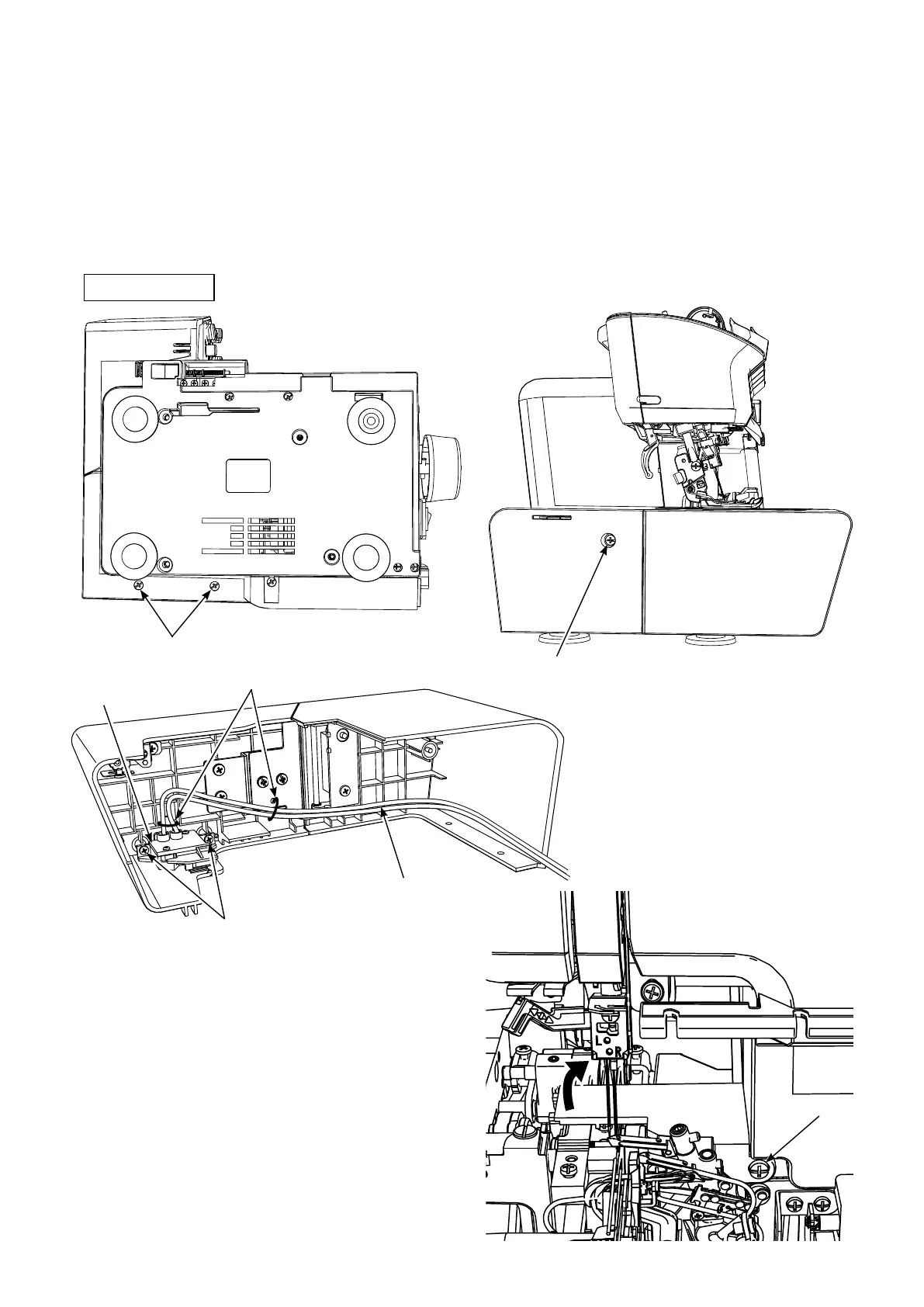
Cable clip band
Safety switch
❸
Safety switch cable
❹
2. Removing the cloth plate cover
○
Remove two screws
❶
of the bottom plate.
○
Remove one screw
❷
from the rear side face of the cloth plate.
○
For the cloth plate front and rear parts of which are hinged together, remove two safety switch setscrews
❸
and remove the two cable clip bands.
○
Remove one setscrew
❹
of the cloth plate, small. Remove the cloth plate, small by turning it diagonally
upward.
Bottom face



 To Next Page