EasyManua.ls Logo

JUMO dTRANS p02 - User Manual

JUMO dTRANS p02
64 pages
Print Icon
To Next Page IconTo Next Page
Loading...
dTRANS p02
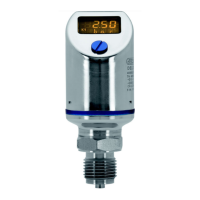
Pressure Transmitter
B 40.4385
Operating Instructions
07.01/00365643

Other manuals for JUMO dTRANS p02

Question and Answer IconNeed help?

Do you have a question about the JUMO dTRANS p02 and is the answer not in the manual?

Summary

1 Typographical Conventions

1.1 Warnings

Explains Danger and Caution symbols indicating potential harm to personnel or equipment.

1.2 Note Signs

Defines symbols for notes, references, footnotes, and actions for user guidance.

2 General

2.1 Preface

Introduction to the manual, contact details, warranty information, and ESD precautions.

2.2 Application

Details the intended use of the pressure transmitter and its application in hazardous (Ex) areas.

3 Delivery Package

4 Instrument Identification

4.1 Nameplate

Illustrates the layout and information present on the instrument's identification nameplate.

4.2 Type Designation

Details the coding system for product type designation, including basic type and extensions.

4.3 Dimensions;Details

Presents diagrams with dimensions and labeled components of the pressure transmitter.

4.4 Dimensions: Non-Flush Pressure Connections

Provides dimensional drawings for non-flush pressure connection types like 512, 504, and 564.

4.5 Dimensions: Flush Pressure Connections

Presents dimensional drawings for flush pressure connection types such as 604/606, 613/616, and 571.

5 Instrument Description

5.1 Technical Data

Details technical specifications including range, shock/vibration resistance, protection, materials, and temperature limits.

6 Mounting

6.1 General

Information on opening the cover flap and affixing function lists.

6.2 Prior to Mounting

Instructions on system depressurization, site selection, and mounting considerations.

6.3 Mounting by the Pressure Connection

Illustrates the procedure for mounting the transmitter using its pressure connection.

6.4 Mounting by the Housing

Describes how to mount the transmitter using threads on the housing.

6.5 Pressure Connection

Details seals, tightening torque, and checks for pressure connection tightness.

6.6 Use Inside the Ex Area

Specifies seal requirements for using the device in Zone 0 hazardous areas.

7 Installation

7.1 Electrical Connection

Guides on electrical connections, including general notes and diagrams for terminals and connectors.

7.2 Testing the Output Signal

Provides a diagram and instructions for testing the transmitter's output signal.

7.3 Connection of a HART Modem

Illustrates the connection setup for a HART modem to the pressure transmitter.

7.4 Connection of a HART Communicator

Shows the wiring diagram for connecting a HART communicator to the device.

7.5 Testing the HART Communication

Details the procedure and diagram for testing HART communication.

7.6 Electrical Connection in the Hazardous (Ex) Area

Covers general regulations and connection diagrams for hazardous area installations.

8 Commissioning

8.1 Characteristic

Describes the relationship between pressure and output signal, including range limits and display indicators.

8.2 Self-Test

Explains the automatic self-test sequence performed by the transmitter after power-on.

8.3 Measuring the Absolute Pressure

Provides step-by-step instructions for measuring absolute pressure in different media (gases, vapors, liquids).

8.4 Measuring the Gauge Pressure

Provides step-by-step instructions for measuring gauge pressure in different media (gases, vapors, liquids).

9 Adjustment Options

9.1 The Level Concept

Explains the two-level operational structure (Display and Parameter levels) for the transmitter's functions.

9.2 Sequence for Keypad Operation

Presents flowcharts detailing the sequence of operations using the keypad for display and parameter adjustments.

9.3 Display Level

Explains how to navigate and view data such as pressure, temperature, and current at the display level.

9.4 Parameter Level

Outlines parameter settings accessible through the keypad, including density correction, units, and output current.

9.5 Detailed Explanations

Offers detailed explanations for parameters like peak-reading pointer, damping, zero adjustment, and characteristic settings.

10 Opening the Instrument

10.1 Unscrewing the Bezel Ring or Housing Cover

Instructs on how to unscrew the bezel ring and housing cover to access the instrument's interior.

11 Rotating the Instrument

11.1 Rotating

Details the procedure for rotating the LCD display and the instrument housing for optimal viewing.

12 Maintenance

12.1 Trouble-shooting

Provides a troubleshooting guide with common errors, their possible causes, and recommended remedies.

13 Appendix

13.1 EC Type-Examination Certificate

Presents the official EC Type-Examination Certificate for the device, including its ATEX compliance.

13.2 Supplement to EC Type-Examination Certificate

Includes supplementary information and alterations related to the EC Type-Examination Certificate.

13.3 EU Declaration of Conformity ATEX

Contains the EU Declaration of Conformity for ATEX, confirming compliance with relevant directives.

13.4 Settings

A table summarizing the instrument's settings, including factory and customer configurations.

Summary

1 Typographical Conventions

1.1 Warnings

Explains Danger and Caution symbols indicating potential harm to personnel or equipment.

1.2 Note Signs

Defines symbols for notes, references, footnotes, and actions for user guidance.

2 General

2.1 Preface

Introduction to the manual, contact details, warranty information, and ESD precautions.

2.2 Application

Details the intended use of the pressure transmitter and its application in hazardous (Ex) areas.

3 Delivery Package

4 Instrument Identification

4.1 Nameplate

Illustrates the layout and information present on the instrument's identification nameplate.

4.2 Type Designation

Details the coding system for product type designation, including basic type and extensions.

4.3 Dimensions;Details

Presents diagrams with dimensions and labeled components of the pressure transmitter.

4.4 Dimensions: Non-Flush Pressure Connections

Provides dimensional drawings for non-flush pressure connection types like 512, 504, and 564.

4.5 Dimensions: Flush Pressure Connections

Presents dimensional drawings for flush pressure connection types such as 604/606, 613/616, and 571.

5 Instrument Description

5.1 Technical Data

Details technical specifications including range, shock/vibration resistance, protection, materials, and temperature limits.

6 Mounting

6.1 General

Information on opening the cover flap and affixing function lists.

6.2 Prior to Mounting

Instructions on system depressurization, site selection, and mounting considerations.

6.3 Mounting by the Pressure Connection

Illustrates the procedure for mounting the transmitter using its pressure connection.

6.4 Mounting by the Housing

Describes how to mount the transmitter using threads on the housing.

6.5 Pressure Connection

Details seals, tightening torque, and checks for pressure connection tightness.

6.6 Use Inside the Ex Area

Specifies seal requirements for using the device in Zone 0 hazardous areas.

7 Installation

7.1 Electrical Connection

Guides on electrical connections, including general notes and diagrams for terminals and connectors.

7.2 Testing the Output Signal

Provides a diagram and instructions for testing the transmitter's output signal.

7.3 Connection of a HART Modem

Illustrates the connection setup for a HART modem to the pressure transmitter.

7.4 Connection of a HART Communicator

Shows the wiring diagram for connecting a HART communicator to the device.

7.5 Testing the HART Communication

Details the procedure and diagram for testing HART communication.

7.6 Electrical Connection in the Hazardous (Ex) Area

Covers general regulations and connection diagrams for hazardous area installations.

8 Commissioning

8.1 Characteristic

Describes the relationship between pressure and output signal, including range limits and display indicators.

8.2 Self-Test

Explains the automatic self-test sequence performed by the transmitter after power-on.

8.3 Measuring the Absolute Pressure

Provides step-by-step instructions for measuring absolute pressure in different media (gases, vapors, liquids).

8.4 Measuring the Gauge Pressure

Provides step-by-step instructions for measuring gauge pressure in different media (gases, vapors, liquids).

9 Adjustment Options

9.1 The Level Concept

Explains the two-level operational structure (Display and Parameter levels) for the transmitter's functions.

9.2 Sequence for Keypad Operation

Presents flowcharts detailing the sequence of operations using the keypad for display and parameter adjustments.

9.3 Display Level

Explains how to navigate and view data such as pressure, temperature, and current at the display level.

9.4 Parameter Level

Outlines parameter settings accessible through the keypad, including density correction, units, and output current.

9.5 Detailed Explanations

Offers detailed explanations for parameters like peak-reading pointer, damping, zero adjustment, and characteristic settings.

10 Opening the Instrument

10.1 Unscrewing the Bezel Ring or Housing Cover

Instructs on how to unscrew the bezel ring and housing cover to access the instrument's interior.

11 Rotating the Instrument

11.1 Rotating

Details the procedure for rotating the LCD display and the instrument housing for optimal viewing.

12 Maintenance

12.1 Trouble-shooting

Provides a troubleshooting guide with common errors, their possible causes, and recommended remedies.

13 Appendix

13.1 EC Type-Examination Certificate

Presents the official EC Type-Examination Certificate for the device, including its ATEX compliance.

13.2 Supplement to EC Type-Examination Certificate

Includes supplementary information and alterations related to the EC Type-Examination Certificate.

13.3 EU Declaration of Conformity ATEX

Contains the EU Declaration of Conformity for ATEX, confirming compliance with relevant directives.

13.4 Settings

A table summarizing the instrument's settings, including factory and customer configurations.

JUMO dTRANS p02 Specifications

General IconGeneral
Output Signal4-20 mA or 0-10 V
Response Time< 1 s
Housing MaterialPlastic
Protection ClassIP65
Process connectionG 1/2"
Electrical connectionM12 connector
Media temperature-40 to +125 °C
Ambient temperature-20 to +60 °C
Long-term stability≤ 0.1% per year
Operating temperature-20 to +60 °C

Related product manuals