0206.GB
E 8
Attachment fork adjustment
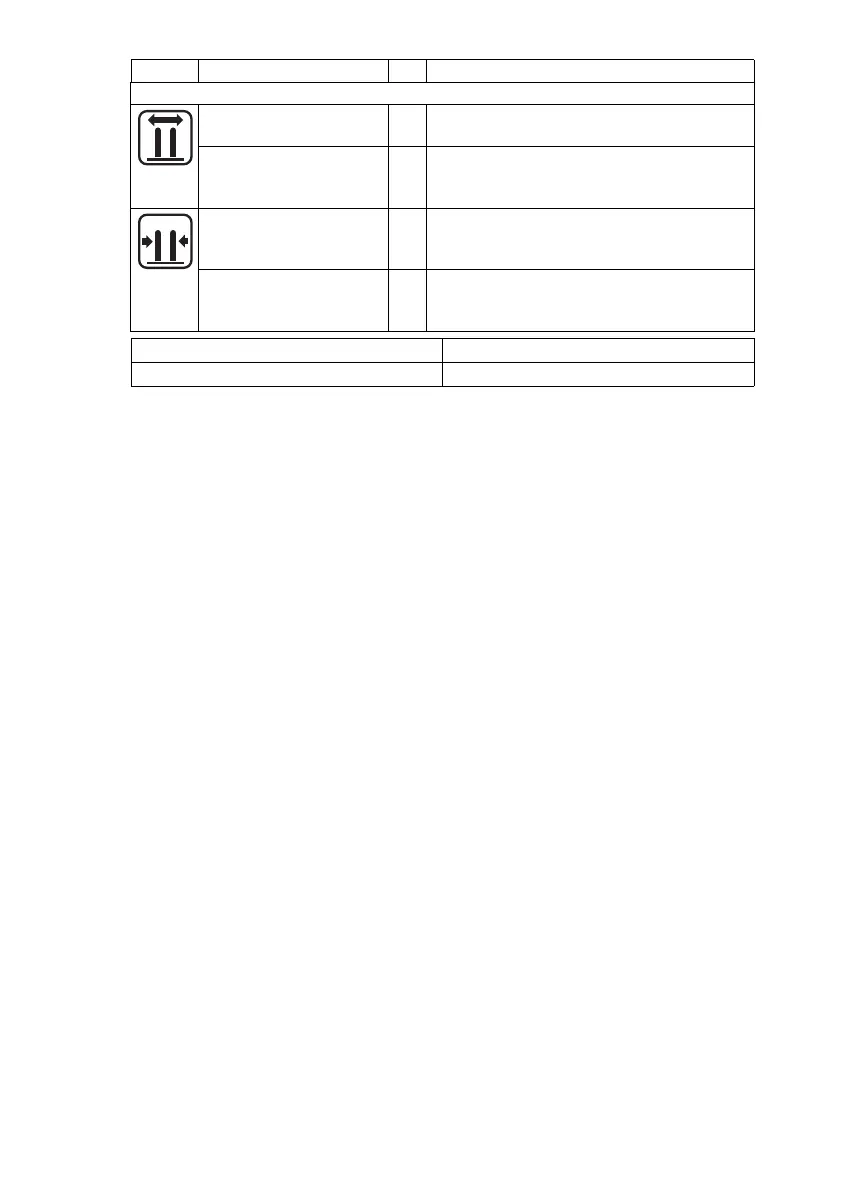
“Symmetrical fork
adjustment” display
o Indicates that fork adjustment can be
operated
“Symmetrical fork
adjustment” switch
Activates fork adjustment with simultaneous
operation of hydraulic control switch, Right
turn = forks turn in; Left turn = forks turn out
“Asymmetrical fork
adjustment menu
change” display
o Indicates that it is possible to change to the
“Asymmetrical fork adjustment” menu
“Asymmetrical fork
adjustment menu
change” switch
Changes the display unit menu to
“asymmetrical fork adjustment” functions
t = Standard equipment o = Optional Equipment
RG = Rail guidance IG = Wire guidance
Symbol Operating / display unit Function
0206.GB
E 8
Attachment fork adjustment
“Symmetrical fork
adjustment” display
o Indicates that fork adjustment can be
operated
“Symmetrical fork
adjustment” switch
Activates fork adjustment with simultaneous
operation of hydraulic control switch, Right
turn = forks turn in; Left turn = forks turn out
“Asymmetrical fork
adjustment menu
change” display
o Indicates that it is possible to change to the
“Asymmetrical fork adjustment” menu
“Asymmetrical fork
adjustment menu
change” switch
Changes the display unit menu to
“asymmetrical fork adjustment” functions
t = Standard equipment o = Optional Equipment
RG = Rail guidance IG = Wire guidance
Symbol Operating / display unit Function




 To Next Page