80
Item Setting Description
TCG SOURCE
TCG SELECT
TCG MODE
NDF/DF
(NTSC)
DF BIT (PAL)
TC DUPLICATE
TC OFFSET
NEXT BACK
PAGE BACK
INTERNAL
EXTERNAL
PRESET
REGEN
REC-RUN
FREE-RUN
NON DROP
DROP
OFF
ON
OFF
AUTO
NON DROP
OFF
+1F
+2F
–2F
–1F
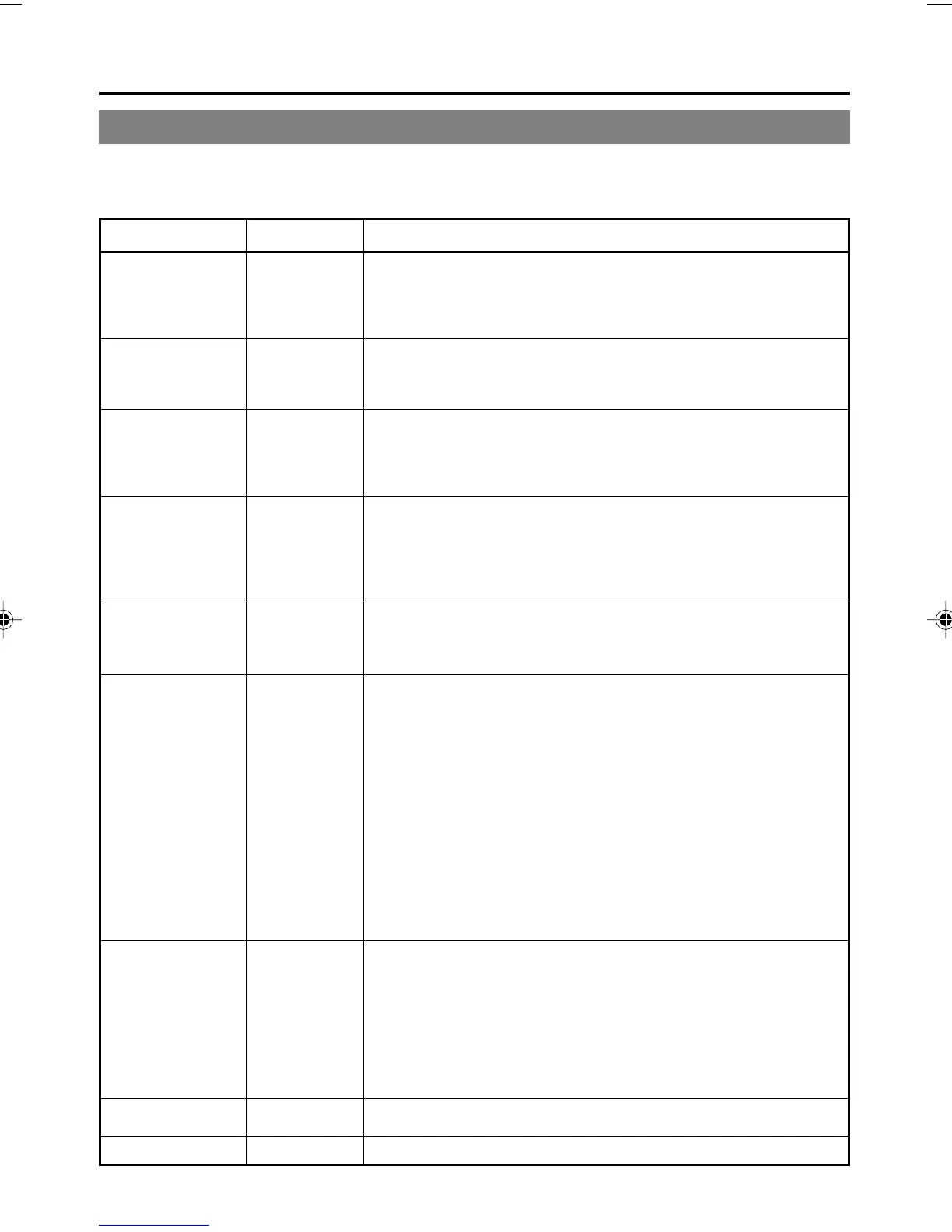
For selecting the source of the time code generator.
INTERNAL : BR-DV6000 built-in time code generator
EXTERNAL : Time code generator connected to the TIME
CODE IN terminal
For selecting the time code generator mode.
PRESET : PRESET mode
REGEN : REGENERATION mode.
For selecting the running mode of the time code generator.
* Select here in the PRESET mode.
REC-RUN : RECORD RUN mode.
FREE-RUN : FREE RUN mode
For selecting the framing mode of the time code generator.
(NTSC only)
* Select here in the PRESET mode.
NON DROP : NON-DROP mode
DROP : DROP-FRAME mode
For selecting whether to record drop-frame bits. (Only for E model)
OFF : No recording
ON : Recording
For selecting the type of time code to be recorded with DV signal
input.
OFF : Records time code of the built-in time code gen-
erator of BR-DV6000
AUTO : Records the time code input to the DV IN termi-
nal. The framing mode of the time code will be set
automatically to the framing of the time code in-
put.
NON DROP : Records the time code input to the DV IN termi-
nal. The framing mode of the time code is fixed to
non-drop framing. (NTSC only)
Use this setting for dubbing tapes recorded with
BR-DV600, GY-DV500 or GY-DV550 in the NON-
DROP FRAME mode. (NTSC only)
For setting up the timing when time code data from the 9-PIN
REMOTE terminal of BR-DV6000 to the editing remote controller
are output.
OFF : Normal setting
+1F : Sets the timing to 1 frame faster.
+2F : Sets the timing to 2 frames faster.
–2F : Sets the timing to 2 frames slower.
–1F : Sets the timing to 1 frame slower.
For displaying the TC/UB/CLOCK (2/2) Menu screen.
For returning to the TOP MENU screen.
TC/UB/CLOCK (1/2) Menu screen
TC/UB/CLOCK Menu screens
The TC/UB/CLOCK Menu consists of the following two screens. (1/2 and 2/2)
MENU SCREENS
– Description of the Menu screens – (continued)
DV6000U_72-104_Eng.p65e 06/03/03, 11:41 PM80



 To Next Page