DN112-06v02
JYE Tech - 16 - www.jyetech.com
place of current settings and take effect immediately. If the
selected location is empty the recall request will be ignored.
Rename Presets
The titles of presets can be renamed for easy remember and
identifying. To do this select a preset and touch the button
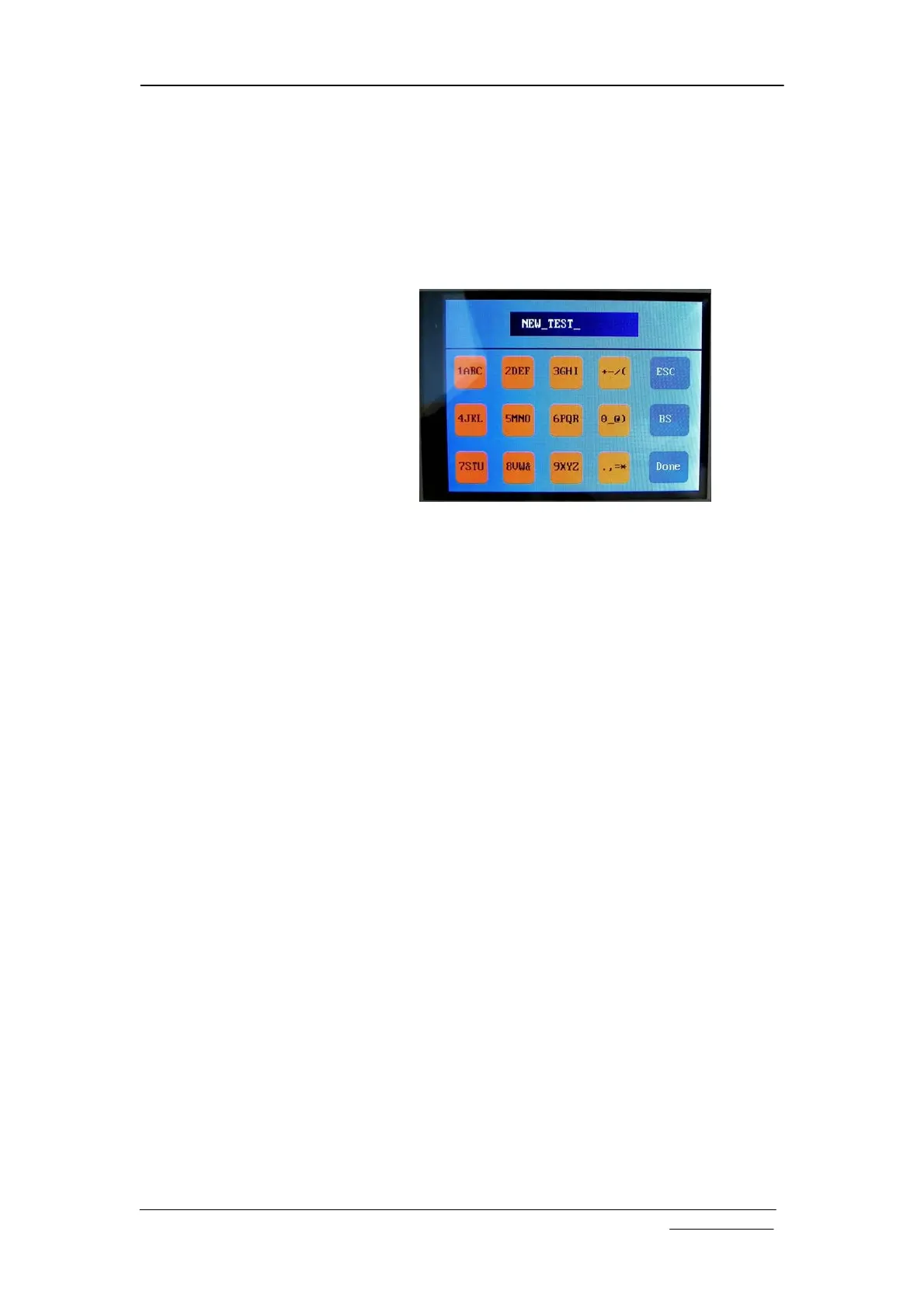
“Rename” at top of screen. The character keypad will show (see
below). Type in preset name and finish with the “Done” button.
Maximum title string size is 8 characters. Use “BS” (Back
Space) button to correct errors.
Enter Dashboard
Touch the button “DashBrd” to bring up dashboard. This is an
alternative way for quick preset access.
Select Test Signal
Frequency
By default the test signal is 1KHz square signal with 3.3V
amplitude and 50% duty cycle. The frequency can be selected
to be a few pre-set values including 1Hz, 10Hz, 100Hz, 1KHz,
10KHz, 100KHz, 1MHz, and 440Hz. To select different
frequency enter Menu and touch the “Test Sig.” button. The
Test Signal Frequency screen shows. Select the frequency
wanted and touch “Done” button to finish.


 To Next Page