DN112-06v02
JYE Tech - 31 - www.jyetech.com
Maintenance
Charge Battery
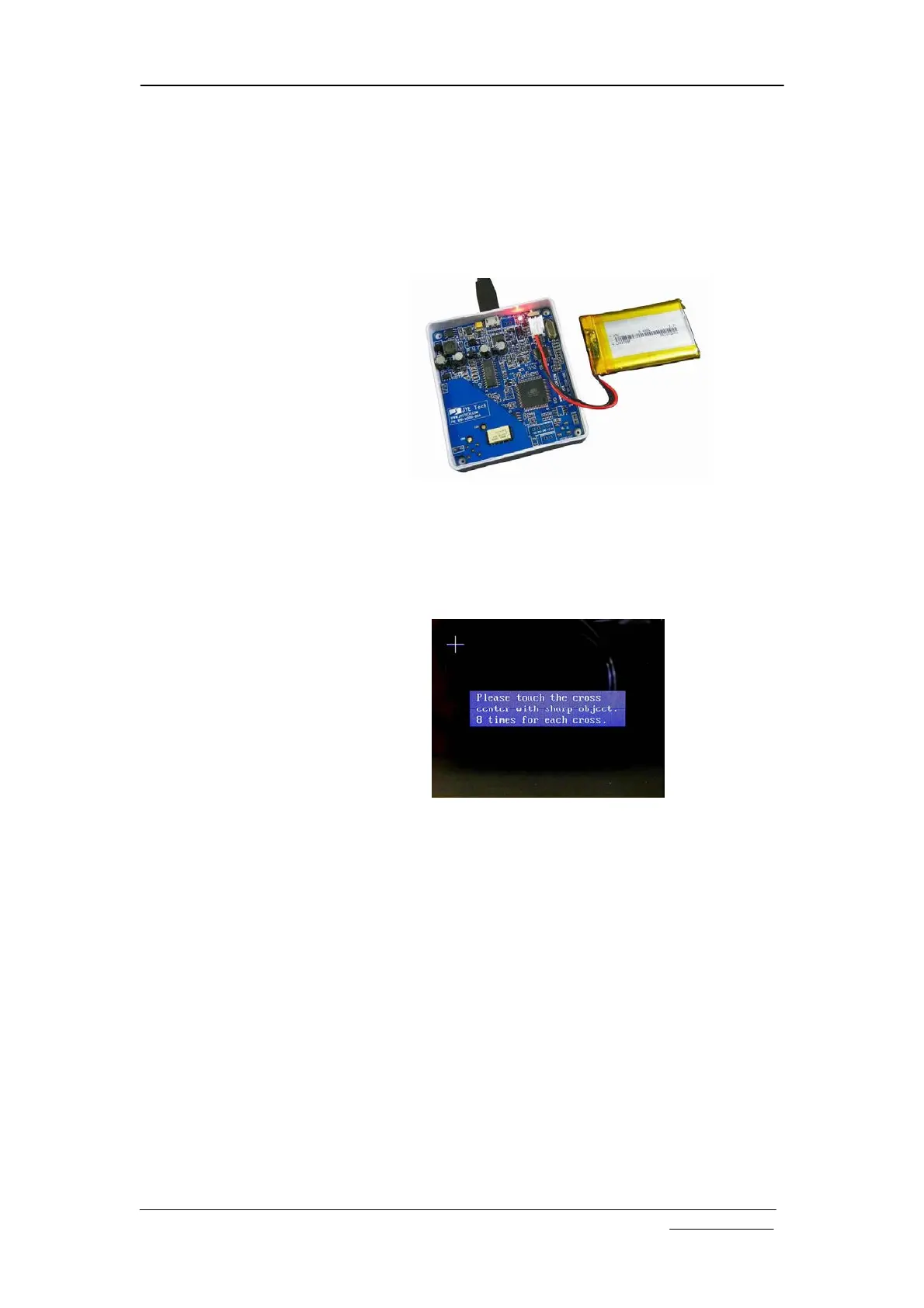
DSO112A contains a built-in smart Li-ion battery charger. By
connecting the scope to a USB power supply charging will start
and a red LED will light up indicating charge is undergoing.
The LED can be seen from outside of case (see photo below).
Charging will stop automatically when battery is fully charged.
Touch Panel
Calibration
The touch panel has been calibrated before shipping. In case of
that the touch panel doesn’t work properly it can be
re-calibrated. Please follow the steps below to perform touch
panel calibration (please refer to the section “Booting
Sequence” )
1) Power up oscilloscope. At the screen where firmware
information is shown press power button to enter Setup
state.
2) In Setup mode hold down power button for 3 seconds to
enter touch panel calibration state as shown in figure above.
3) There will be three crosses that appear one after another.
Touch the center of each cross 8 times with a pointed object
and in much accuracy as you can. Do not touch more than 8
times.
4) After finish the third cross you can touch anywhere of
screen to verify. You should see a green cross follows where
you touched with error less than 2mm. If you see error
greater than 2mm re-do the calibration.
5) Exit calibration by pressing power button. The oscilloscope
will reboot.


 To Next Page