DN112-06v02
JYE Tech - 6 - www.jyetech.com
Power Button
The Power Button is multi-functional.
Ø When oscilloscope is off short press of power button will
turn the device on if battery or USB power has been
connected.
Ø Under any state press and hold this button for 3 seconds
will bring up power-off dialog box, in which you can select
to power off or not.
Ø At the power-up screen where firmware versions are shown
press this button will make the device enter Setup State
where Factory Default Restore and Touch Panel Calibration
can be performed.
Ø Under any state holding down power button for more that
15 seconds will force the oscilloscope shut down.
Basic Operations
Power On/Off
To Power On
Press the Power Button when battery or USB power has
been connected.
To Power Off
DSO112A can be powered off in three ways:
Ø In the main working screen touch the “Menu” button at
top-left corner and select “Pwr Off” button.
Ø Under any state press and hold power button for 3
seconds to bring up power-off dialog box. Then choose
“Yes” or hold the power button again for 3 seconds. The
later is useful when touch panel is not working.
Ø Under any state continuously hold the power button for
15 seconds will force the device power off.
Probe a Signal
Once the oscilloscope enters normal working state where the
main working screen is shown you are ready to probe signals.
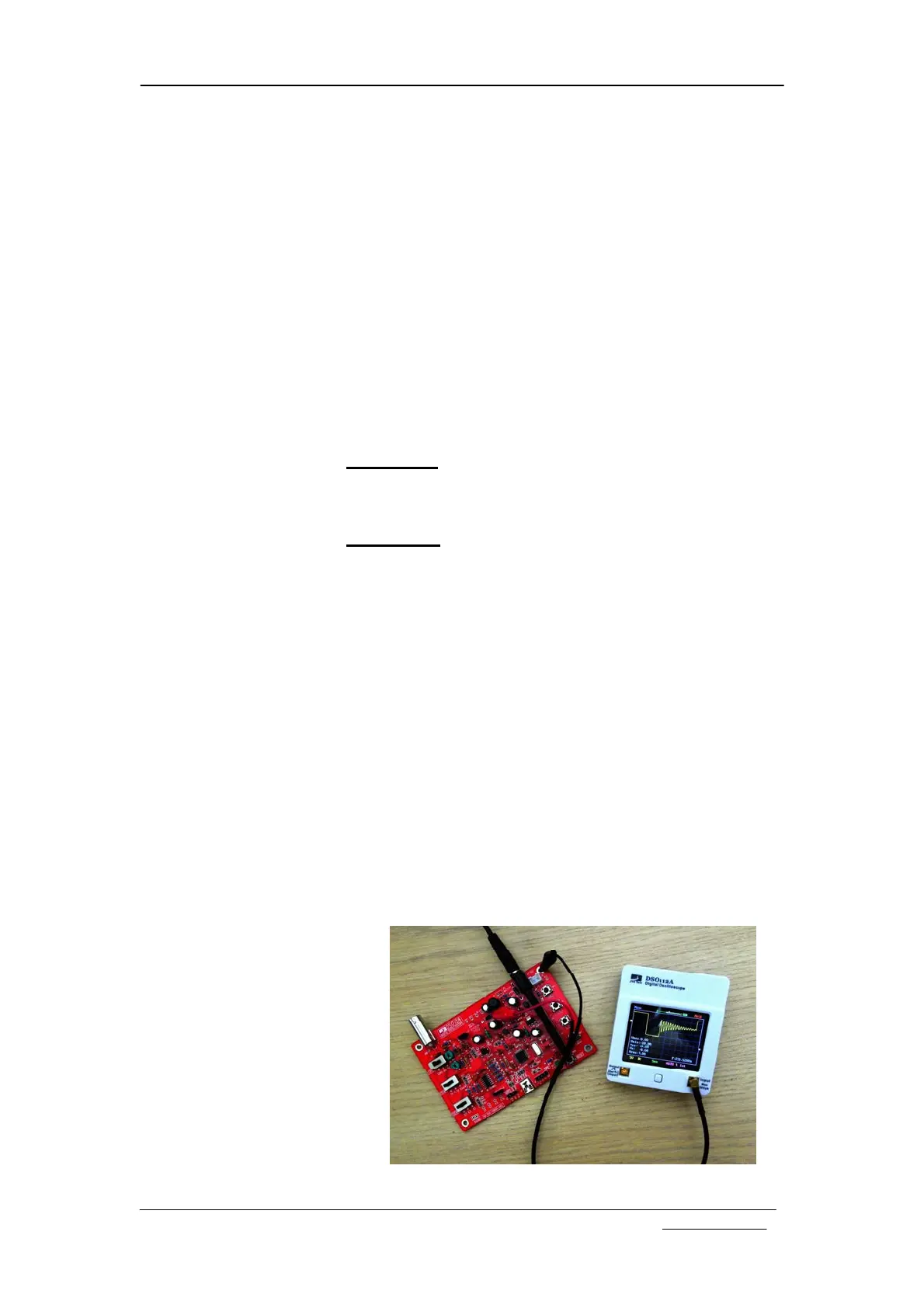
To probe a signal plug one of the MCX-Clip probe to the signal
input connector. Connect the black clip to the reference point
(usually called GROUND) of the circuit you want to probe.
Connect the red clip to the signal of interest.


 To Next Page