DN112-06v02
JYE Tech - 12 - www.jyetech.com
Send Waveform Data
Waveform data can be transferred through the serial port to a
different device (usually a PC) as CSV file for storage or
further processing. In order to complete the transfer you need:
Ø A correctly setup serial connection, and
Ø A piece of communication software that runs on PC
and supports XModem protocol. We will use Tera Term
here as demonstration.
These are the steps to perform waveform data transfer.
Setup Serial Connections
1) Connect DSO112A oscilloscope to an USB port on PC.
2) DSO112A contains a Uart-USB bridge CP2102. You need
install driver on the PC for this chip if you are the first
time using the PC for DSO112A. Please go to Silicone
Lab website www.silabs.com to download the appropriate
driver for your system and install it correctly.
3) Install communication software. Here we use Tera Term as
example. Tera Term is for Windows only. For other OS
you need to install similar software. Tera Term can be
downloaded at
http://www.jyetech.com/Support/Drivers&Tools.php.
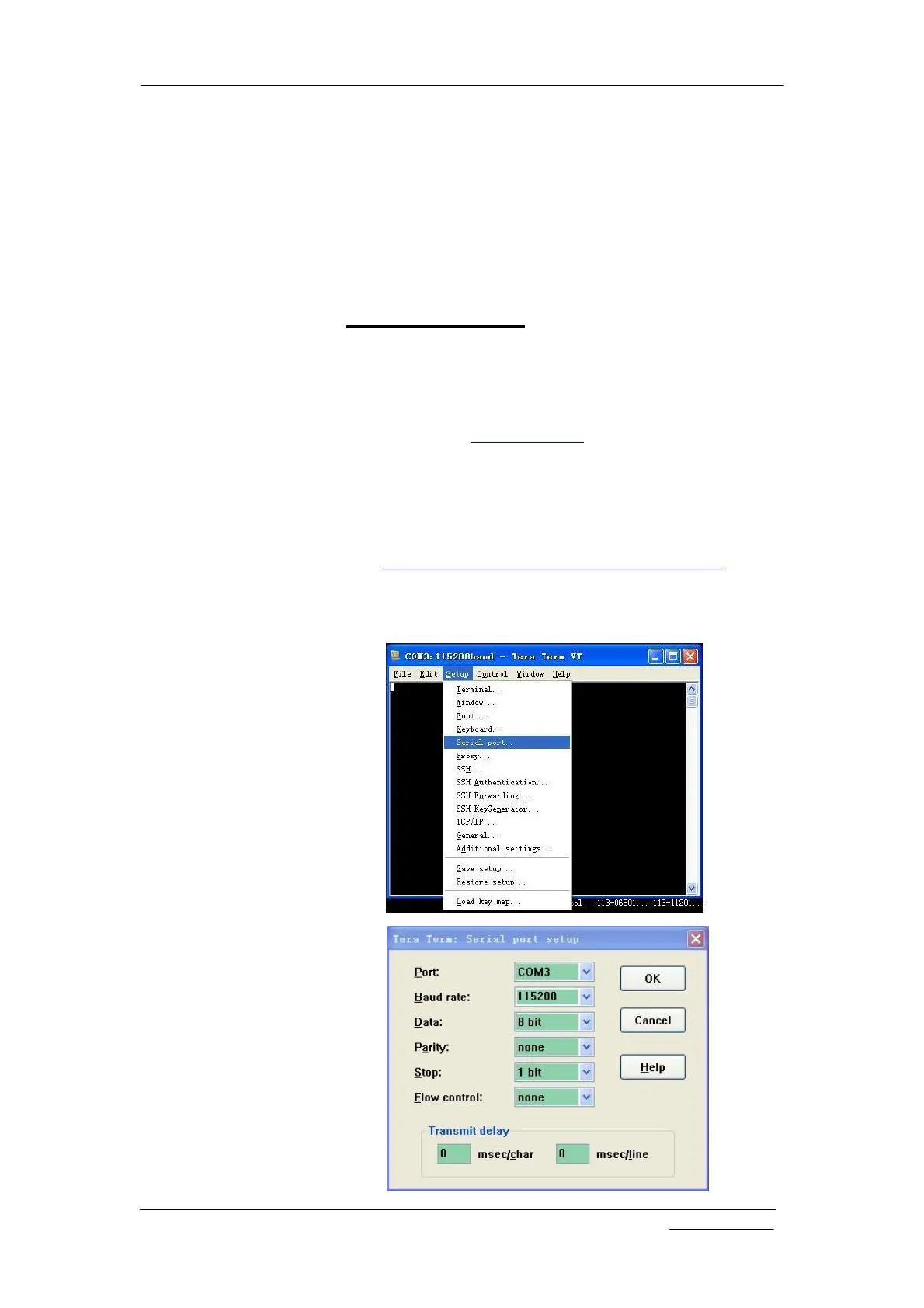
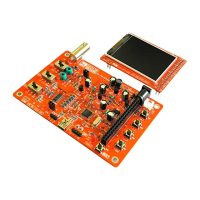
4) Setup communication software. Start Tera Term. Click on
the menu “Setup -> Serial port” to bring up serial port setup
window (see figures below).


 To Next Page