20 k2evo702en-2012-05 Kaba c-lever
Operation Installation instructions
5Operation
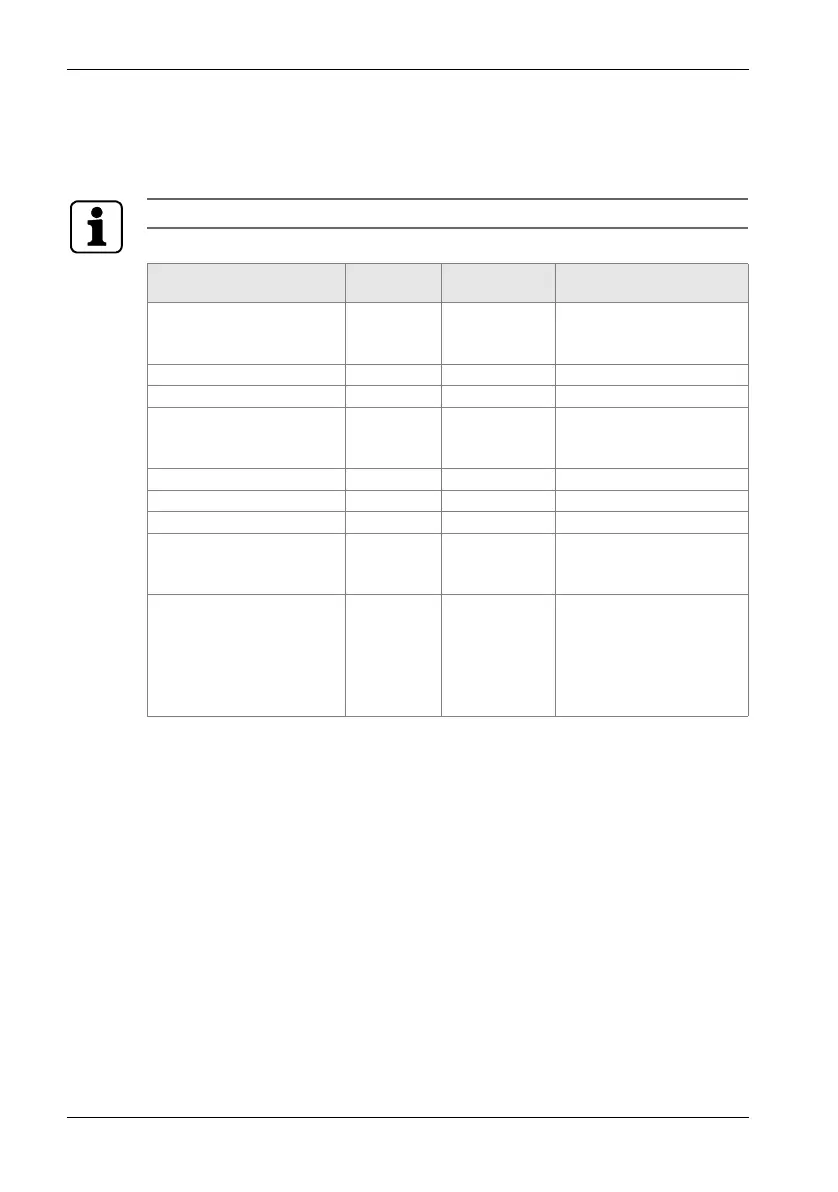
5.1 Operation signals
The acoustic signals may first have to be activated using the Programmer!
Action
Acoustic
signal
Optical
signal
Note
Master A/B authorised
(open programming
window)
1 x short 1 x green The acoustic signal sounds
if the medium is taken out
of range of the antenna.
Add user medium 1 x short 1 x green
Delete user medium 2 x short 1 x green
Master A/B authorised
(close programming
window)
1 x long 1 x green
Authorised medium 1 x short 1 x green
Unauthorised medium 4 x short 4 x red
Master A/B unauthorised 1 x long 1 x red
Delete subgroup with
authorised master
2 x short 1 x green Hold master medium in
front of antenna for approx.
10 seconds.
Soft INI reset with A/B
structure with authorised
programming master A or
with B structure with
programming master B
2 x short after
10 secs,
2 x short after
a further 15
secs,
green light on
presentation of
card, goes out
upon successful
initialisation
2 beeps after 10 seconds
confirms the complete reset
of the user media, 2 beeps
after a further 15 seconds
confirms the reset of all
master media.


 To Next Page
 Loading...