28
Troubleshooting
1
1
1
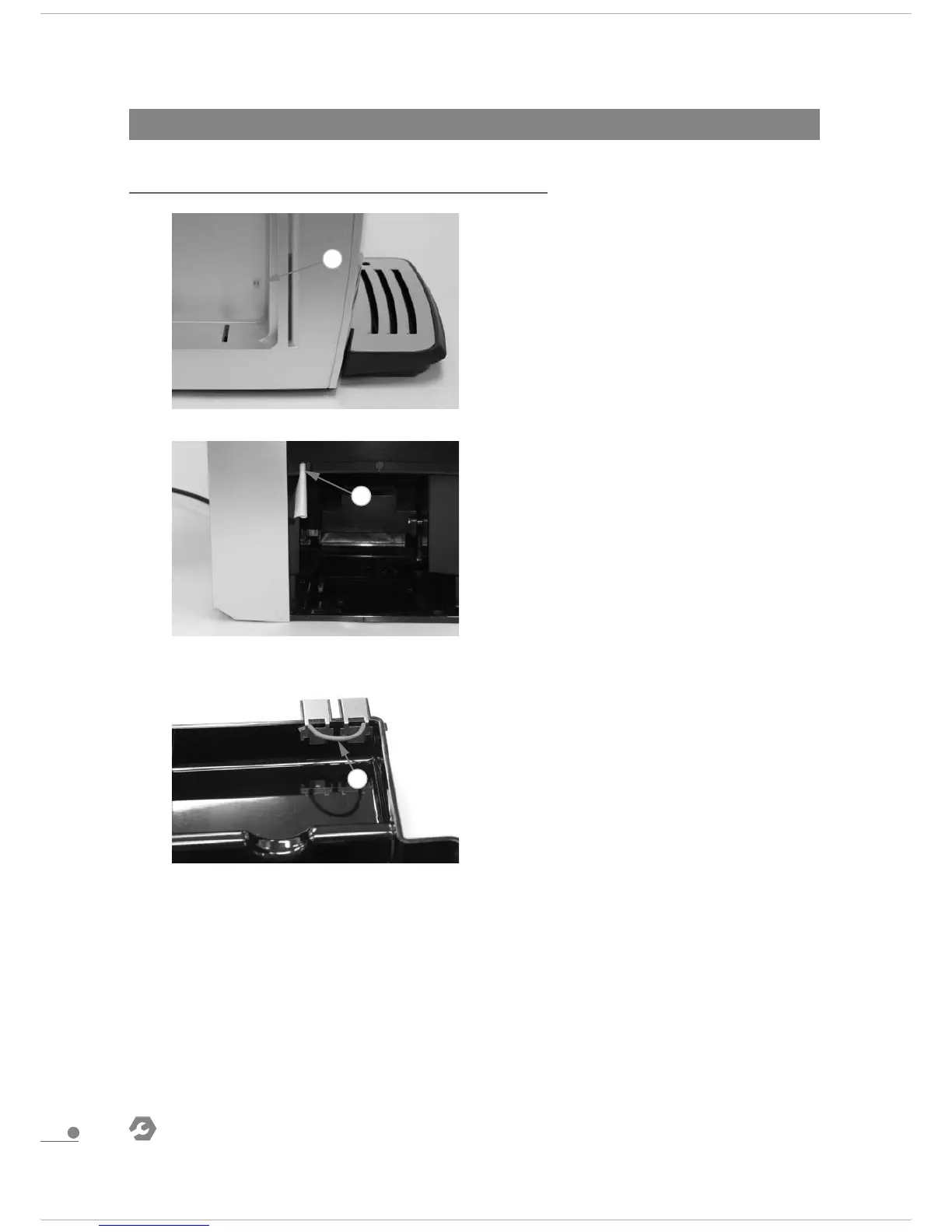
3.2.1.1 Reed sensor function
If there is water in water tank, but the screen displays
FILL WATER TANK,put a magnet in left side section as
the picture shows: if the screen does not display FILL
WATER TANK anymore- water tank components
damaged- replace components;If the screen still
displays FILL WATER TANK- internal line fault-
disassemble and repair the machine.
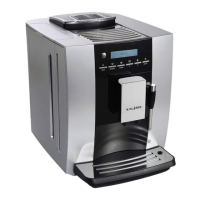
3.2.1.2 Drip tray microswitch function
If drip tray installed correctly, but the screen displays
INSTALL TRAY-fill in a piece of paper in the position of
microswitch as the picture shows and touch
microswitch: if the screen does not display INSTALL
TRAY any more-drip tray components damaged-
replace components;if the screen still display NSTALL
TRAY-internal line fault- disassemble and repair the
machine.
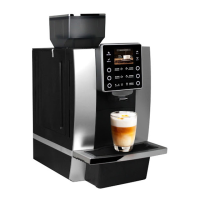
3.2.1.3 Drip tray terminal function
Use a wire to connet the terminal on drip tray as the
picture shows,and install to the machine correcttly. if
the screen reminds EMPTY TRAY- terminal function is
all right;If the screen does not remind EMPTY
TRAY-internal line fault- disassemble and repair the
machine.
3.2 Check list for minor failure
3.2.1 Function
Service Manual
Intelligent Fresh Ground Coffee Machine
KLM1602


 To Next Page