11
3 Quick-Start
System Requirements
Windows 10 (32 or 64-bit version)
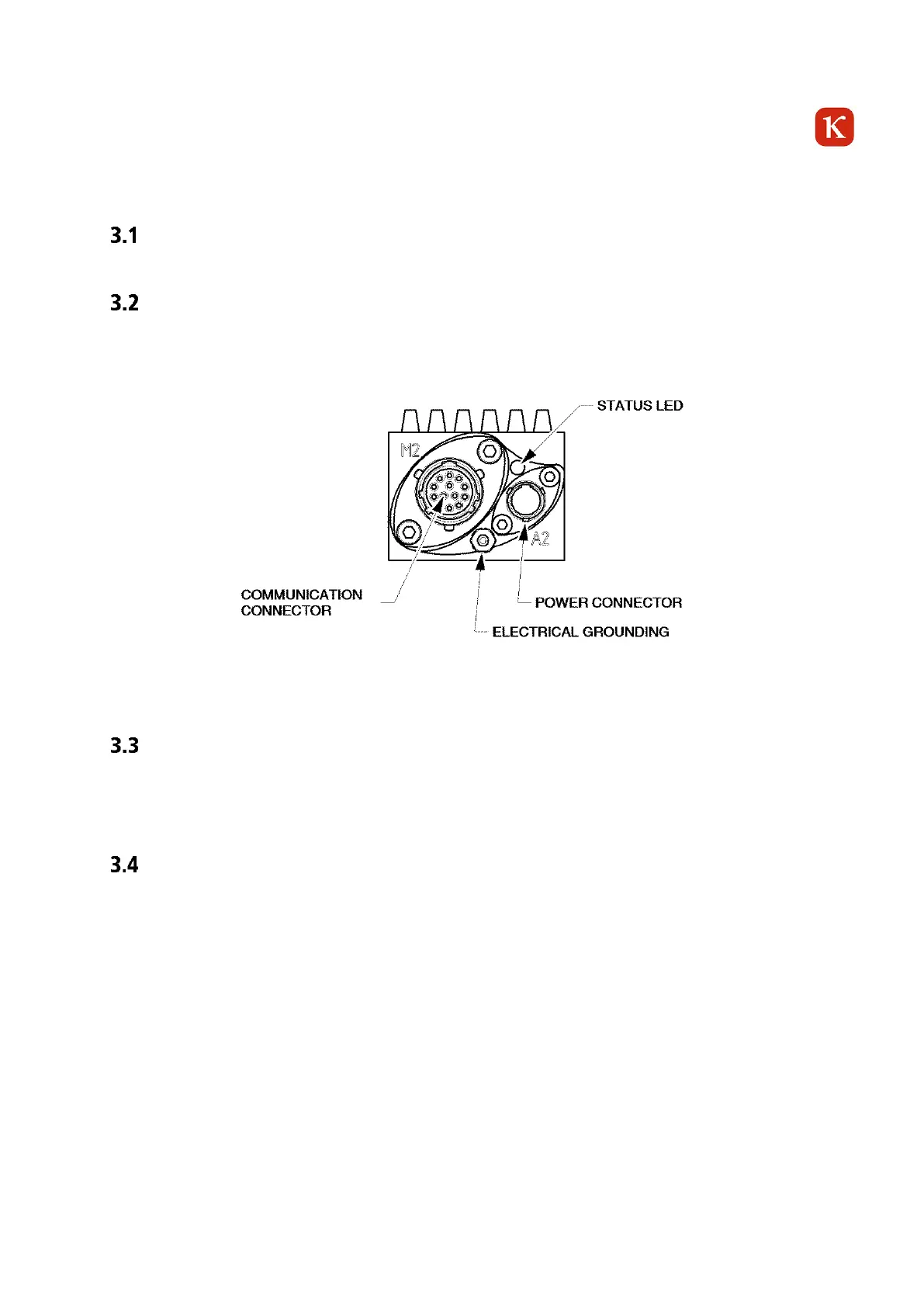
Camera connections
The feature system connectors of the cameras are on the rear side. The power supply of the camera, trigger
IN/OUT and Ethernet are provided via this connection.
Figure 3-1 Camera Electronic Unit - Rear View
Installation of KCC-X
Please run Setup.exe to install the KCC-X and its dependencies. After successful installation, the software is
executable with KCC-X.exe.
Open KCC-X
At each system start and when the camera is connected, the system checks if a DHCP server (Dynamic Host
Configuration Protocol) is available. If this is not the case, the camera is using an fixed IP Address =
10.10.0.100.
To accelerate the procedure your system administrator can assign a fix IP address to your network card. The
IP address has to be in the range 10.10.xxx.xxx



 To Next Page