EN
12 762.885 Z05 2012 coolcept_fleX, coolcept³_fleX
4.5 Connection cables
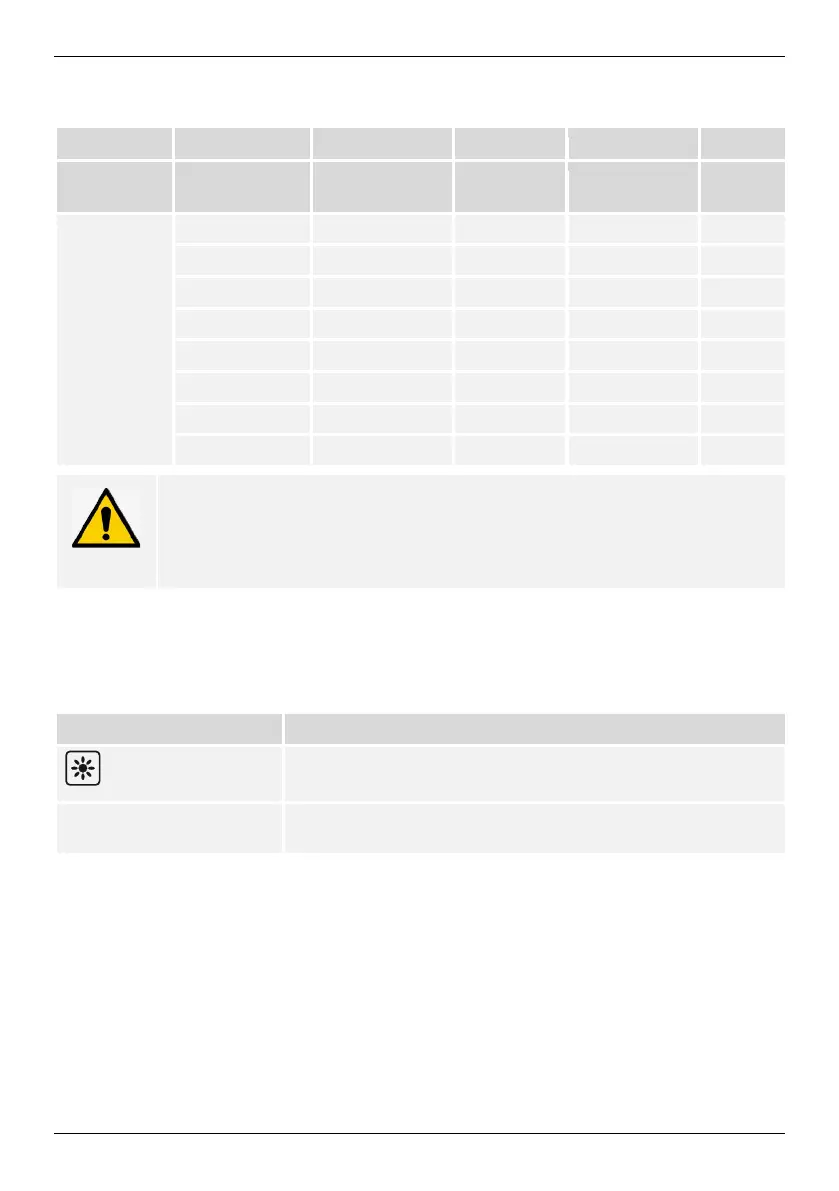
Pin assignment of alternative RS485 data connecting cable.
block
Contact
1 1 2 A Data A
2 4 4 B Data B
3 - - - -
4 - - - -
5 - - - -
6 - - - -
7 - - - -
8 3 6 GND Ground
NOTE
1)
Contact 1 of the RJ12 socket supplies 24 V DC!
The RS485 input of the inverter may be damaged.
►
Never connect the alternative data connecting cable to contact 1.
4.6 Display
The display shows the menus of the inverter.
The backlight of the display is switched on by pressing any button. The operating states of
the inverter are shown as follows:
The inverter is processing large data volumes.
It is not possible to enter user data
Backlight flashing red
with event message
Fault
4.7 Cooling
The inverter may heat up during operation. This is a normal operating characteristic. A fan
disperses the waste heat inside the closed case evenly onto the case surface. Cooling fins
allow the heat to dissipate to the surrounding.


 To Next Page