EN
28 762.885 Z05 2012 coolcept_fleX, coolcept³_fleX
7.3 Setting the feed-in management
Depending on the country, PV generators must be able to reduce the fed-in active power.
The following products are suitable for implementing this legal requirement:
• StecaGrid SEM
• WEB’log from Meteocontrol
• Solar-Log from Solare Datensysteme
• Energy-Manager from Kiwigrid
In the "Energy management" menu item, the mode, the feed-in rules, and the meter type
are set.
For a detailed description of the settings of the feed-in management refer to
the document "Technical Information" in the download area on the Steca
website.
7.3.1 Connecting energy meter
An energy meter can be connected to the inverter via the Modbus RTU interface "COM2"
(refer to section 4.9.1).
In the "Mode" menu item, the "Energy meter" function can be switched on or off.
7.3.2 Selecting an energy meter
The inverter can only communicate with the programmed energy meters.
7.3.3 Limiting the dynamic feed-in value
The feed-in value (country specific) can be entered from 0 W upwards in 10 W increments.
7.4 Switching DC on
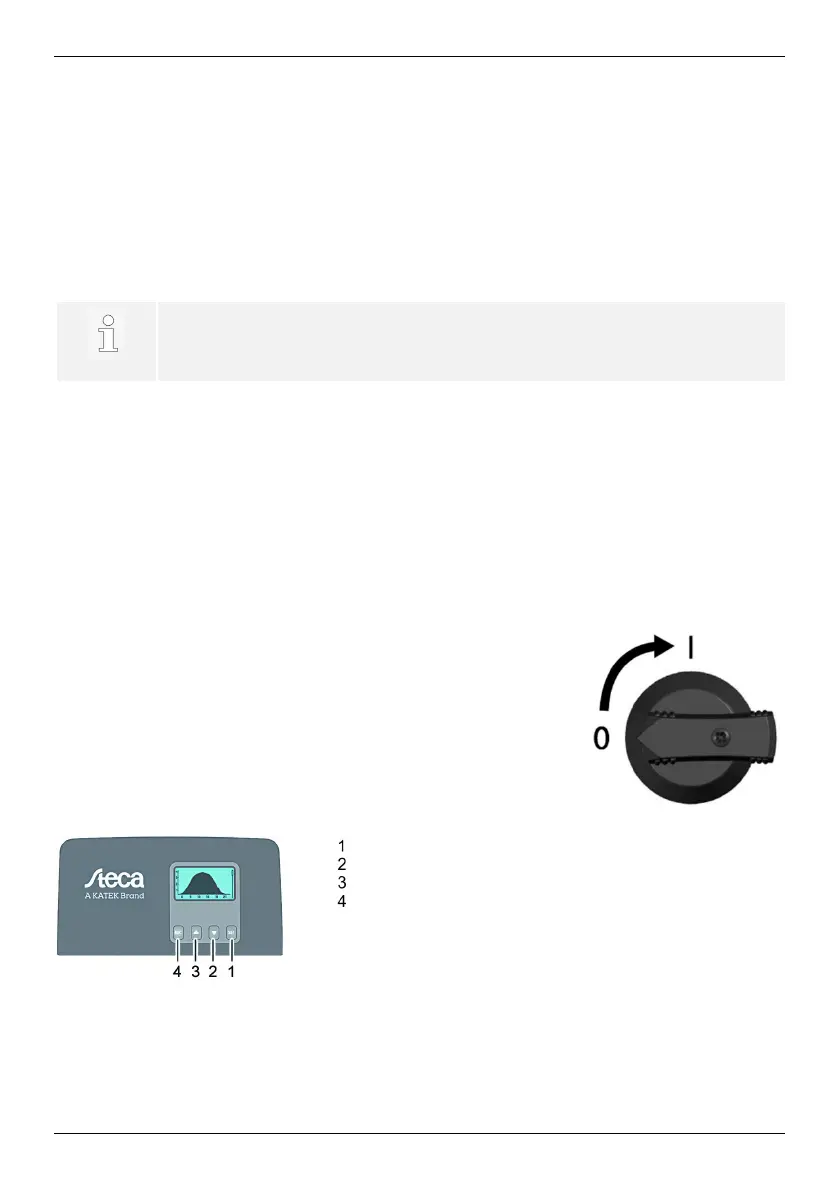
Switching on the DC disconnector on the inverter finishes the in-
stallation of the inverter. After approx. 2 minutes, the display can
show the fed-in power (provided that there is solar radiation).
1. Turn DC disconnector on the inverter to position 'I'.
8 Operation
8.1 Operating buttons
SET
ESC


 To Next Page