F
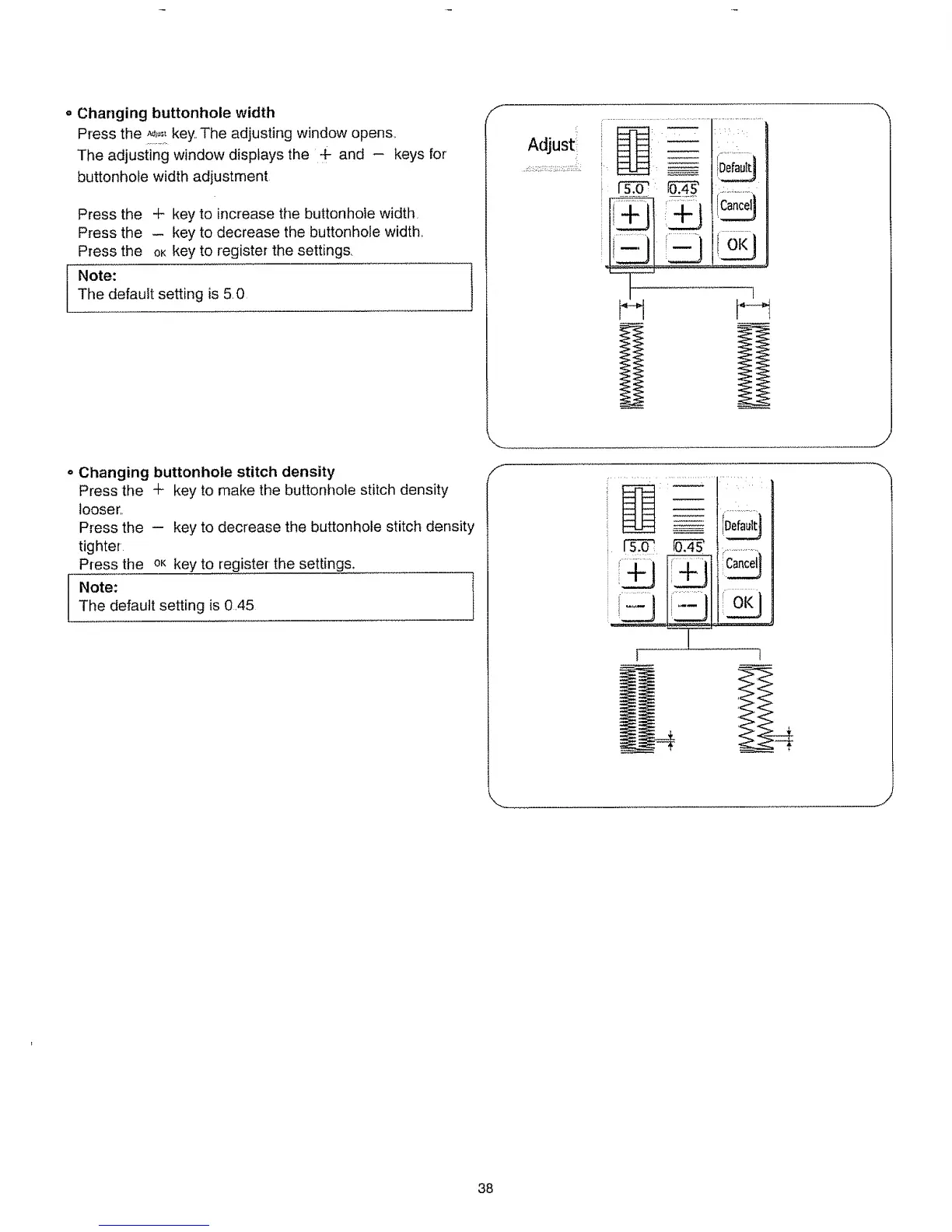
Changing buttonhole width
Press the *!!_,_key, The adjusting window opens.,
The adjusting window displays the 4- and - keys for
buttonhole width adjustment
Press the + key to increase the buttonhole width,
Press the - key to decrease the buttonhole width,
Press the OKkey to register the settings,
Note:
The default setting is 5.0
AdJust
i
!.....................iD0,0,,it..........
i___ 1_3' ,_._,_,_.........
i ...............I[_ance]l
FOKI
1
Changing buttonhole stitch density
Press the + key to make the buttonhole stitch density
looser,,
Press the - key to decrease the buttonhole stitch density
tighter
Press the oK key to register the settings.
Note: ]
The default setting is 0,45
/-
F
Defau]t{
Cancel1
J
38






 To Next Page