f
]
Designs _,:.[_
_Size F: 126xllC_nrn '........
A_
I/
m
Edi (_
Index
•Adjusting pa|tems
• Changing needles 2J
• fnserling the bobbin
• Sensor Buttonholes
• Threading the machine ?,__}
• Winding _hebobbin 3J _--_3
Changing needles
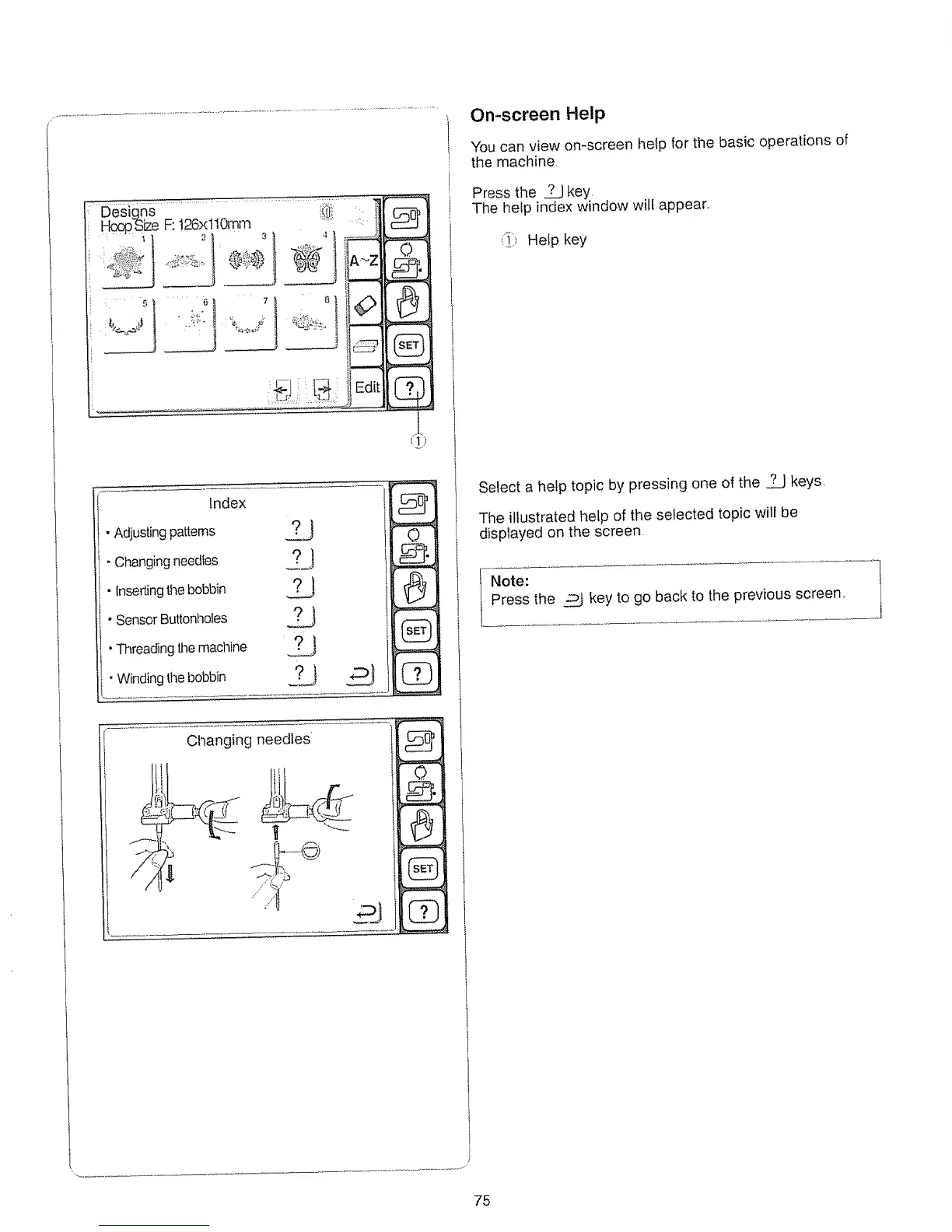
On-screen Help
You can view on-screen help for the basic operations of
the machine
Press the _ key
The help index window wil! appear.
<!) Help key
Select a help topic by pressing one of the _ keys
The illustrated help of the selected topic will be
displayed on the screen.
Note:
Press the _ key to go back to the previous screen,
75






 To Next Page