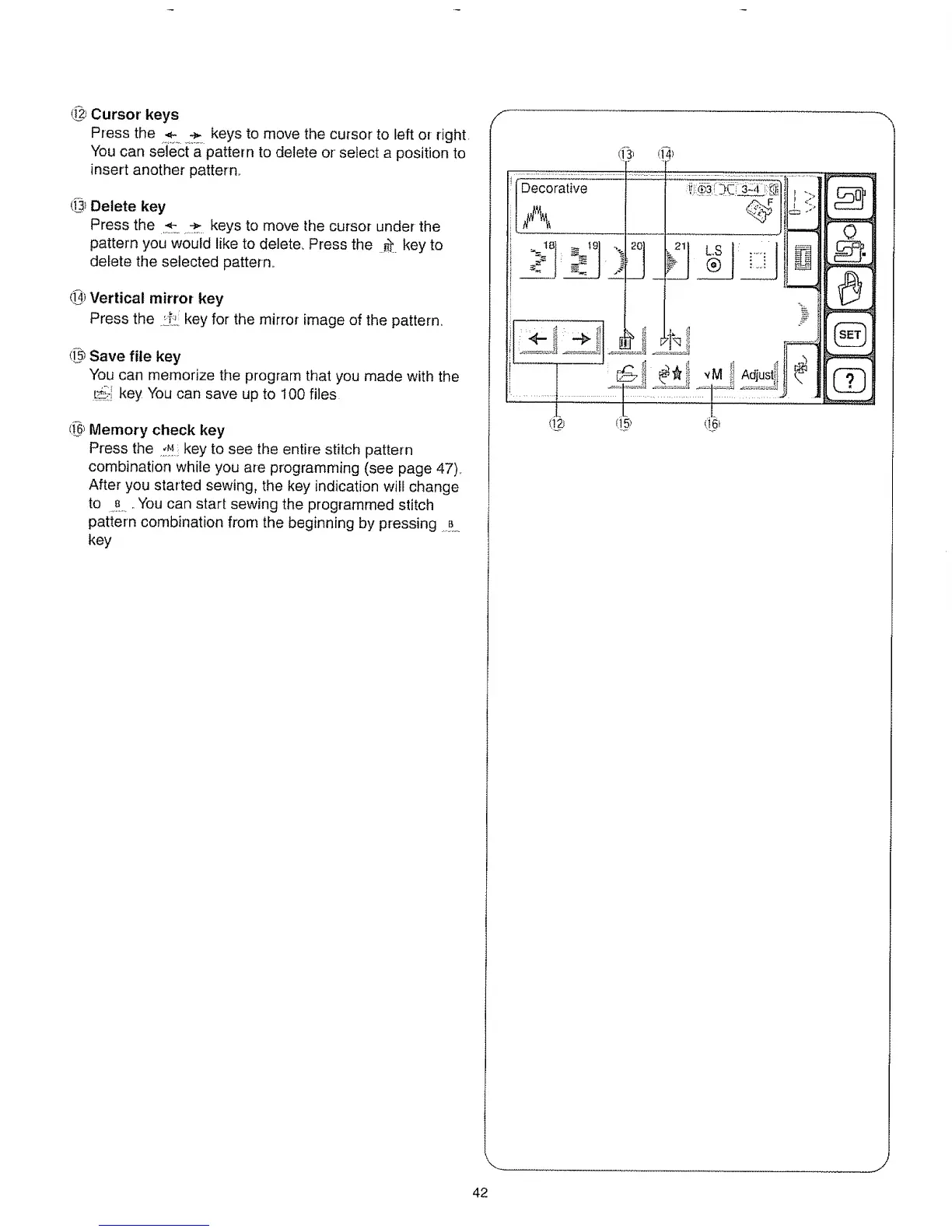
(_2JCursor keys
Press the ÷ ÷ keys to move the cursor to left or right.
You can select a pattern to delete or select a position to
insert another pattern,.
@ Delete key
Press the ,_. ,._ keys to move the cursor under the
pattern you would like to delete_ Press the _'t key to
delete the selected pattern.
@ Vertical mirror key
Press the .,!.:_i!,,key for the mirror image of the pattern,,
([_ Save file key
You can memorize the program that you made with the
_i-_ key You can save up to 100 files
(_ Memory check key
Press the ._M:key to see the entire stitch pattern
combination while you are programming (see page 47)_
After you started sewing, the key indication will change
to ..B ,.You can start sewing the programmed stitch
pattern combination from the beginning by pressing ,B.....
key
/-
/f_ ,:_1
I,A ! I iii
J. L ,L
t!2_ q5_ (I6_
_========
0
42



 To Next Page