ELECTRICAL SYSTEM
SERVICE MANUAL
ENGLISH
Razor™ 20 / 20T 9097065000(2)2009-06
37
BATTERY TYPE SETTING (WET OR GEL) (For Razor™ 20)
Set the electronic board of the machine and of the battery charger according to the type of batteries installed (WET or GEL) as
shown below:
Machine setting
1.
If the setting is to be changed, perform the following procedure.2.
Make sure that the switches (71) and (73) are turned off.3.
Press and hold the switches (71) and (73) at the same time.4.
Release the switches (71) and (73) at least 8 seconds after starting the machine.5.
Within three seconds, press the switch (73) again for a few seconds and check that the warning light for the required setting is 6.
Battery charger setting
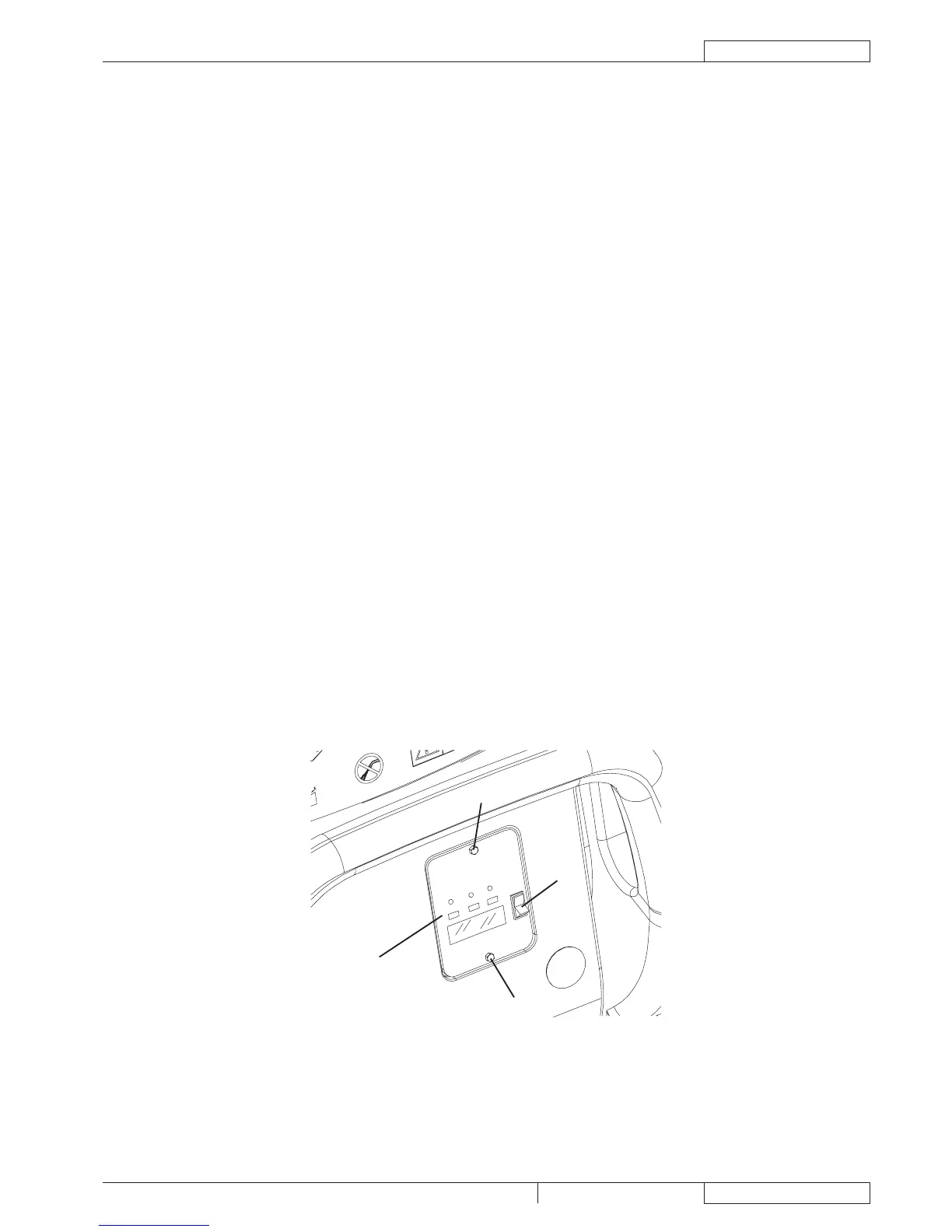
Remove the battery charger data inspection window screws (A).7.
Remove the window (B).8.
Turn the battery charger selector (C) to WET position for lead batteries, or to GEL position for gel batteries.9.
Install the window (B) and tighten the screws (A).10.
BATTERY TYPE SETTING (WET OR GEL) (For Razor™ 20T)
Set the electronic board of the machine and of the battery charger according to the type of batteries installed (WET or GEL) as
shown below:
Machine setting
1.
If the setting is to be changed, perform the following procedure.2.
3.
4.
Release the switches (71) and (73) at least 8 seconds after starting the machine.5.
Within three seconds, press the switch (73) again for a few seconds and check that the warning light for the required setting is 6.
Battery charger setting
Remove the battery charger data inspection window screws (A).7.
Remove the window (B).8.
Turn the battery charger selector (C) to WET position for lead batteries, or to GEL position for gel batteries.9.
Install the window (B) and tighten the screws (A).10.


 To Next Page