Basic Operations
13English
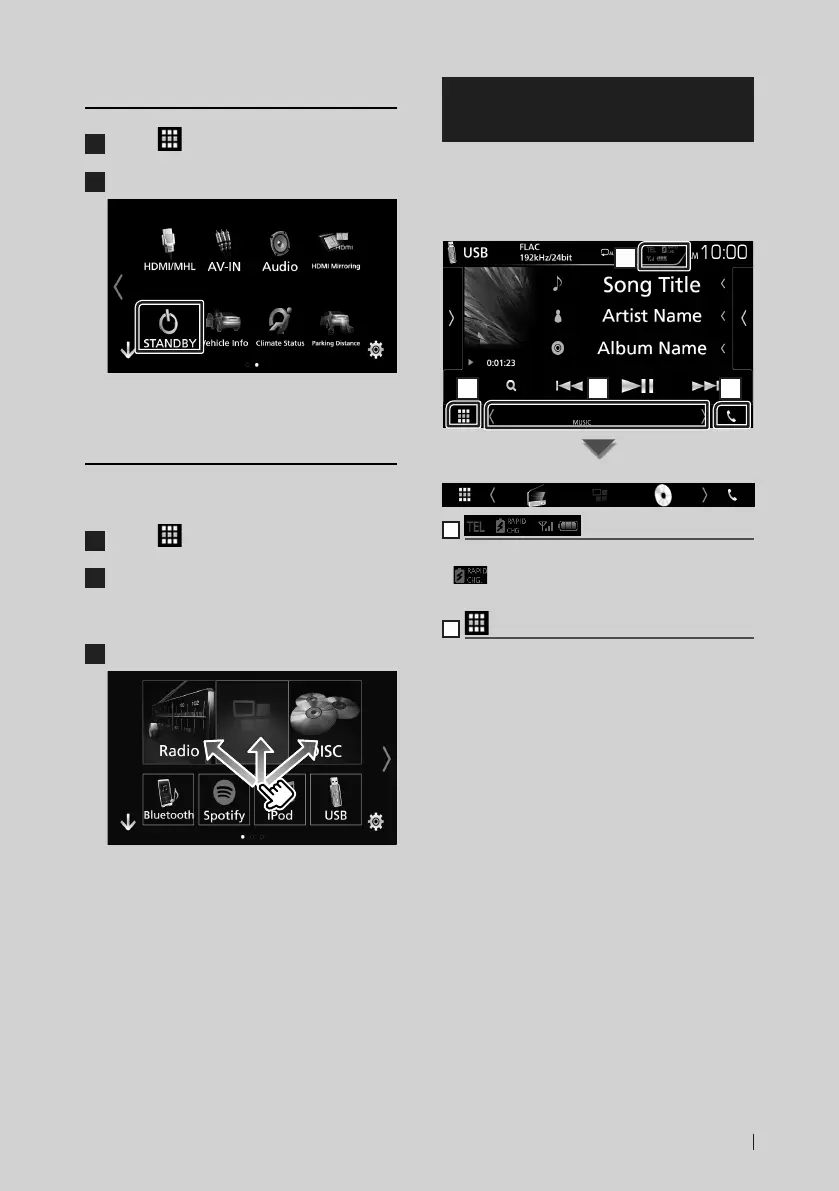
Put the unit in standby
1
Touch [ ] on the HOME screen.
2
Touch [STANDBY].
Customize Short-cut buttons on
HOME screen
You can arrange the position of the source
icons as you like.
1
Touch [ ] on the HOME screen.
2
Touch and hold the icon which you want
to move to go into the customizing
mode.
3
Drag it where you want to move.
Source control screen
descriptions
There are some functions which can be
operated from most screens.
Indicators
1
2 3 4
Short-cut buttons
1
Connected Bluetooth device information.
•
: Lights up when quick charging battery
of the connected iPod/ iPhone/ Smartphone.
2
All sources icon
Displays all sources.


 To Next Page
 Loading...