Bluetooth Control
45English
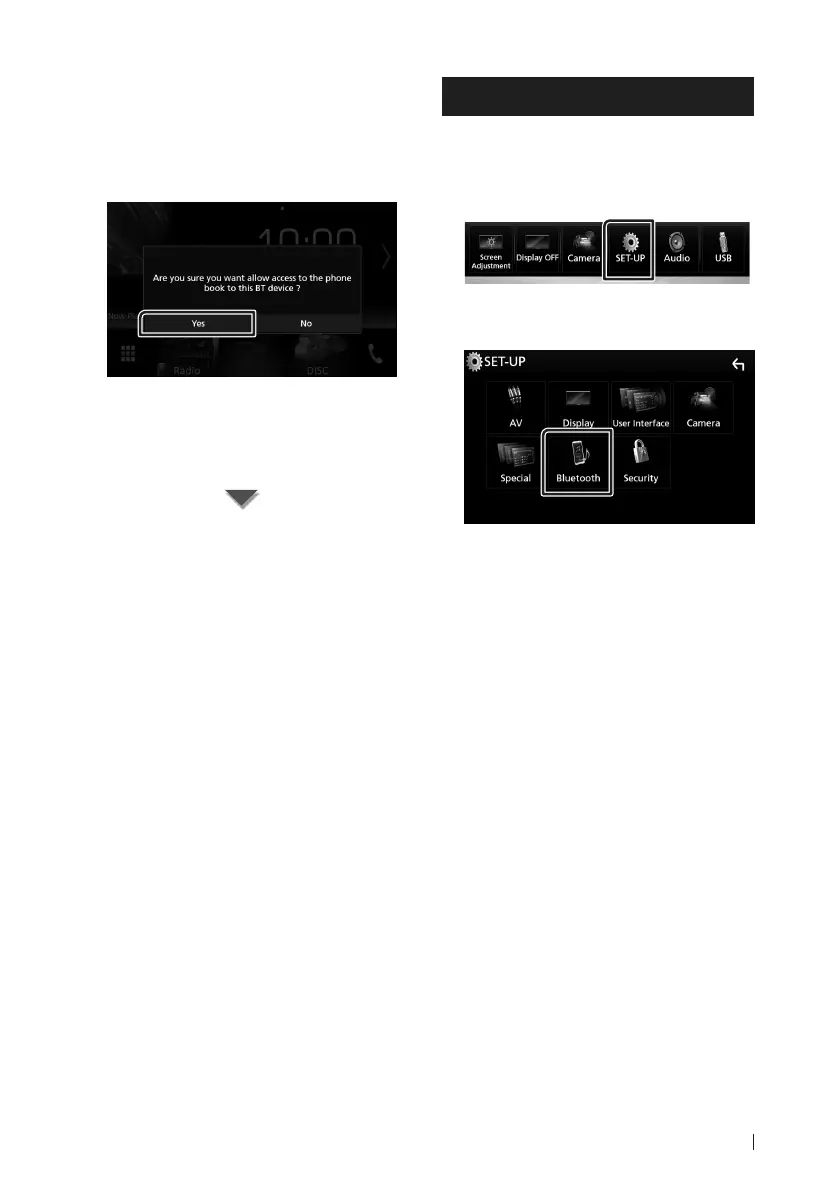
Step 3: Phonebook transfer
1
Select if you want to transfer your
phonebook data.
This message appears if the device
supports PBAP.
The phonebook data transmission starts.
Some smartphones may request
permission to access the data. The
data transmission will start with your
permission.
When the data transmission and
connection have completed, the Bluetooth
connection icon appears on the screen.
Bluetooth Setup
1
Press the [MENU] button.
Popup menu appears.
2
Touch [SETUP].
SETUP Menu screen appears.
3
Touch [Bluetooth].
Bluetooth SETUP screen appears.
See the following section for each
setting.
• Connect the Bluetooth unit (P.46)
• Change the PIN code (P.47)
• Change the device name (P.47)


 To Next Page
 Loading...