Other External Components
56
2
Camera off
Touch to exit the camera screen.
3
Key display
Touch to display the dashboard camera
control buttons.
External audio/video players—
AV-IN
1
Connect an external component to the
AV-IN input terminal. (P.81)
2
Select [AV-IN] as the source. (P.11)
3
Turn on the connected component and
start playing the source.
HDMI/ MHL source
(DDX9717BTS)
1
Connect your smartphone to the HDMI/
MHL input terminal. (P.81)
Use HDMI cable KCA-HD100 (optional
accessory) or MHL cable KCA-MH100
(optional accessory).
2
Select [HDMI/MHL] as the source. (P.11)
3
Start an application or playback on your
smartphone.
● About Wireless Display Adapter:
This unit is compatible with Wireless Display
Adapter. Connecting a Wireless Display Adapter
(KCA-WL100: optional accessory) to the HDMI/
MHL input terminal enables you to enjoy
listening to music, watching videos, or viewing
pictures over a wireless connection.
NOTE
• For details about Wireless Display Adapter
settings, etc., refer to the instructions supplied
with the Wireless Display Adapter.
TV tuner (DDX9717BTS)
You can connect the TV tuner (commercially
available) with this unit and watch TV.
Preparation
• When you use TV control function, connect the
TV tuner (commercially available) and set 3rd
Party TV Tuner Control in AV Setup (P.62) to
ON.
• The TV tuner can be controlled with its supplied
remote control through the remote sensor on the
front panel of this unit.
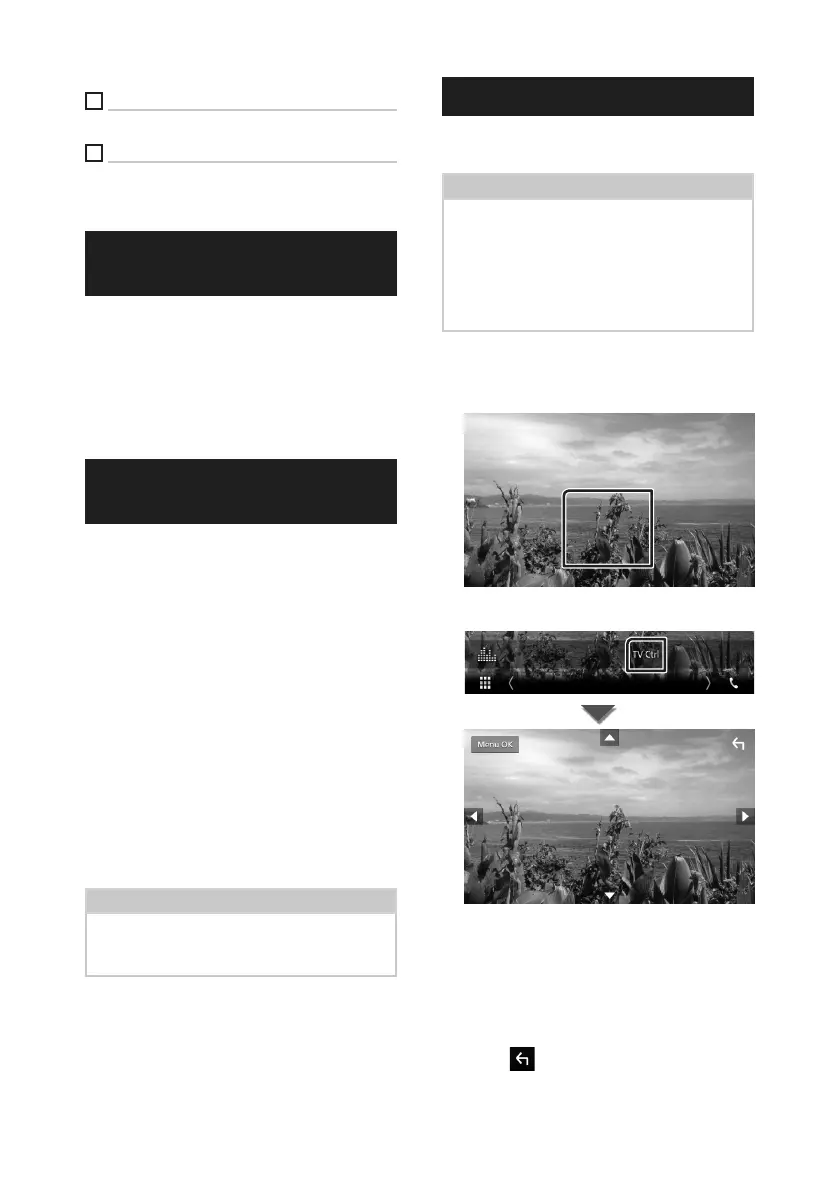
1
Select [AV-IN] as the source. (P.11)
2
Touch Key display area.
3
Touch [TV Ctrl].
■ Displays the menu/ Enters selected
item
Touch [MENU/OK].
■ Moves the cursor
Touch [R], [S], [C], [D].
■ Exits menu control
Touch [ ].


 To Next Page
 Loading...