Radio
36
Selecting Operation
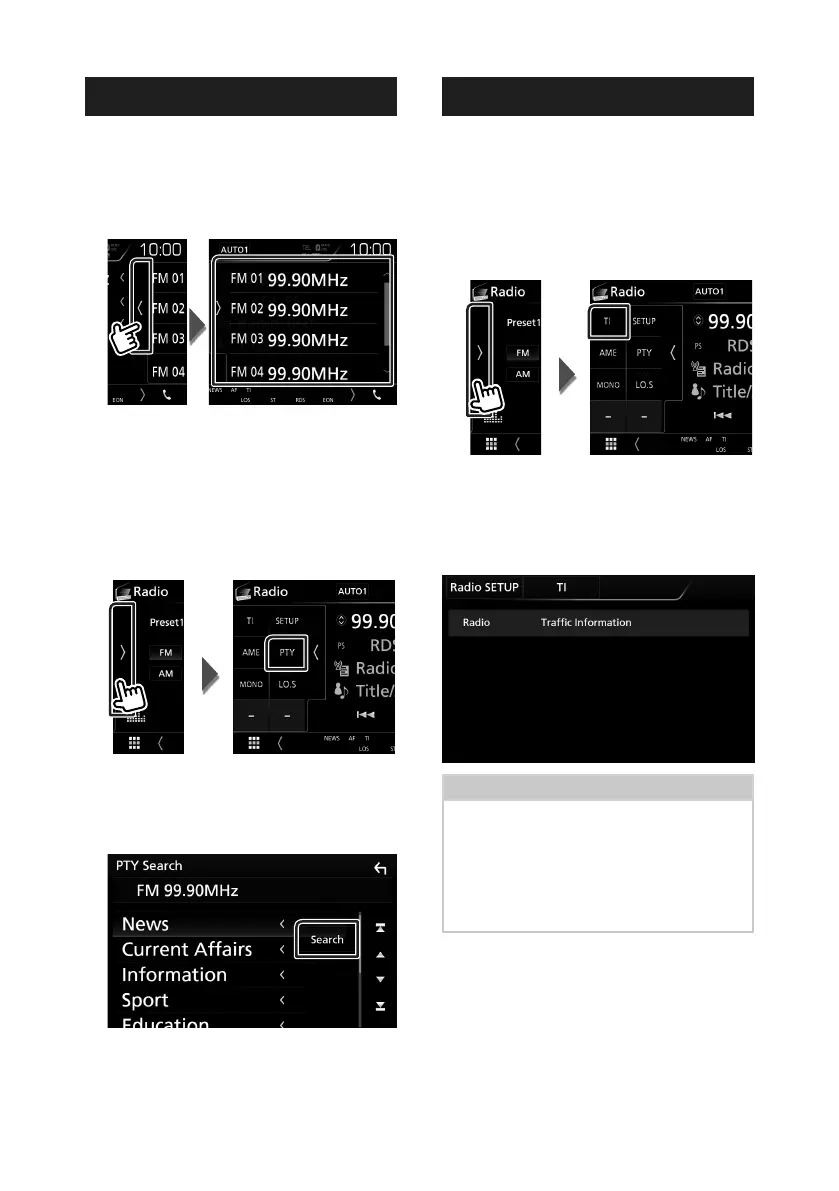
Ñ Preset select
You can list and select memorized station.
1
Touch on the right side of the screen.
Select a station from the list.
Ñ Search by program type
(FM only)
You can tune to a station with a specific
program type when listening to FM.
1
Touch on the left side of the screen.
Touch [PTY].
PTY Search screen appears.
2
Select a program type from the list.
3
Touch [Search].
You can search a station of the selected
program type.
Traffic Information (FM only)
You can listen and watch the traffic
information automatically when a traffic
bulletin starts. However, this feature requires a
Radio Broadcast Data System that includes the
TI information.
1
Touch on the left side of the screen.
Touch [TI].
Traffic information mode is set.
Ñ When the traffic bulletin starts
The Traffic Information screen appears
automatically.
NOTE
• It is necessary to have Traffic Information function
set to on in order to have the Traffic Information
screen appear automatically.
• The volume setting during reception of traffic
information is automatically stored. The next time
the traffic information is received, this unit recalls
the volume setting automatically.


 To Next Page
 Loading...