DAB
39English
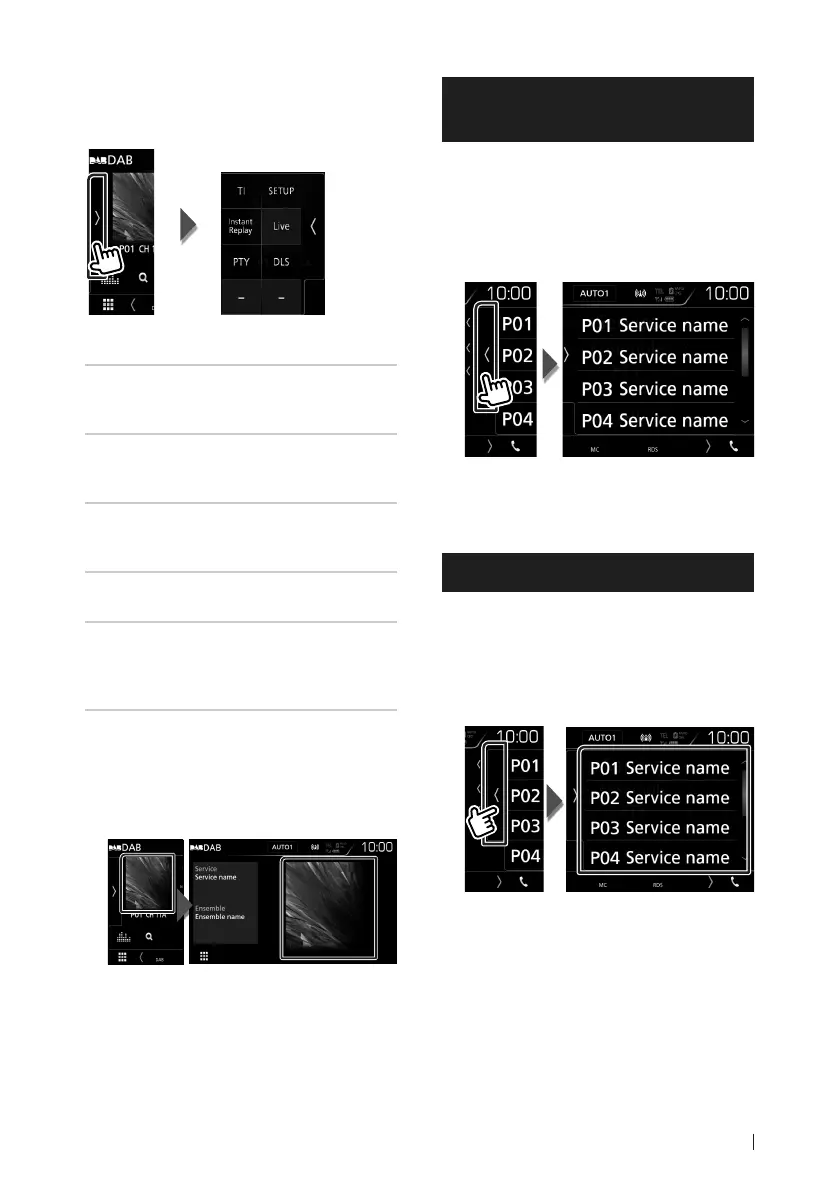
Ñ Function panel
1
Touch on the left side of the screen.
The functions of each key are as follows.
[TI]
Sets the traffic information mode on. For
details, see Traffic Information (P.41).
[SETUP]
Displays the DAB SETUP screen. For details,
see DAB Setup (P.42).
[Instant Replay] (Live mode only)
Change the Replay mode. See Replay
(P.41).
[Live] (Replay mode only)
Change the Live mode.
[PTY] (Live mode only)
Searches a program by setting program type.
For details, see Search by program type
(P.40).
[DLS]
Display the Dynamic Label Segment screen.
Ñ Information screen
1
Touch to switch between the Control and
Information screen.
Storing Service in Preset
Memory
You can store the current receiving service in
memory.
1
Select a service you wish to store in
memory.
2
Touch on the right side of the screen.
3
Touch [P#] (#:1-15) in which you want to
store the station for 2 seconds until a
beep sounds.
Selecting Operation
Ñ Preset select
You can list and select memorized service.
1
Touch on the right side of the screen.
Select a service from the list.


 To Next Page
 Loading...