Keysight 86120D and 86122C Multi-Wavelength Meters User’s Guide 21
Getting Started 1
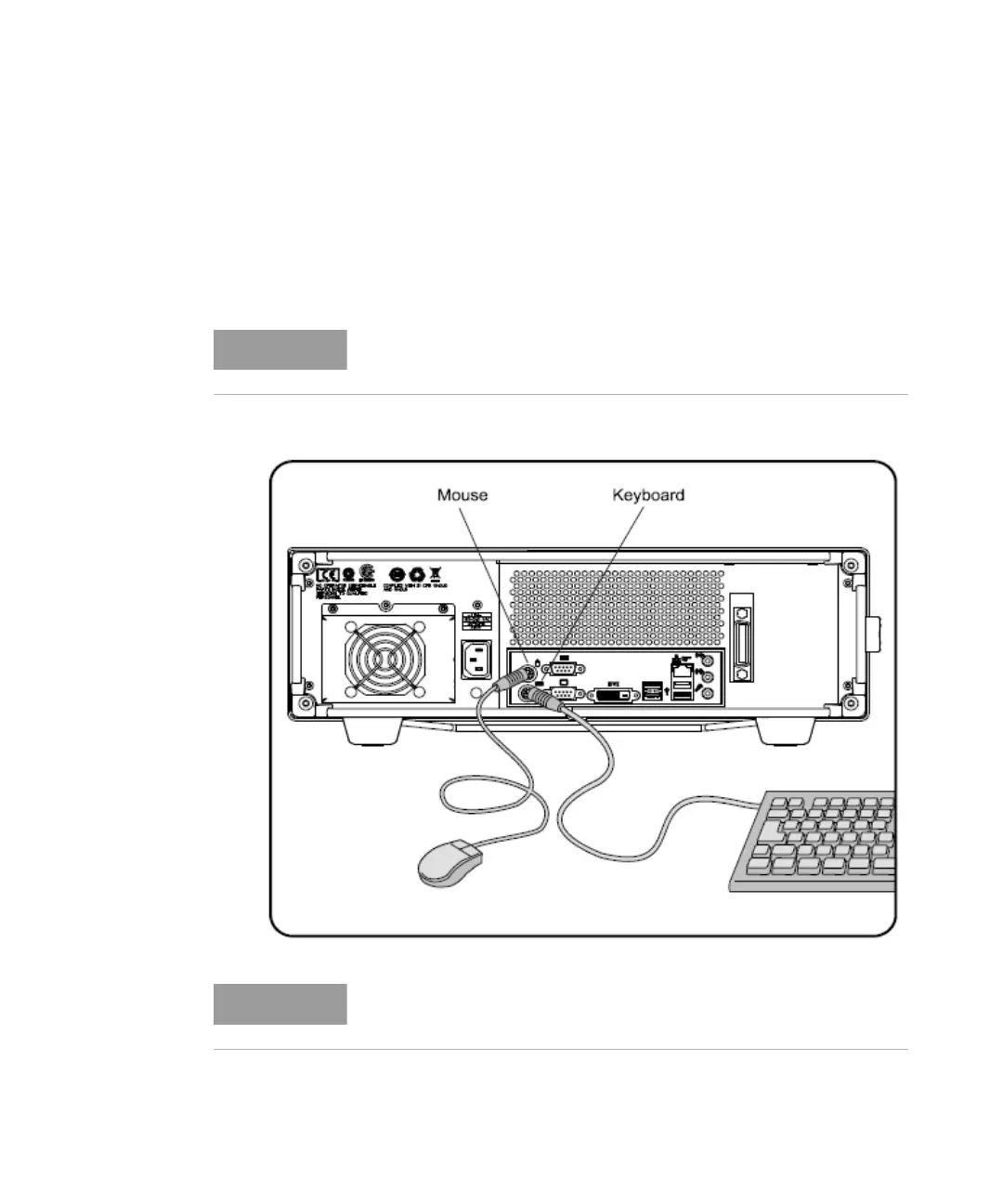
Step 4. Connect a Keyboard and Mouse (Optional)
You may connect a standard PC-compatible mouse and keyboard to the
instrument. Refer to the figure below for PS/2 connections. You can also
use the USB port for a USB keyboard and mouse. You can also connect
USB mouse and keyboard with the USB port in the front panel of the
instrument.
A keyboard and mouse are not supplied with the multi-wavelength
meter.
Do not stack other objects on the keyboard; this will cause self-test
failures at power-on















 To Next Page