Keysight 86120D and 86122C Multi-Wavelength Meters User’s Guide 33
Getting Started 1
Step 11. Change Region and Language Settings
Follow the steps to change the region and language settings.
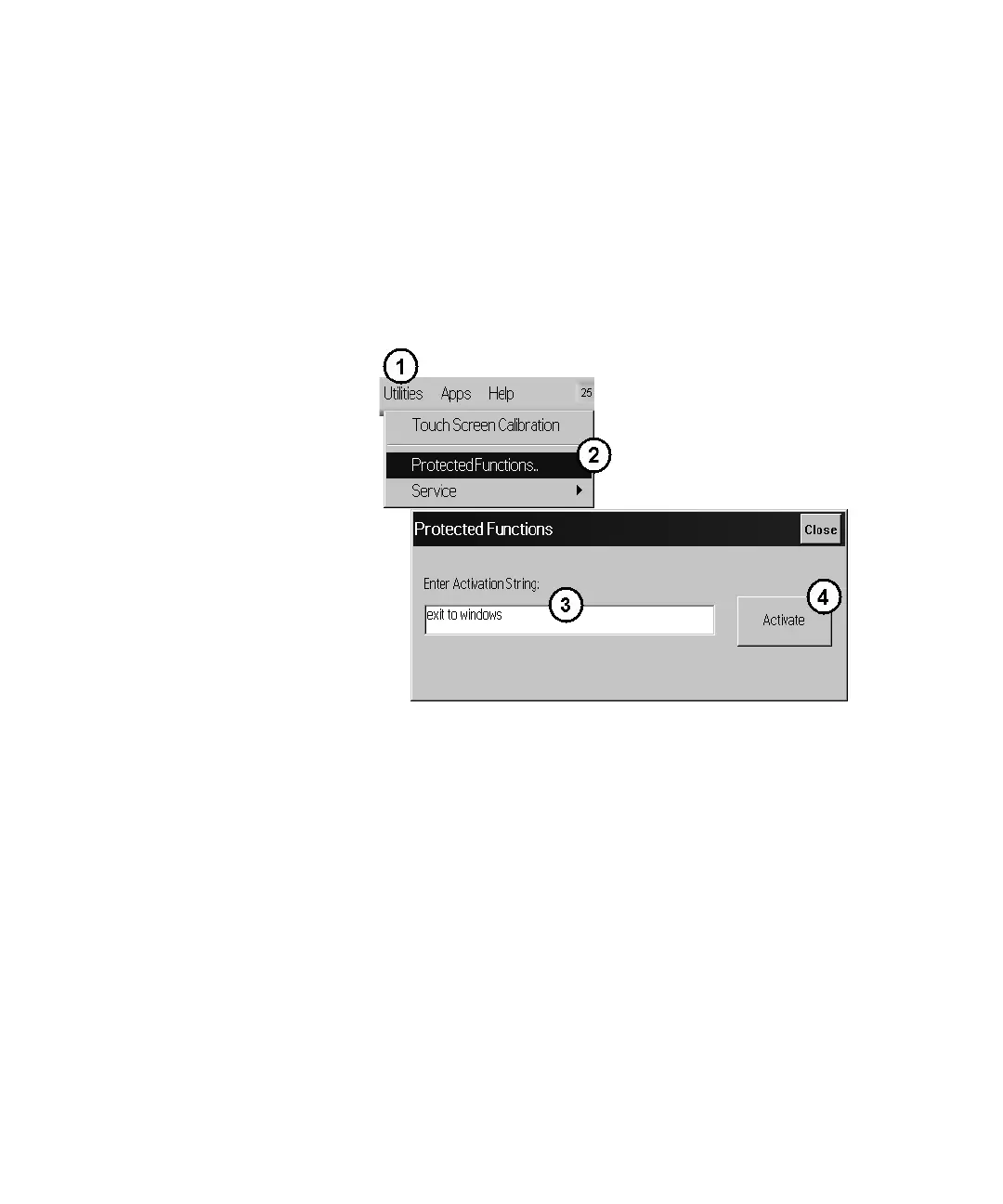
1 Exit the multi-wavelength meter software.
a On the Utilities menu, click Protected Functions.
b Enter the protected functions password “exit to windows” and click
Activate.
Figure 13
2 From the Windows 7 Start menu, open the Control Panel.
3 In the Control Panel, click Clock, Language and Region.















 To Next Page