72 Keysight 86120D and 86122C Multi-Wavelength Meters User’s Guide
2 Using the 86122C
Graphs and Tables
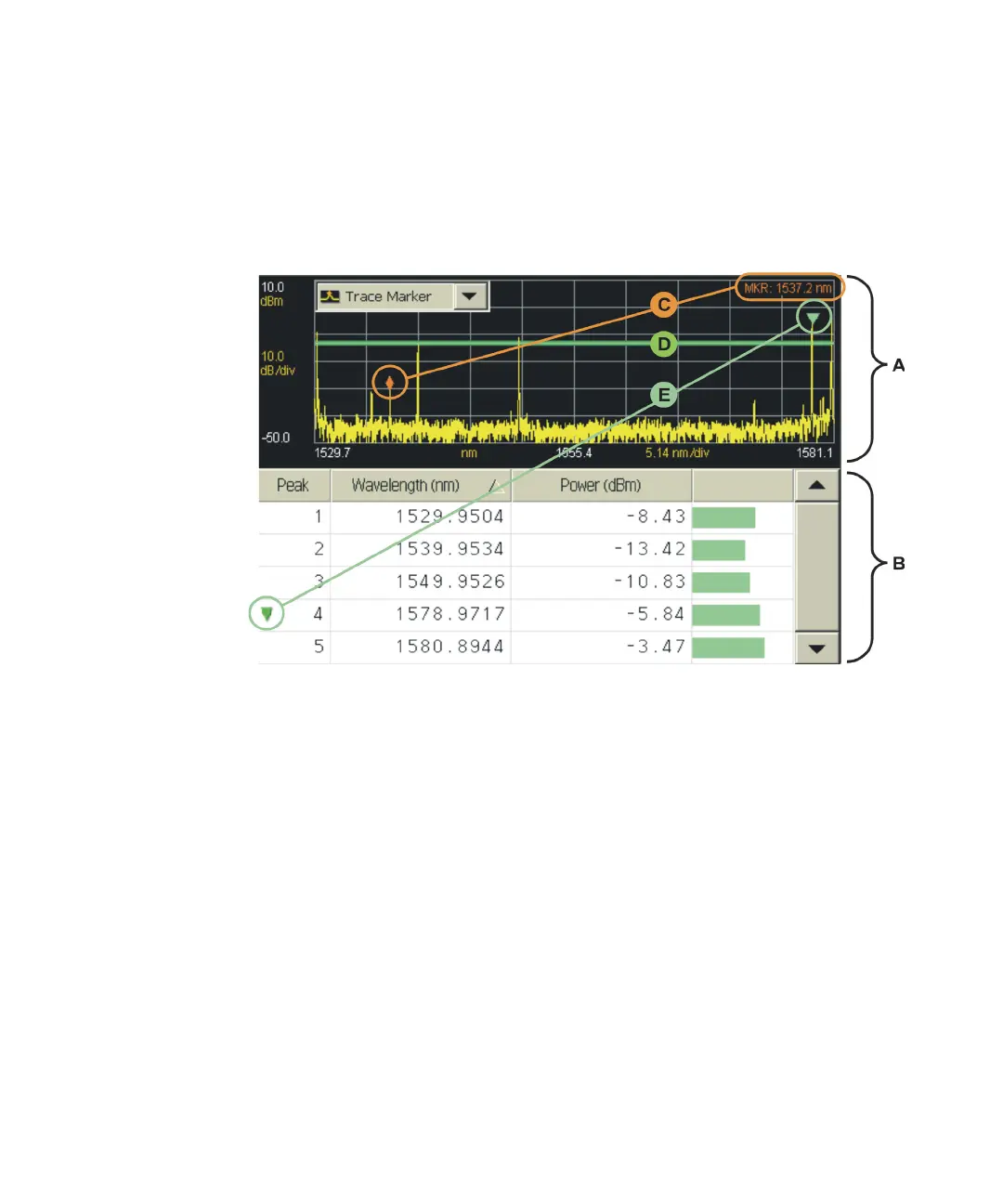
This section describes the layout of the graph and table.
Figure 42
• A: The graph displays a measurement trace that plots wavelength
versus power for the entire span of the graph.
• B: The table lists precise measurement data for peak wavelengths.
• C: The trace marker allows you to find the approximate wavelength of
any point on the measurement trace. An area in the upper right corner
of the graph displays the approximate trace marker wavelength, but not
power.
• D: The horizontal green line represents the peak threshold, one of two
criteria used to define peak wavelengths. For more information, refer to
Peak Criteria.
• E: The peak marker is always displayed and allows you to associate a
peak wavelength in the graph with a row of peak data in the table.















 To Next Page